Math · Built from a recipe
4D Shapes
E6 on the major comb. Its drum rings at 2709.5 Hz.
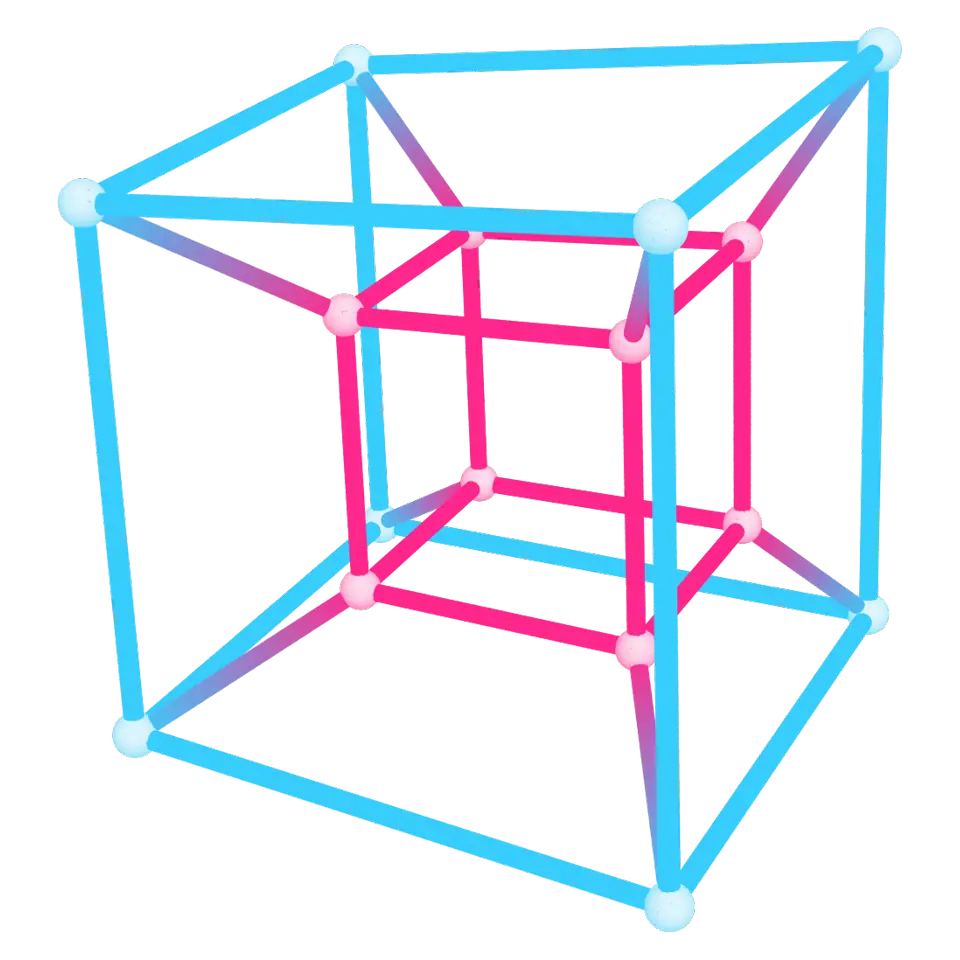
A hypercube, or tesseract, is a cube in four dimensions.
- Shelf
- Math
- Kind
- Built from a recipe
- Sound
- Yes
- Licenses
- Own work (made in the page)
Its note
Splashery stretches a drumhead over this Splash's outline, twelve inches across, and finds the ways it can ring. Its lowest is 2709.5 Hz, 1247 cents sharp of E6, the nearest tine on the comb. The next fifteen are its overtones, and each one draws its own figure: sand gathers on the lines that stay still.
- 12710 Hz
- 22943 Hz
- 33014 Hz
- 43048 Hz
- 53203 Hz
- 63243 Hz
- 73317 Hz
- 83328 Hz
- 93479 Hz
- 103486 Hz
- 113595 Hz
- 123601 Hz
- 133616 Hz
- 143657 Hz
- 153697 Hz
- 163702 Hz
How to play
Tap to turn it inside out. Try the 4D turn slider in the Splash tab.
Its controls
| Control | Kind | Range | Start |
|---|---|---|---|
| Turn inside out | Tap | ||
| 4D turn | Slider | 0 to 100% | 85% |
| Turn inside out | Button | ||
| Colors | List | 7 choices | Blue and pink |
About it
A hypercube, or tesseract, is a cube in four dimensions. A square has 4 corners and a cube has 8; a tesseract has 16 corners and 32 edges, and its sides are 8 cubes. We can't see four dimensions, so this splash shows its shadow in our three: a cube inside a cube, with their corners joined.
At rest it rocks gently in 4D. Tap it to turn it once around through the fourth dimension: the pink inner cube swells out to become the outer one while the blue one folds inside, then it turns on back to where it started. Every edge stays perfectly straight the whole time. The 4D turn slider changes the strength of its gentle resting rotation, and Colors picks a theme.
Details
- Splats
- Opens at 200,000 at Mid Detail, 96,005 at Low, and up to 999,968 at Max
Sources and credits
Made in Splashery. Its code is MIT.