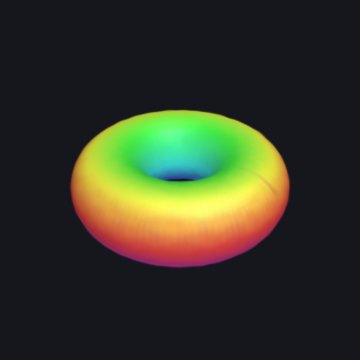
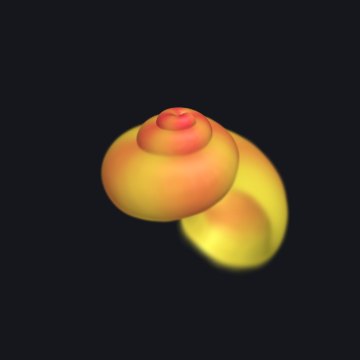
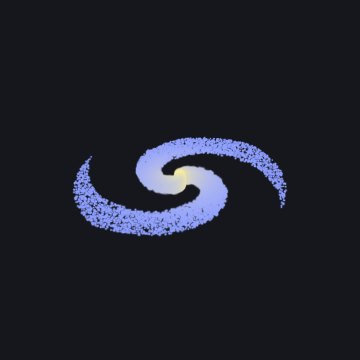
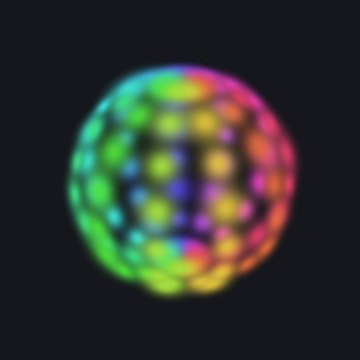
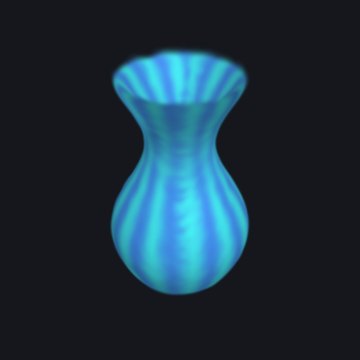
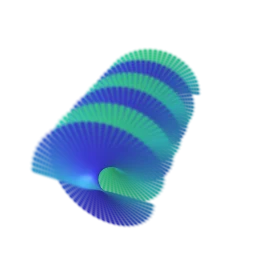
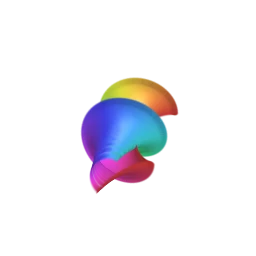
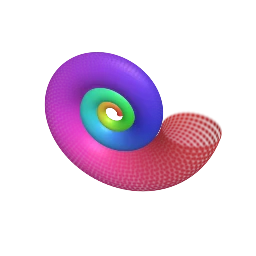
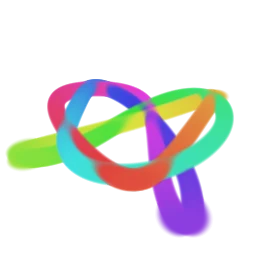
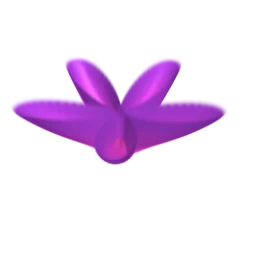
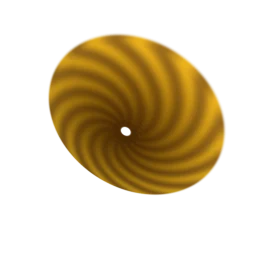
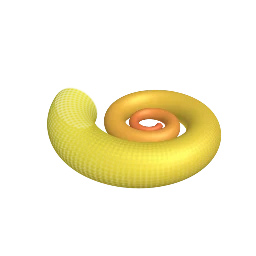
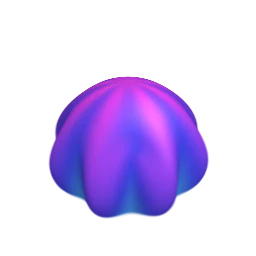
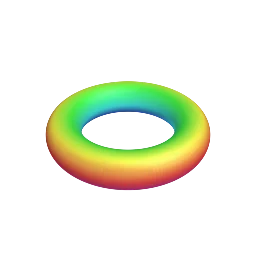
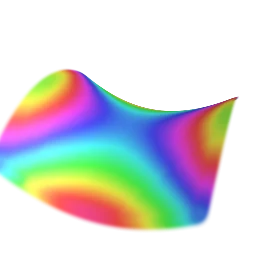
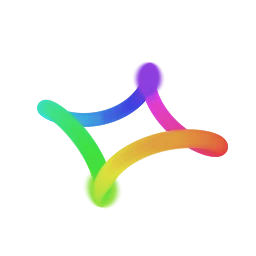
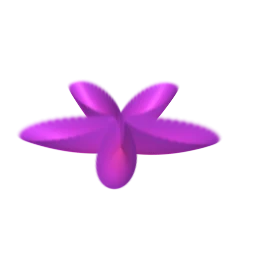
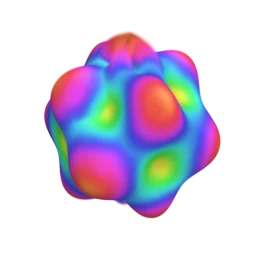
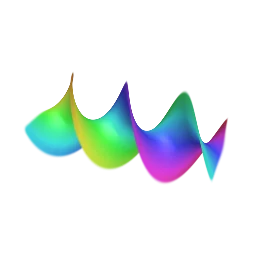
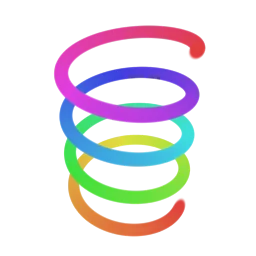
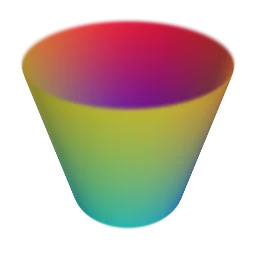
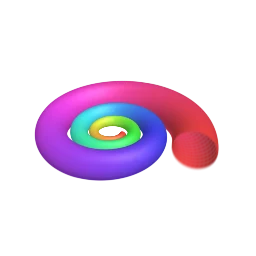
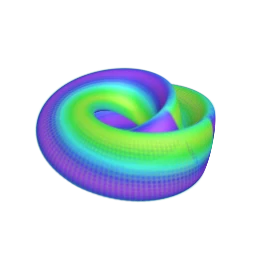
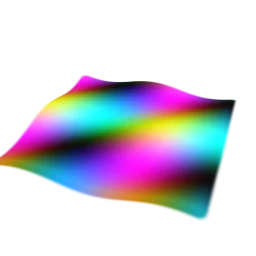
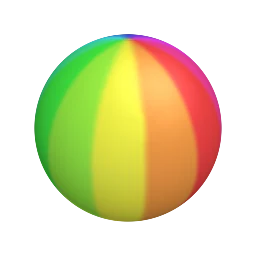
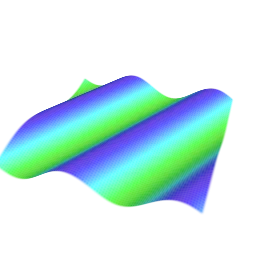
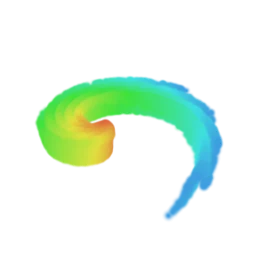
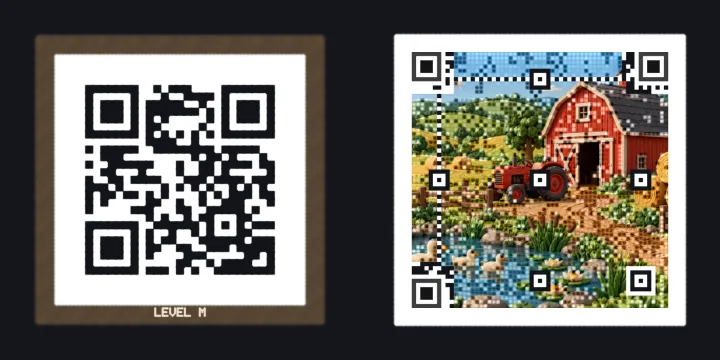
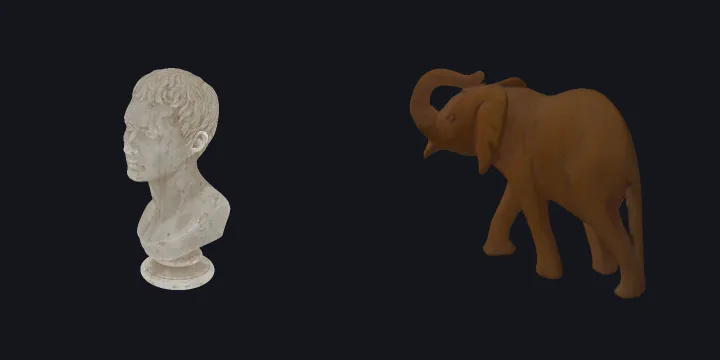
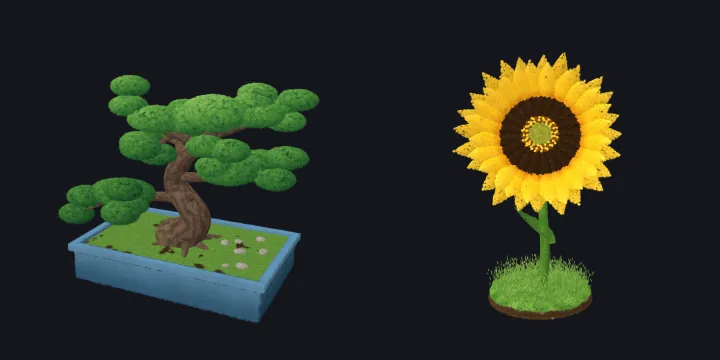
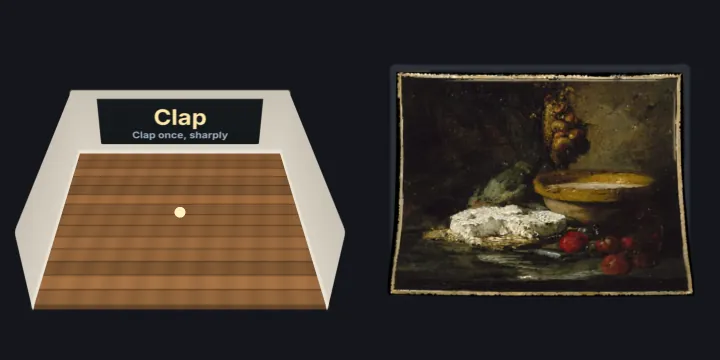
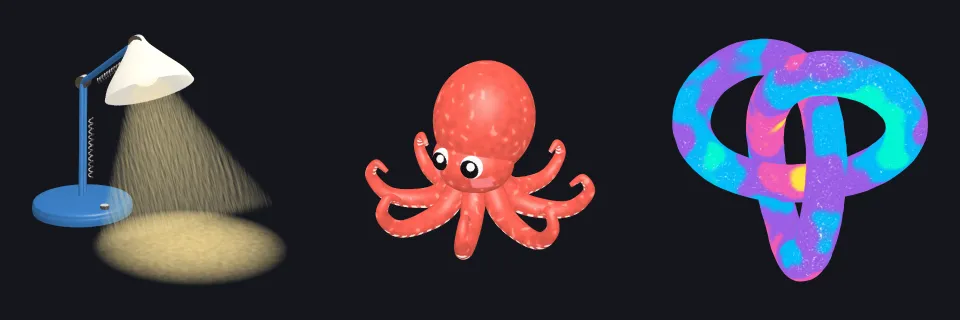
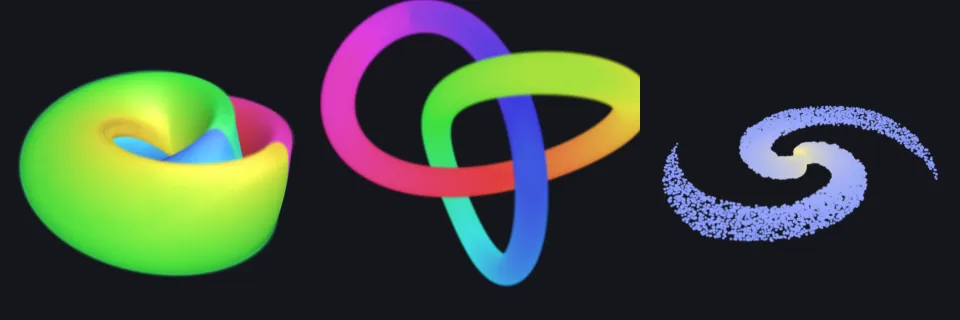
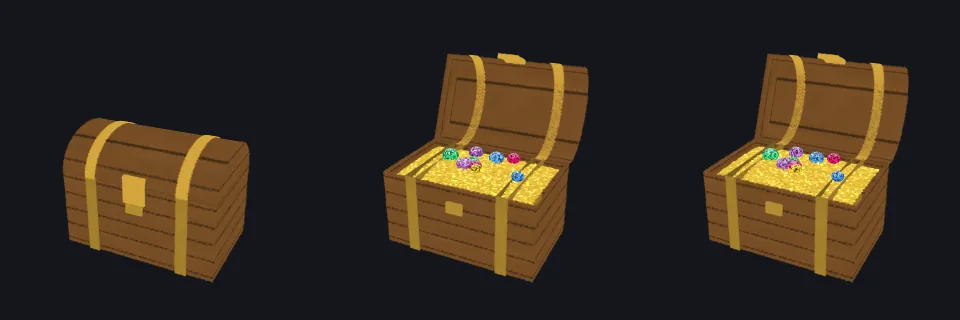
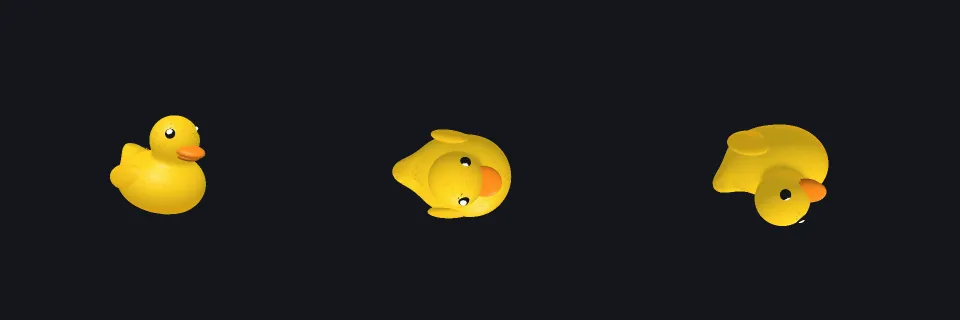
How to program Gaussian splats: what one splat is, how the Splashes are built, and a small
language for writing your own splat equations, and Splashes that show pictures and read
what you type.
Almost every Splash in the
Splashery Playground
is made of Gaussian splats: hundreds of thousands of soft, colored blobs that blend into a
solid-looking thing. This manual is for anyone who knows some math and wants to make
splats do what they say. It goes chapter by chapter. You can stop after any chapter and
still have something to play with.
New to the Playground? Using Splashery comes first: what is on the
screen, what the buttons do, and the views that let you see inside the drawing.
Splashery is primarily splat based, but not entirely. Two honest exceptions:
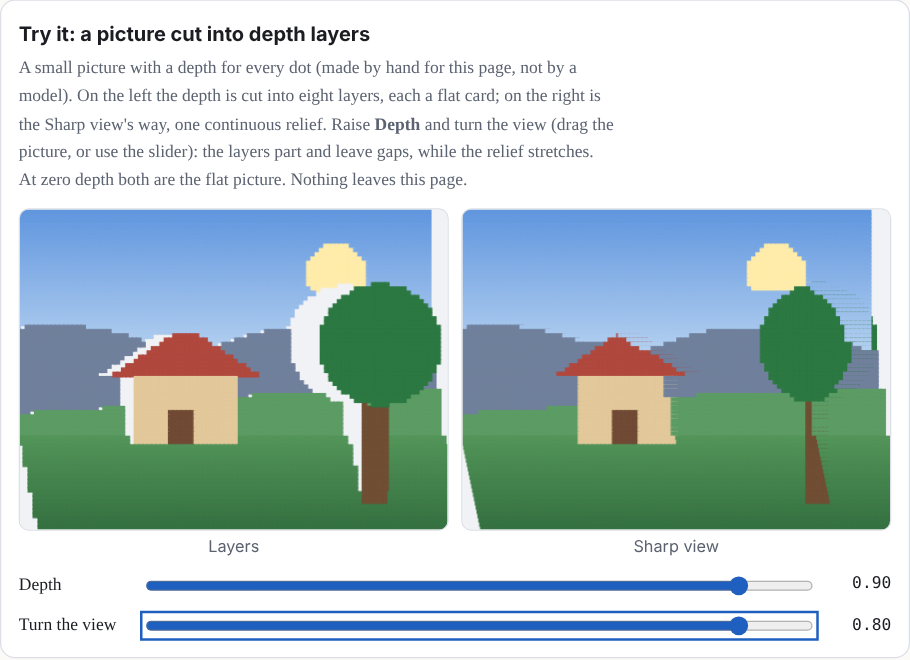
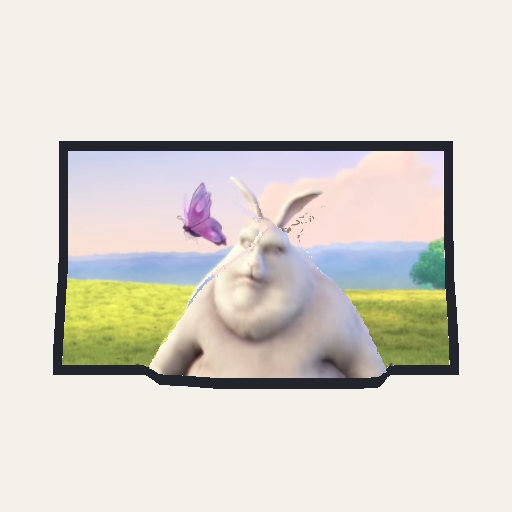
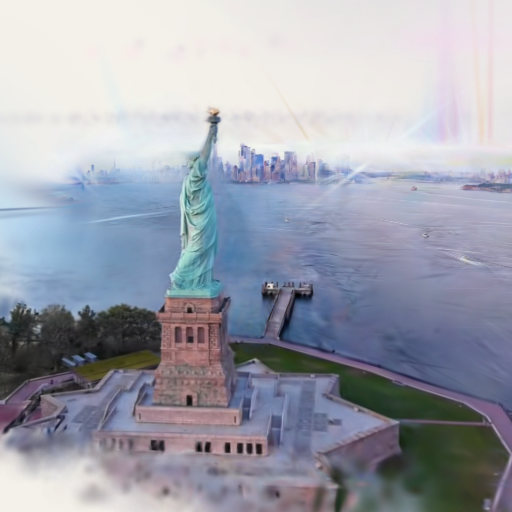
The photo Splashes (3D Photo and 3D Video) open in a Sharp view, a second way to
see the same photo: the picture at its full resolution on a textured relief (a mesh of
triangles) lifted by the same depth, so small text stays readable. That view is not
drawn with splats; the splats are switched off while it shows. The Splats / Sharp switch
in the Splash sheet brings the splats back.
Night Sky draws its sky, ground, stars, Moon, Sun, and planets with textured meshes;
only its constellation lines, the ring a tap draws, and the compass letters are splats
(Chapter 7). (The Studio Splashes are behind the labs switch; see "What else Splashery
does now".)
Definitions, derivations, notes, and long tables start folded.
The chapters after this one are about what a Splash is and how it is built. This page is
about the screen you open one on: where the buttons are, what each one does, and how to
bring the controls back when they fade. Everything here belongs to every Splash; a button
that belongs to only a few says so. The labs switch hides Splashes that are still
being tried out. More, then Settings, then Labs turns it on, and so does the Labs button on
the shelf or ?labs=1 at the end of the address. Nothing on this page needs it
except where it says.
The screen: the focused layout and the everyday layout
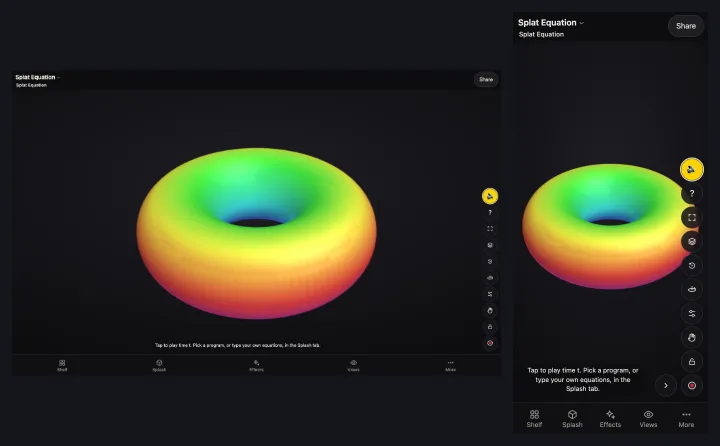
The Playground opens in the focused layout. The Splash fills most of the screen (the
band it is framed in is 0.49 to 0.82 of the screen's height on a 384 × 742 phone screen, and
0.56 to 0.85 on a 390 × 844 one). Four parts make up the screen:
The header across the top: the Splash's name with a small arrow (tap it to open the
shelf), its credit, and a Share button. Share copies the link, or on a phone opens
the phone's own share sheet. The credit is also in About, below.
The stage, which is the Splash itself and what it draws over itself.
The bottom bar: Shelf, Splash, Effects, Views, and More. Each opens a sheet (next
section).
The stage's buttons, a column of round buttons down the right edge (the section
after next).
The everyday layout is the arrangement Splashery had before: the Splash gets about
half of a phone's screen. Both layouts have the stage's buttons in the same column. In the
everyday layout that column also has a Splashes button, which opens the gallery when
the shelf is put away; the focused layout has the Shelf button in the bar instead. Add
?ui=classic (or ?old=focus) to the address to get the everyday
layout back. ?ui=focus asks for the focused one, which is what you get with
nothing added. In the focused layout, Save and the link back to Splashery are on More's
Share tab.
On a phone, a sheet takes room from the Splash. With one open, the stage's buttons wrap into
a second column or step aside, and a Splash's own sliders and tools keep to the left of
them, so the buttons never cover a slider.
Figure to come: the focused layout and the everyday layout, side by side, with the header,
the bar, and the stage's buttons labeled.
The bottom bar and its sheets
Each button in the bottom bar opens a sheet over the Splash. Esc closes a sheet.
Button
What opens
What is in it
Shelf
The Splashes sheet
The shelf chips (All, Featured, New, and then a shelf for each family, such as AI
and Computing, Space, and Math), Surprise me, Labs, a search button, and Gallery.
Splash
The Splash sheet, titled with the Splash's name
The Splash's action button (Peel, on the Grape), an "Alive" row on kit Splashes (its
own flicker, beat, and sway), and the Splash's own controls and input. The Splat
Equation shows its t slider, its list of programs, and Splat it. The
Picture Frame shows "Your own photo", Open photos…, and a box for a web address. A
file you open yourself has no Splash sheet.
Effects
The Effects sheet
Poke, Wind, Dissolve, Drop, Twist, Slice, Paint, Magnet, Clay, and Move, and a
Pattern list.
Views
The list of views
Cutaway, Show the Splats, Heat Map, Scrub and Slow Motion, Exploded Parts, Falling
Keys, and the Measuring Panel (see "Views", below).
More
Three tabs: Share, About, and Settings
Described next.
More has three tabs:
Share holds Save (a menu: Picture (PNG), Turntable video, GIF, Scene file
(JSON), Open a scene file…, and Open your own splat file…), the link back to Splashery
(Splashery ↗), Record with a Countdown, Save image, the link with Copy and
Share…, a QR code of the link, Save PDF, and "Put it on a web page" (Copy iframe
and Copy element). The last section of this page goes through them.
About holds how to play the Splash, its text, its credit, and, on a computer, a
line of the keys.
Settings holds Detail, "Detail and splats…", Turntable, Sound, Labs, and "Hide the
controls when idle".
The stage's buttons
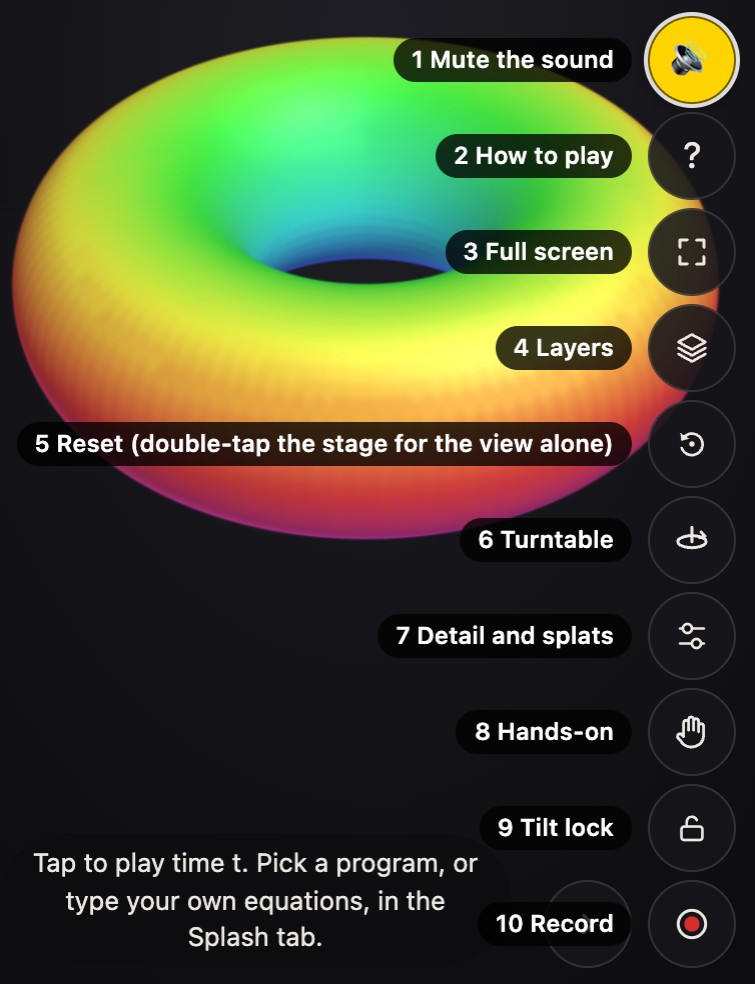
The column at the right edge holds the buttons that change how you look at the Splash and
what it does while you look. A button that is on is a yellow disc with a dark icon, so it
still shows over a light Splash. On QR Code, Picture QR, and Video QR the buttons stay in
one column, so none sits on the code. Where they run past the room, as with a sheet open on
a phone, the column scrolls, its edge faded where more buttons wait, and Sound and How to
play join it at its top. These are in every Splash's column:
Sound turns the Splash's sounds on and off (the M key does the same). Every
Splash starts with sound on. A browser lets a page's sound start only after a tap, a
touch, or a key, so the site's sound starts at the first one anywhere on the page. A mute
holds for that browser tab only: a reload keeps it, and a new tab starts with sound on.
How to play (the question mark) shows how to play the Splash on show.
Full screen fills the screen with the stage and opens in focus mode (the
F key). If the browser refuses, or does not answer within 2 seconds, a short
message says why.
Layers pulls the frame apart into its layers while you hold it, and puts it back
when you let go (the L key does the same while held).
Reset puts the camera back at the Splash's opening view. On most Splashes a
double-tap or a double-click does the same ("Turning, zooming, and panning", below, says
where it does not).
Tilt lock (the padlock) makes a drag turn the Splash only left and right, so a flat
Splash such as a page, a photo, or a screen stays facing you.
Turntable (the record player, the T key) switches the slow turn a Splash
does when nobody is touching it. It is the same setting as Settings, then Turntable.
Hands-on (the hand, the H key) lets you pick the Splash up with a drag and
toss it with a quick let-go (Chapter 6). While it is on, a ↺ button beside it puts
the Splash back.
Record starts a recording of the stage (the R key); more on it below.
Detail and splats opens the Detail list, the Splats slider, and the copies. It is
described in
What else Splashery does now.
These appear only on the Splashes that use them:
Labels shows numbered markers on a capture that has labeled points. It is off by
default, and it is there only where the capture has points to show. See
Labels.
Pop out, the page view button, and Draw a box belong to the picture
Splashes (Picture Lab, Splash Book, the Storybook, and Photo Album). Pop out raises a
figure or a photo off its page into a card. The page view switches between one page and
both pages of the open spread. Holding B draws a box on the page. Chapter 5 shows
them in use.
Falling keys is on the grand and upright pianos, the harpsichord, and the
electronic keyboard, just above Hands-on. It opens the Falling Keys view in place (see
"Views", below).
Microphone, camera, or screen starts and stops a Splash's live input from a button
just above Record, with a red dot while it runs. A Splash asks for none of them until you
press it.
Fold appears on a phone and in full screen. It folds the column down to the fold
button itself, and the column stays folded for the rest of your visit.
Figure to come: the stage's column of buttons, each one numbered and named.
Focus mode
Leave a Splash alone for 5 seconds and everything over it fades: the header with its credit,
the bottom bar (and a game's or a song's own bar), the stage's buttons, and the Splash's own
slider, tools, legend, and pill. It works the way a phone's video player does. The Splash
grows to fill the room the controls leave, and eases back over half a second when they
return.
To bring the controls back, touch the strip along the top or the bottom of the screen (each
at least 48 pixels tall, and a faint line marks the bottom one), or press a key. A touch
anywhere else plays the Splash, with a tap, a drag, or a pinch, and the controls stay
hidden. A touch that wakes the controls never presses the one that stood there.
Focus mode does not start while a sheet, popover, or menu is open, while you are
recording, in the gallery, while a text field has the focus, or while a Splash is still
loading. It never starts on a Splash that needs its controls on the screen, such as the
twelve Arcade games.
Full screen opens in focus mode: every sheet closes and the controls hide at once. A phone
turned sideways does the same on 3D Photo, 3D Video, 3D World, and Splat Mirror, where the
picture is the point, and the controls come back when it is turned upright.
While Labels is on, its numbered markers stay in focus mode, and a tap on one opens it.
More, then Settings, has Hide the controls when idle, on by default.
?focus=off turns focus mode off for one page. If your device asks for less
motion, the controls go without the fade.
Figure to come: focus mode in three frames: controls shown, fading, and hidden.
What a tap does: the pill and Space
A Splash with a timed effect follows one set of rules for a tap, and a small pill at
the lower left of the band says what a tap will do.
The Splash
A tap
One that goes step by step (Unit Cells, Anatomy Atlas, Airport X-ray)
Hurries to the next step. It never pauses.
A show of 8 seconds or less
Plays to its end, and then once more.
A longer show
Pauses it, with the turntable held. The next tap goes on.
A keyboard's song (the grand and upright pianos, the harpsichord, the electronic
keyboard)
Plays the whole song. A tap while it plays pauses it. At its end it stops, and a tap
starts it over. (The song bar's Loop still loops.)
The pill reads Playing (a ring, with +1 for each tap waiting), Paused,
Zoomed in, or Ready. Press it to pause or to go on. A tap that pauses or
resumes an effect makes no sound.
Space pauses everything that moves and holds all audio, so a song's clock waits where
it stopped. The pill shows Paused, and a tap on the stage plays again.
The status ring. Every Splash says what it is loading, making, or stuck on in one
place: a round button 44 pixels across beside the pill (in the pill's place when the pill is
hidden), so no words lie over the Splash. A job shows there once it has taken 0.3 seconds
(0.6 for a Splash's own loading, "Loading" and its name), so a quick one shows nothing. The
ring is blue and fills as the job goes, with its share in the middle; a job with no measure
turns a short arc instead, with three dots in the middle. A problem that stops the Splash
turns it red, with an exclamation mark, pulsing gently. When a job that showed is done, a
green check shows for 1.4 seconds, and with nothing to say there is no ring. A tap on the
ring opens a card: what is loading or being made, how far it has come, whether it can play
already, and for a problem what happened and what to do, with Stop, Retry, or Dismiss where
the job has one. A tap anywhere else, or Escape, closes the card. The ring fades with the
pill in focus mode, and stands aside where it would lie on a QR code. A capture's veil still
shows as it opens, and the messages that confirm what you did, or give a hint, are still
short messages that come and go. So is a problem that comes from your own tap (a file that
cannot be opened, for example): only a problem that stops the Splash turns the ring red.
Figure to come: the status ring working, with no measure, with a problem, and done, and
its card.
Figure to come: the pill in its four states: Playing, Paused, Zoomed in, and Ready.
Turning, zooming, and panning
A drag turns the Splash. A pinch, or the mouse wheel, zooms. Two fingers moved together pan
the view, and so do Shift (or Alt) and a drag with a mouse. On most Splashes a
double-tap or a double-click resets the view, as the Reset button does. Where two quick taps
mean something else, they do not: Splash Book, Storybook, and Photo Album turn two pages,
Picture Lab and Picture Frame fill the screen with the page, two taps on the Chess Set's
board are a piece and its square, and a few Splashes that steer their own view, such as Real
Earth and Star Explorer, take them as two taps. The Reset button works on all of them, and
Reset always goes to the opening view, whichever Splash was open before it. The arrow keys
turn, and + and − zoom (see "Keys", below). Zoom is counted in fits: 1 is the
distance at which the whole Splash just fits the stage.
How close. You can zoom in to 0.12 fits. The camera stops just short of the surface
at the middle of the view, and splats very near the eye fade out instead of vanishing.
Where a Splash opens. A Splash with no distance of its own opens at 1.05 fits, as a
fresh page does and as Reset does. It does not open at the zoom the last Splash was left
at. A link's own view still wins.
Why this number? How close you can zoom
Our choice Nothing in the splat format sets it.
A floor of 0.45 fits would keep a Splash from being looked at closely. Going in costs
drawing time once the Splash fills the screen. On a MacBook Pro M3 Pro the Grape's draw
cost doubled at that point (7.2 ms to 13.4 ms at 0.3), then stayed nearly flat down to
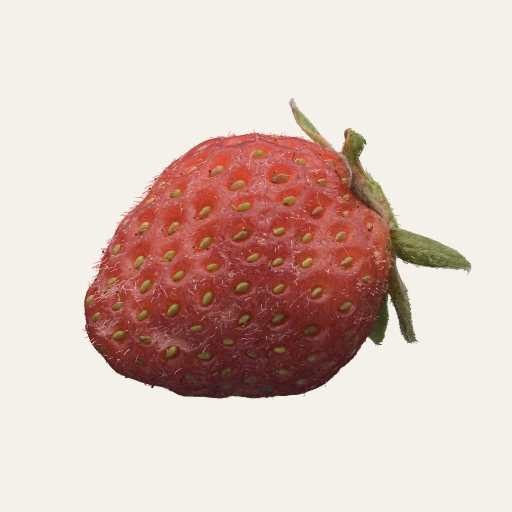
0.12 (15.6 ms). The Strawberry and the Mandeltorus barely changed.
Where it lives: zoomBy and surfaceCheck in
src/stage.js; the fade of very near splats in src/gl/shaders.js.
Keys
These work on a computer when the stage has the focus. More, then About, lists the keys for
the Splash on show; that line leaves out G and the held B.
Key
What it does
R
Starts Record. It does not reset the view; use the Reset button or a double-tap.
F
Full screen. The browser's own Esc leaves it.
G
Opens the gallery. Esc closes it.
T, H, M
Turntable, Hands-on, and Sound, each on or off.
Space
Pauses and plays everything that moves, and holds all audio.
L (hold)
Pulls the frame into its layers. Let go and it goes back.
The arrow keys
Turn the Splash.
+ and −
Zoom in and out.
Enter
Taps the Splash.
Shift (or Alt) and a drag
Moves the Splash across the screen.
B (hold)
Draws a box on a picture Splash.
Esc
Closes the gallery, a sheet, or the Detail and splats panel.
A W S E D F T G Y H U J K O L P ; ', with Z and X
With Falling Keys open: play the keys from a C near the middle, with Z an octave
down and X an octave up.
1 to 5
Nothing in general. A Splash with a row of tools of its own can use them: Splat
Name's are Spin, Poke, Paint, Drop, and Blow.
Finding a Splash: the shelf, search, and names
Shelf opens the shelf. Its chips list the shelves: All, Featured, and then one for
each family. A New chip after Featured lists the Splashes that arrived in your last
14 days, newest first, whenever there are any (the labs ones only with labs on).
Surprise me opens one at random, Labs turns the labs switch on and off, and
search finds a Splash by its name or by another name it is known by. On a phone the finder
is one line: Search first, with Surprise me and Labs after the names. A flick along the row
of thumbnails coasts as far as its speed carries it.
Names follow one set of rules: title case, 16 characters or fewer (20 at most), no commas or
parentheses, and no two alike. A photoreal capture is "Real X" and a Splash built from rules
as a version of one is "X Model" (Real Earth and Earth Model, Real Orange and Orange).
Shelves follow the same rule. A Splash's other names are in its search words, so searching
for "Lamp" finds the Desk Lamp.
The shelf shows only Splashes whose assets allow commercial use. Four whose assets are
licensed for non-commercial use only are off the shelf, search, Surprise me, and New. A link
to one still opens it, with its credit.
Figure to come: the shelf with Search, Surprise me, and Labs on one line, and the New
chip.
Saving, recording, and sharing
All of these are on More's Share tab. Anything you download is named
splashery- and the Splash's id: a picture, a scene file, a GIF, a recording, or
a PDF.
Save opens a menu of what to save: the picture (a PNG), a turntable video, a GIF,
or the scene as a file (JSON). It also reads one back: Open a scene file…, and Open your
own splat file… (or drop the file on the page).
Save image writes a still of the stage at 1×, 2×, or 4× its pixels, either the
whole scene or the Splash alone on a transparent background, cropped to its edges. On a
phone 384 pixels wide, 4× is 1,536 × 2,968 pixels. A 30-megapixel still (7,600 × 4,000)
took 0.6 to 0.8 seconds on a MacBook Pro M5 Pro and about 0.7 GB more memory across the
browser. The splat blur and the cutoff for tiny splats grow with the picture, so a larger
still has the same Splash in it, on more pixels (Chapter 1).
Record films the stage and keeps the framing it began with, so opening a sheet or
resizing the window does not move the Splash in the video. A take keeps its sound together
with its picture, ends when you stop it, and is an MP4 where the browser can write one and
a WebM otherwise. While it runs, the recording pill shows its time and its size so far. A
take the browser has to hold in memory, as in a private window or on a full disk, ends by
itself at a size that depends on the device, and is kept; the preview then says "stopped
at the size limit". A finished take opens a preview to watch, with Save video, Share
(where the device shares files), Record again, and Discard. The Record button on this tab
has a Countdown.
The link is the whole scene. Copy puts it on the clipboard, and Share… opens the
phone's share sheet. Under it, a QR code of the same link scans with a phone camera. The
header's Share button does the same as Copy.
Share links and QR codes takes a link apart.
Save PDF opens a "Save as PDF" dialog with two choices: a still with the Splash's
description, its credits, and a link and QR code that open it here, or a moving recording
for desktop Firefox and Acrobat (phones and other readers show its first picture).
Put it on a web page copies the code for an iframe or for the
<splashery-toy> element.
Figure to come: one Splash saved at 1×, 2×, and 4×, and the same Splash alone on a
transparent background.
Views: seeing inside the drawing
A view is a tool for looking at how a Splash is drawn rather than at the Splash
itself: a cut through the middle, the outline of each splat, how many splats pile up on one
pixel. The Views button in the bottom bar lists seven with the labs switch off:
Cutaway, Show the Splats, Heat Map, Scrub and Slow Motion, Exploded Parts, Falling Keys, and
the Measuring Panel. Pick one from the list, or add ?view= and its name to the
address to open the page in it: cutaway, splats,
heat, scrub, parts, or keys. A view's
shader code is compiled only when the view is open, so a page with no view open draws
exactly as it did before views existed.
Cutaway
Open it with the Views button or ?view=cutaway. Cutaway puts a
clip plane through the Splash: a flat sheet that leaves out everything on one side
of it, so what lies inside shows. It suits a Splash with something inside, such as Walnut
CT, a scan of a walnut's inside.
Figure to come: Walnut CT in Cutaway, cut through the middle.
Figure to come: a demo that moves a clip plane through a built Splash.
Show the Splats
Open it with the Views button or ?view=splats. It draws the outline of each
splat, so you can see how big the splats are and how they overlap. It leaves out splats
under a size filter, 6 pixels by default. A Splash made of very small splats would show
nothing at that size, so the filter steps down for it: the Music Box shows at 3 pixels,
while the Strawberry keeps 6.
Figure to come: the Music Box in Show the Splats.
Heat Map
Open it with the Views button or ?view=heat. It colors each pixel by how many
splats were blended onto it, and reports the blended fragments a frame and the splats on
each covered pixel. That is overdraw, and it is where the graphics chip's time
goes. At 300,000 splats the Grape piles 227 splats on each covered pixel on average and 793
at most, about 33 million blended fragments a frame. Walnut CT draws only the outer skin of
its lattice until the walnut is cut, because nearly all of the lattice is the walnut's
hidden inside: in the Heat Map on a MacBook Pro M5 Pro, the whole lattice would come to
102.8 million fragments a frame, and the skin comes to 34.3 million.
Figure to come: the Grape at 300,000 splats in the Heat Map.
Scrub and Slow Motion
Open it with the Views button or ?view=scrub. It plays a Splash's motion slowly
and lets you scrub back and forth through it, so you can stop on any moment. Use it on a
Splash with a timed effect.
Figure to come: a timed effect stopped partway through in Scrub and Slow Motion.
Exploded Parts
Open it with the Views button or ?view=parts. It pulls a Splash's parts apart
from one another, the way a parts diagram does, so you can see which splats belong to which
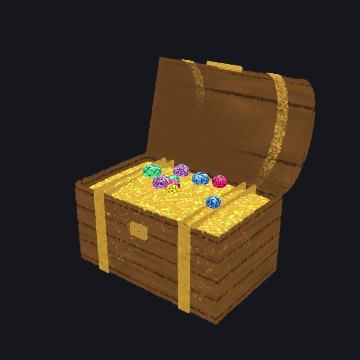
part (Chapter 2). It suits a kit Splash with moving parts, such as the Treasure Chest.
Figure to come: the Treasure Chest in Exploded Parts.
Falling Keys
Open it with the Views button, with ?view=keys, from the song panel's Watch the
keys, or with the falling keys button on the stage, the only view with a button there. It
draws a keyboard Splash's song as notes falling in 2D over the stage onto a keyboard. It is
there on the grand and upright pianos, the harpsichord, and the electronic keyboard. The Toy
Piano has no song, so no falling keys.
A press on the view's keyboard plays that key in the Splash's own voice, and the Splash's
key goes down with it. Each finger plays its own key, so a chord sounds. A finger drawn
across the keys plays each one it enters.
A mouse plays it too. Typed keys play it on a computer (see "Keys", above).
The keys are sharp at the screen's own pixel ratio, up to 3×. A Sharp choice offers 1×,
1.5×, 2×, 3×, 4×, 5×, and 6×, and keeps your choice.
On a phone the keyboard ends at the left edge of the stage's buttons, so none of the keys
is under a button.
Figure to come: the Grand Piano with notes falling onto its keys.
Measuring Panel
Open it with the Views button or ?measure=1. It shows how the page is doing:
frame times, the page's work for each frame, the graphics chip's time where the browser
offers it, and more. It is for people who make Splashes.
How Splashery is built
says what it measures.
Where to try it
Walnut CT
(behind the labs switch): open the Views button and choose Cutaway.
Grape: choose Heat Map to see where the splats pile up.
Grand Piano: press the falling keys button above Hands-on, and play the keys on the screen.
Any Splash: leave it alone for 5 seconds to see the controls fade, and touch the strip at
the bottom of the screen to bring them back.
Chapter 1What a splat is
A splat is a small cloud of color floating in space. Up close, it looks like a soft
ellipse, bright in the middle and fading at the edges. On its own, it is nothing much. Put
thousands side by side, however, and they melt into surfaces: a torus, a seashell, a cat –
practically any object imaginable can be built from splats!
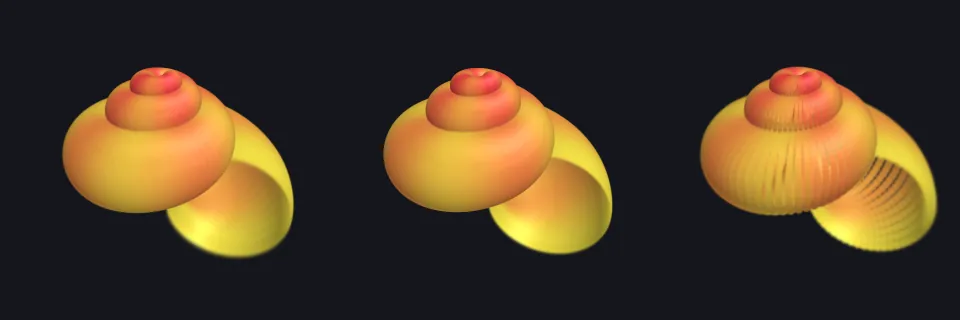
100 splats
400 splats
6,000 splats
The same sphere with more and more splats, made with the Splat Equation Splash. With few
splats you see each soft blob; with enough of them, they blend into one smooth surface.
What is a 3D Gaussian?
Think of a smooth weight field centered at a
point μ. Three positive widths and a
rotation shape it: the places where the weight is equal form nested ellipsoids. The weight
G is 1 at the center and falls off with distance measured in units of those
widths. To draw one, the renderer flattens the field into an elliptical patch on the
screen, gives it a color, and blends its opacity over the patches behind it. A splat is
neither a surface of triangles nor a rigid little ball. Here G peaks at 1, so
it is a weight, not a probability density (which would be scaled to add up to 1).
Two terms: weight field and positive widths
A weight field is a number at every point in space: 1 at the center, and falling
off the farther you go. The three positive widths are the splat's sizes along its
own three axes. They must be above zero, because a width of zero would make the formula
below divide by zero.
Three ways splats come to exist (Figure 1):
A recipe's placed splats. A Splash's recipe places them by rule: points sampled
on the shapes of the kit (Splashery's Splash-building library, Chapter 2), each
given a size, a rotation, and a color. Nothing is fitted to photos.
A trained capture. A splat file made by other software from many photos of a real
thing, then opened here (.ply, .sog, .splat, or
.spz). The page shows these; it does not train them.
The one-photo teaching fit. The Gaussian Splatting Splash fits flat, 2D Gaussians
to a single picture by gradient descent. It shows the fitting idea; it is not a 3D
reconstruction.
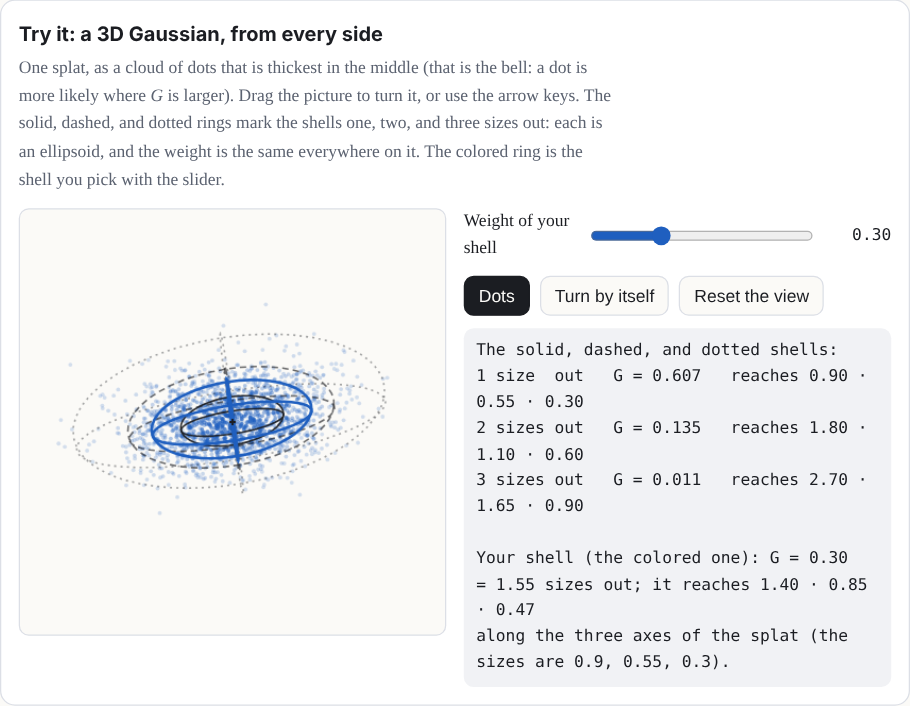
Try it: a 3D Gaussian, from every side
One splat, as a cloud of dots that is thickest in the middle (that is the bell: a dot is
more likely where G is larger). Drag the picture to turn it, or use the arrow
keys. The solid, dashed, and dotted rings mark the shells one, two, and three sizes out:
each is an ellipsoid, and the weight is the same everywhere on it. The colored ring is the
shell you pick with the slider.
Interactive in the web version:
splashery.app/manual/splat.html#demo-gaussian
Figure 1. Three different things are called "splats". Only the first two make a 3D object;
the third fits a flat picture.
The numbers in one splat
Each splat is described by a handful of numbers:
Part
Numbers
What it means
Center μ
3: x, y, z
Where the middle of the splat is.
Sizes s
3: s1, s2, s3
How far it spreads along each of its own three axes. Equal sizes make a ball; one
small size makes a flat disc.
Rotation q
4 (a quaternion)
Which way those three axes point.
Color
3: red, green, blue
Each from 0 to 1.
Opacity α
1
How solid its middle is, from 0 (clear) to 1 (solid).
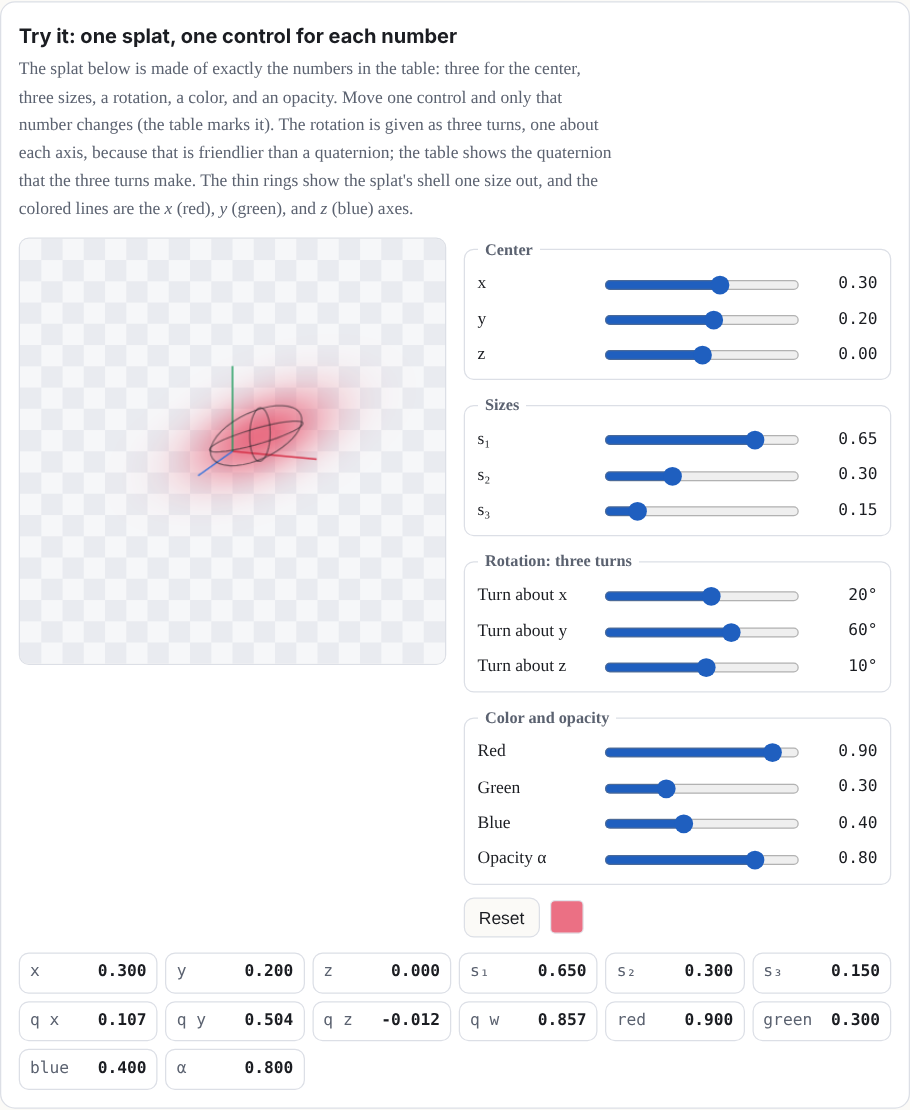
Try it: one splat, one control for each number
The splat below is made of exactly the numbers in the table: three for the center, three
sizes, a rotation, a color, and an opacity. Move one control and only that number changes
(the table marks it). The rotation is given as three turns, one about each axis, because
that is friendlier than a quaternion; the table shows the quaternion that the three turns
make. The thin rings show the splat's shell one size out, and the colored lines are the
x (red), y (green), and z (blue) axes.
That is 14 numbers per splat. A kit Splash opens at a count set for it at each Detail tier.
At Mid that is about 200,000 for most kit Splashes (the Torus, for example, opens at 60,000,
200,000, 240,000, and 340,000 at Low, Mid, High, and Max); Low, High, and Max are set Splash
by Splash. The Splats slider changes the count, up to the Splash's own top, which is about
1,000,000 for a kit Splash. Auto picks Low, Mid, or High; Max is a viewer choice. Many splat
files also let a splat's color change a little with the direction you look from; the
Splashes you build here use one color per splat.
Why these numbers? The splat budgets, and what Auto does
Our choice Nothing in the splat file format or the
browser sets these numbers.
Each tier is a splat count that a device of that class can draw smoothly, and each kit
Splash has its own count at each tier. The counts came from a sweep on a computer and were
compared on one phone. Low, Mid, and High are also pixel budgets for the stage, of 0.45,
1.1, and 2.0 million pixels, so a large stage is drawn at a lower ratio than the screen's
own; Max draws at the screen's own pixels, up to a ratio of 3. Auto reads the
device to pick a tier, in this order: Low if the browser draws in software, or the device
reports 2 GB of memory or less, or two cores or fewer; Mid for a phone or tablet (the
browser reports a finger, pointer: coarse, as the main pointer, so a laptop's
touch screen does not count), for modest graphics (an Intel HD or UHD, Mali, Adreno, or
PowerVR chip), 4 GB of memory or less, or four cores or fewer, and for a device that
reports no graphics chip, memory, or cores at all; High for the rest. It never picks Max.
That is a choice you make in Detail, along with High. Auto does not step down by itself.
When the median time of the last 12 frames stays over 45 milliseconds for 3 seconds, the
page offers a toast with a Switch to Low button, once for each Splash, whichever
tier you chose. These thresholds are guesses, not tuned across many real phones. The toast
reads "Running slowly: switch to Low?" and shows once for each Splash in a browser tab's
session, a reload included. A ✕ after its button, labeled Dismiss, closes it; on a touch
screen a sideways swipe of 60 CSS pixels or more slides it away, and a shorter one springs
back; and Escape closes it when no sheet or text field takes the key.
What the measurements say. A measurement compared 14 Splashes on a 390 by 844 phone
in a software renderer. A budget of 200,000 splats instead of 140,000 made no Splash
sharper, and several shimmered more (the Penguin's shimmer went from 2.72 to 3.90),
because each splat got smaller. Lifting the cap on the screen's pixel ratio was the real
lever: edges came out about a third narrower, and speckle fell by 10 to 60 percent. For
the Splashes measured, more splats help a Splash's shape, not its grain.
Counts and grain. The table's budgets are the two that measurement compared,
140,000 and 200,000. Mid is 200,000 for most kit Splashes. Four Splashes are built so that
a bigger count draws finer detail, rather than a grain of fixed resolution. QR Code's
sharpness at Mid rises from 0.883 to 0.934 as its count goes from 212,366 to 565,260
splats; Triple QR's goes from 0.789 to 0.986, and its specks fall from 1.9 percent to
none; 360° Photo and Song Landscape draw finer rings and slots. For these four, more
splats do help the grain.
Show the table: what a bigger budget did
Splash (home view)
Mid base budget 140,000 splats, 2x phone (the budgets of that measurement)
High base budget 200,000 splats, 2x phone (the budgets of that measurement)
3x phone, pixel-ratio cap lifted
Desk Lamp
0.75 · 0.42 · 1.95
0.72 · 0.45 · 2.03
0.52 · 0.37 · 1.57
Penguin
0.72 · 0.53 · 2.72
0.73 · 0.56 · 3.90
0.50 · 0.40 · 2.08
Klein Bottle
0.84 · 1.19 · 1.42
0.81 · 1.00 · 1.75
0.53 · 0.77 · 1.13
Marble
0.81 · 0.69 · 1.13
0.78 · 0.83 · 1.41
0.55 · 0.48 · 0.87
White Blood Cell
0.77 · 1.28 · 1.64
0.77 · 1.39 · 1.02
0.54 · 0.75 · 1.15
Chladni Plate
0.96 · 3.85 · 9.59
0.98 · 5.51 · 10.75
0.75 · 1.48 · 5.39
Each cell is edge · speckle · shimmer, and lower is better for all three. Edge is how
many screen pixels an edge takes to go from 10 to 90 percent; speckle is the noise over
flat areas; shimmer is how much fine detail flickers frame to frame. Six of the 14
Splashes measured; the rest are in docs/lab/SHARPNESS.md. The splat counts
are base budgets, not counts of splats drawn, and the measurement capped the screen's
pixel ratio at 2 on Mid and High. Splashery caps it at 3, and Low, Mid, and High also
stay within 0.45, 1.1, and 2.0 million pixels.
What it did not test. One pair of budgets (140,000 and 200,000), one phone size,
one renderer (software, not a real phone's graphics chip), and the Splashes as they were
on that day, before later changes. A larger sweep is in Chapter 2, under
How many splats?.
If it were chosen differently. A bigger budget costs memory and drawing time on a
weak device. A smaller one makes shapes coarser. The Splats slider, in Detail and
splats (the stage's Detail and splats button, or More, then Settings), sets the count
directly, up to the Splash's own top (about 1,000,000 for a kit Splash), beside the tiers.
It is there for everyone, not only with labs on. The count goes in a link, as
n=; the Detail tier stays in your browser. While the slider moves, the Splash
previews the share of its splats that the new count would keep, and the build follows when
the slider rests.
Where it lives: each kit Splash's counts in src/ui/toy-counts.js; Auto and
the pixel budgets in src/lib/detail.js; the slow-frames toast in
src/stage.js (stage.watch); the counts and how they were
measured in docs/engine/SPLAT-COUNTS.md; the measurement above in
docs/lab/SHARPNESS.md.
Why this number? One color per splat
Our choice A captured file can carry more; the kit does
not.
A captured file can store how each splat's color changes with the direction you look from
(spherical harmonics), because training sees every
splat from many angles. A kit splat is placed by a recipe, so there are no photos to learn
that change from. The kit keeps one color per splat, and the harmonics of a trained file
are dropped when it is used as a kit part.
If it were chosen differently. A recipe can already fake two such looks:
glint brightens a splat as the camera moves, and rim changes
glass's opacity with the view. A real shine that moves with the view exists as a labs
experiment, on only when a link or the address asks for it with labs on
(docs/lab/GLOSS.md). It uses the kit's own data and shader, with no change to
the engine. Real-phone checks are still open.
Where it lives: src/packs/fidelity.js (its opening comment),
src/kit.js, and the effect list in src/effects.js.
The Gaussian: a bell in three dimensions
The "Gaussian" in Gaussian splat is the bell curve, named after the mathematician Carl
Friedrich Gauss. In one data dimension, a bell centered at μ with width
σ
(sigma, the standard deviation) is
G(x) = exp(−(x − μ)² / 2σ²)
The data here are one-dimensional: one number, x, goes in, and one number,
G, comes out. The drawing below needs two dimensions to show them, one for
x and one for G.
The bell curve. At one σ from the center it has fallen to about 0.61, at two σ to about
0.14, and at three σ to about 0.01, so a splat fades out within about three of its sizes.
In three dimensions, the width becomes a 3-by-3 matrix Σ (capital sigma), called
the covariance [4], and the squared distance becomes a quadratic form. For a point p in space,
the splat's strength there is
G(p) = exp(−½ (p − μ)TΣ−1 (p − μ))
Where G is the same value, you are on the same "shell" around the center, and
those shells are ellipsoids: stretched and turned spheres.
Try it: the bell, one dimension at a time
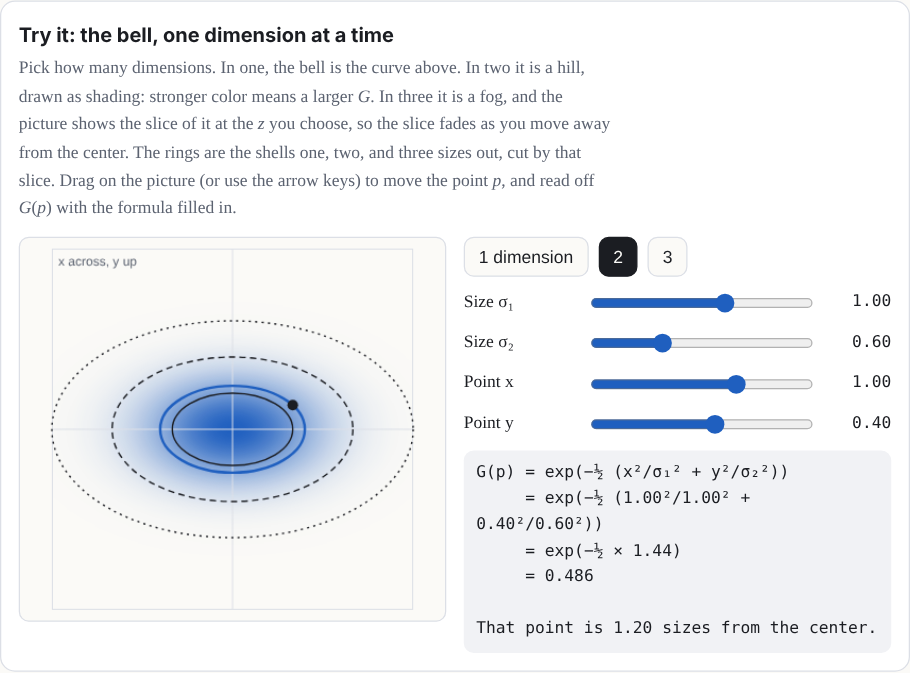
Pick how many dimensions. In one, the bell is the curve above. In two it is a hill, drawn
as shading: stronger color means a larger G. In three it is a fog, and the
picture shows the slice of it at the z you choose, so the slice fades as you
move away from the center. The rings are the shells one, two, and three sizes out, cut by
that slice. Drag on the picture (or use the arrow keys) to move the point p,
and read off G(p) with the formula filled in.
The inverseΣ−1 is the
matrix that undoes Σ. And a quadratic form is an expression where every
term has two factors of the input, like ad1² + 2bd1d2 + cd2².
In two dimensions, with d = (d1, d2) = p − μ, and Σ−1 with 4 and 1
on its diagonal (and zeros elsewhere), the form dTΣ−1d is 4d1² + d2².
Setting it equal to 1 draws an ellipse that reaches ½ along the first axis and 1 along the
second. A quadratic form is what turns a point's offset from the center into one number
for how far out it is, measured in the splat's own widths. In three dimensions, the same
idea draws an ellipsoid [5].
Approximation: the drawn bell is finite. The ideal G never reaches zero.
The site's renderer draws each splat on a rectangle that reaches 2√2 sizes along each axis
of its ellipse (a little under 3), where G has fallen to e−4, about
0.02, and a faint splat's rectangle stops sooner, where its opacity times
G falls to 1/255. The falloff is not rescaled: it stops at the rectangle's
edge, and a pixel left with less than 1/255 of opacity is dropped. A labs-only setting can
swap in a sharper falloff for one Splash. So the equations here describe the ideal splat,
and the screen shows a close, cut-off copy of it.
The covariance, built from sizes and a rotation
Not every 3-by-3 matrix is a valid covariance. It has to be symmetric, and it has to be
positive definite (the bell must fall off in
every direction). Instead of picking its nine numbers directly, a splat builds it from its
three sizes and its rotation:
Σ = RSSTRT,
where S =
s1000s2000s3
and R is the rotation matrix of the quaternion q. Read it right to
left, as a recipe for a shape: start with a round ball of size 1, stretch it by s1, s2, and s3 along x,
y, and z, then turn it by R. Any sizes above zero and any
rotation give a valid covariance, which is exactly what you want when a computer is nudging
millions of numbers.
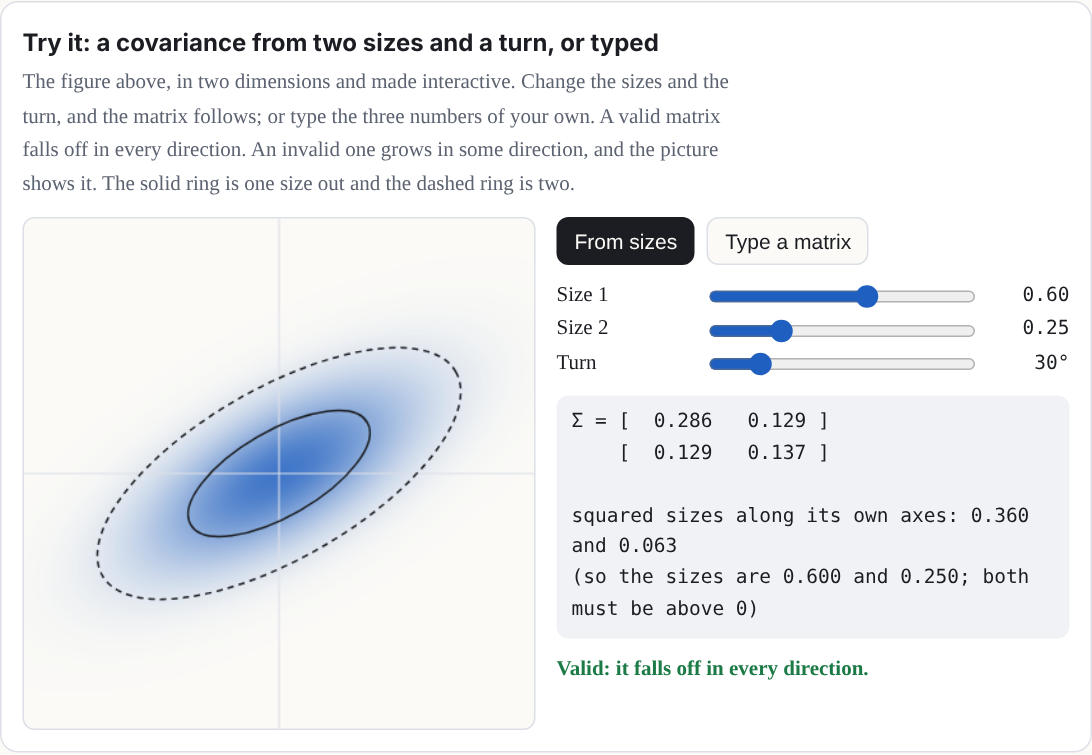
Try it: a covariance from two sizes and a turn, or typed
The figure above, in two dimensions and made interactive. Change the sizes and the turn,
and the matrix follows; or type the three numbers of your own. A valid matrix falls off in
every direction. An invalid one grows in some direction, and the picture shows it. The
solid ring is one size out and the dashed ring is two.
Interactive in the web version:
splashery.app/manual/splat.html#demo-covariance
A covariance from sizes and a rotation, drawn in two dimensions: a round splat is
stretched along its own axes, then turned.
A worked example: a covariance from sizes 0.3, 0.1, and 0.1
Take sizes 0.3, 0.1 and 0.1, turned 30° about the z axis. Then SST has 0.09, 0.01, and 0.01 on its diagonal, and multiplying out
RSSTRT gives
Σ ≈
0.0700.03500.0350.0300000.010
The top-left number is 0.09 cos²30° + 0.01 sin²30° = 0.07, and the ones beside it are
(0.09 − 0.01) sin 30° cos 30° ≈ 0.035. Those off-diagonal numbers are the
tilt: they are zero when the splat's axes line up with x, y, and
z, and usually not zero when they do not. (Usually, because a splat that is
round in a plane has no preferred axes there, so turning it within that plane changes
nothing.) (In this manual, rotation means a splat's own turn, and "Tilt lock" is
the name of the camera control in Chapter 5.)
From 3D to the screen
To draw a splat, the renderer works out what its bell looks like from the camera. It first
turns the covariance into the camera's view, with the camera's rotation W. The
perspective of a camera is not a straight-line map, but close to one point it nearly is, and
its best straight-line stand-in there is a matrix J (the
Jacobian of the projection). Such a stand-in
is called affine: a straight-line map plus a shift [6]. Then the splat's covariance on
the screen is
Σ′ = JWΣWTJT
keeping only its top-left 2-by-2 block. That 2-by-2 matrix is a flat bell on the screen: an
ellipse. Its eigenvectors are the directions of
the ellipse's axes, and the square roots of its eigenvalues are how far it spreads along
them. This trick comes from EWA splatting (Zwicker, Pfister, van Baar, and Gross, 2001) [2].
That is the first-order footprint, and a real renderer draws a little more than it. To keep
a tiny splat from shrinking to less than a pixel (and flickering), splat renderers add a
small blur on the screen: the original 3D Gaussian splatting code adds 0.3 square pixels to
each diagonal entry of the 2-by-2 matrix. Splashery draws with its own WebGL2 renderer,
which always adds 0.075 square pixels to both diagonal entries (a quarter as much, counted
in whole pixels; some renderers count in half pixels, where the same amount reads 0.3), and
keeps the smaller eigenvalue at least 0.025. It also
culls a splat whose larger variance comes out
under 0.125 square pixels, too small to see (the cull is in src/gl/shaders.js).
A splat half a pixel across, for example, spreads 2π(0.25 + 0.075) = 2.04 square pixels of
opacity (2.01 measured), so it does not vanish. These numbers grow with the picture: when
Save image draws at 2× or 4× the stage's size, each one is scaled to match. Some renderers
also have an anti-aliasing option that lowers
each splat's opacity to make up for the energy that blur spreads out, using the ratio of the
determinants before and after; Splashery
adds no such compensation. So the demo below shows Σ′ itself, the unfiltered geometry; the
pixels on your screen have that extra blur on top.
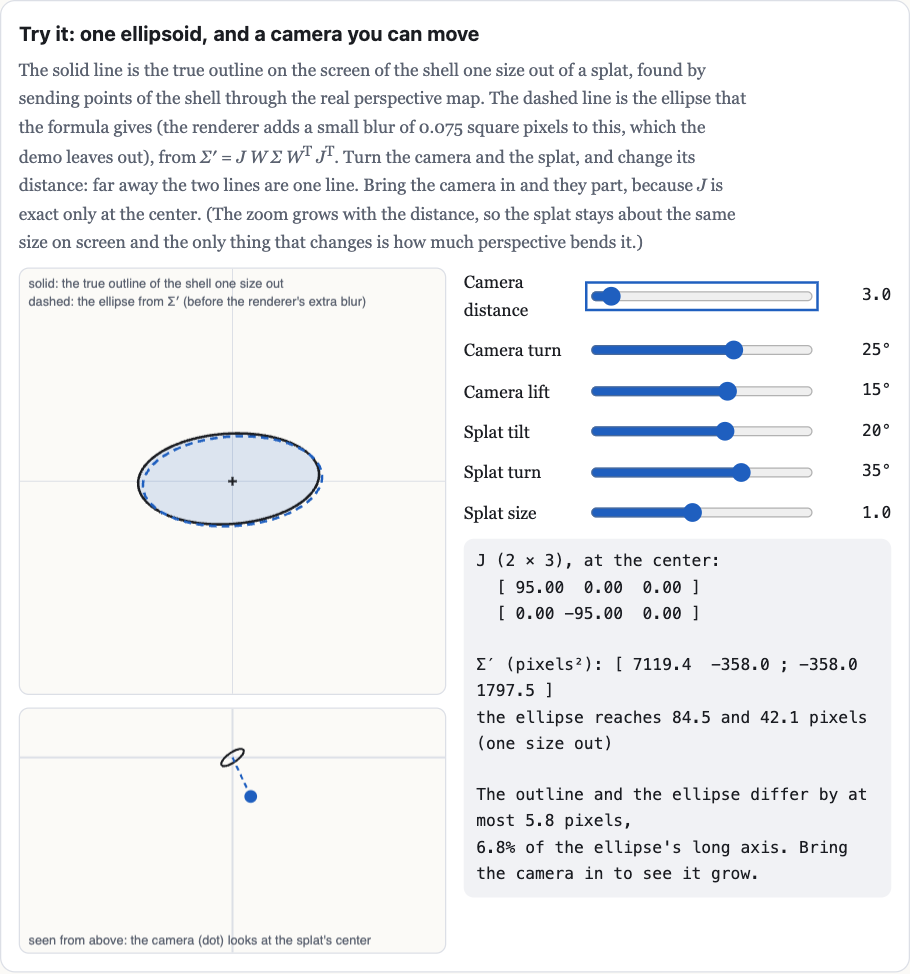
Try it: one ellipsoid, and a camera you can move
The solid line is the true outline on the screen of the shell one size out of a splat,
found by sending points of the shell through the real perspective map. The dashed line is
the ellipse that the formula gives (the renderer adds a small blur of 0.075 square pixels
to this, which the demo leaves out), from
Σ′ = JWΣWTJT. Turn the camera and the splat, and change its distance: far away
the two lines are one line. Bring the camera in and they part, because J is
exact only at the center. (The zoom grows with the distance, so the splat stays about the
same size on screen and the only thing that changes is how much perspective bends it.)
Interactive in the web version:
splashery.app/manual/splat.html#demo-projection
Figure to come: a small demo of a splat half a pixel across, which spreads 2.04 square
pixels of opacity (2.01 measured) and so does not vanish.
Approximation: affine around the center. An affine map is a straight-line map plus
a shift. J is exact only at the splat's center, where the straight-line
stand-in touches the true perspective map. Across the rest of the splat the real map bends
away from it, so the ellipse is the first-order answer, not an exact image of the 3D bell.
Sorting and blending, back to front
Splats are see-through at their edges, so the order they are drawn in matters. The splats
are sorted by their centers' depth along the camera's view, and painted from the farthest to
the nearest. At each pixel, a splat's strength there is its opacity times its bell,
a = αG′, and it is laid over what is already there:
C ← ac + (1 − a) C
where c is the splat's color and C the pixel's color so far. Written
out for all the splats at once, counting from the nearest (i = 1) to the
farthest, the pixel's color over a black background is
C = Σiciai Πj < i (1 − aj)
Each splat shows as much as the splats in front of it let through. This "over" operation is
from computer graphics' classic paper on compositing [3]. It is how the
2023 paper that started the craze, "3D Gaussian Splatting for Real-Time Radiance Field
Rendering" (Kerbl, Kopanas, Leimkühler, and Drettakis) [1], draws its
scenes, and it is how Splashery blends its splats (the cover lists the exceptions).
Splats are painted from the back to the front, each one laid over the ones behind it.
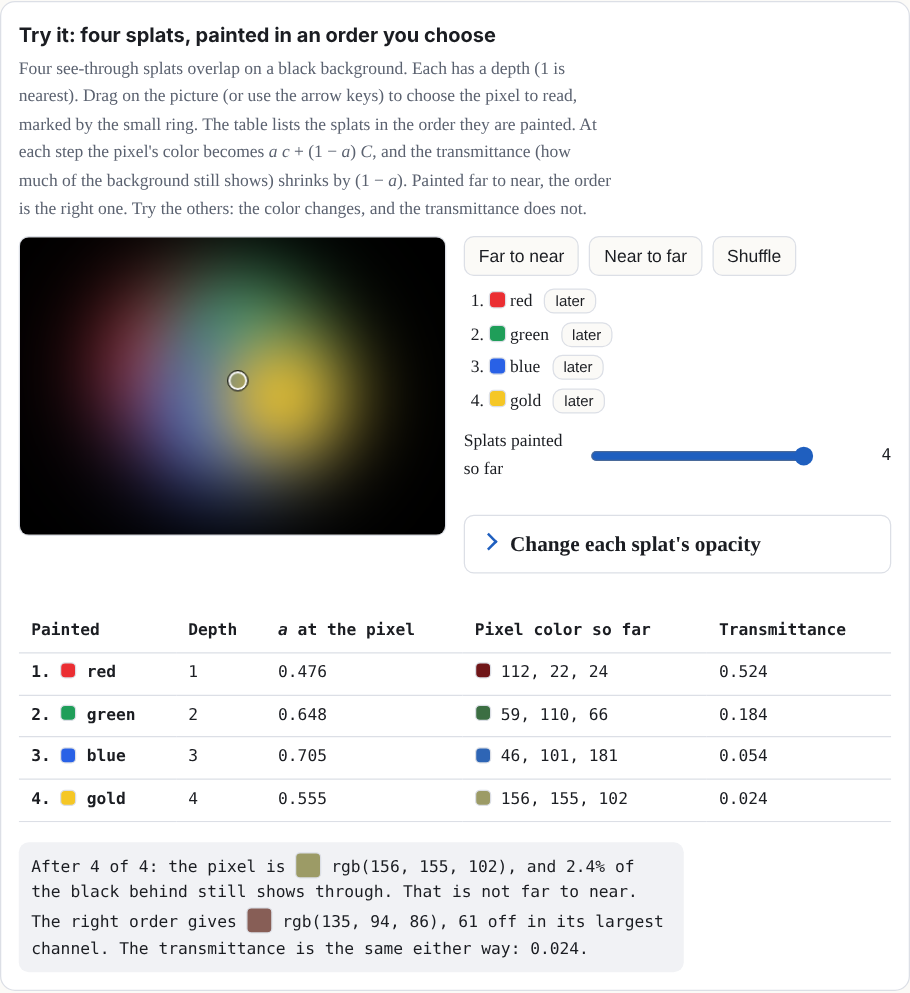
Try it: four splats, painted in an order you choose
Four see-through splats overlap on a black background. Each has a depth (1 is nearest).
Drag on the picture (or use the arrow keys) to choose the pixel to read, marked by the
small ring. The table lists the splats in the order they are painted. At each step the
pixel's color becomes ac + (1 − a) C, and the
transmittance (how much of the background still shows) shrinks by (1 − a).
Painted far to near, the order is the right one. Try the others: the color changes, and
the transmittance does not.
Change each splat's opacity
Painting order, the strength of each splat at the pixel, and the color and
transmittance after each
Why the order matters in the Splashes. By default, Splashery sorts the splats in
the pose a Splash was built in, so a piece that moves keeps the order it had at rest. A
recipe can request out.resortPose to sort moving parts and pages in their
current pose. Turn a solid thing more than a quarter turn and its far side can be drawn
over its near side. The Splashes work around it: Splat Equation, for one, builds its shape
at twelve moments and morphs from the copy at the start of the current interval to the
next (Chapter 3).
A worked example of blending, with a background
Take one color channel. The background is 0.2. The far splat (drawn first) has color 0.9
and strength a = 0.5 at this pixel. The near splat (drawn second) has color 0.1
and a = 0.4. After the far splat: C = 0.5 × 0.9 + 0.5 × 0.2 = 0.55.
After the near one: C = 0.4 × 0.1 + 0.6 × 0.55 = 0.37. The same number comes
from the sum above with the background added: 0.1 × 0.4 + 0.9 × 0.5 × 0.6 + 0.2 × 0.6 ×
0.5 = 0.37. The share of the background that still shows, the
transmittance, is 0.6 × 0.5 = 0.3.
One caution about the numbers. 0.37 is the arithmetic of one channel in one consistent
blending space: the formula does not care what the 0 to 1 numbers mean, as long as every
number in the sum uses the same meaning. A screen's red, green, and blue numbers are
usually encoded (squeezed so that dark shades get more steps), and blending encoded
numbers is not the same as blending the light itself. So read 0.37 as the result of the
sum, not as a measured amount of light and not as the final pixel on any particular
screen.
Approximation: sorting uses centers. Each splat gets one depth, the depth of its
center, so the order is per splat, not per pixel. Two big splats that overlap in depth can
be drawn in the wrong order where they cross. This is why recipe authors keep layers apart
(the recipe guide says splats "sort by their centers, so closer layers mix in stripes").
Figure 2. From a splat to a pixel. 1 The ideal bell has equal-weight shells; the
drawn one is cut off. 2 The camera flattens the ellipsoid into an ellipse, using a
straight-line stand-in for the perspective. 3 The ellipses are blended back to
front, each over what is already there.
Chapter 2How a Splash is built
Nobody places Splashery's splats by hand. Most Splashes are
recipes: short programs that describe a Splash with a kit of shapes, and the kit fills them with
splats when you open the Splash. A recipe is a few kilobytes of code instead of megabytes of
splats, and because every random choice comes from a seed, it builds the same splats with
the same seed, options, and budget.
The kit is Splashery's Splash-building
library. A recipe names shapes, colors, and moving parts; the kit fills them with splats in
the browser, spreading the budget evenly by area. A kit Splash is built this way. A
scan or capture is loaded from a file instead.
Recipes are written in JavaScript. This chapter is a tour, so you can read one; the source
code's note on how a kit Splash reaches the stage is
docs/engine/KIT.md
[10].
Two places a Splash lives
A Splash's name and shelf go in a catalog entry (src/splashery/toys.js),
and the Splash itself in a recipe in a pack file
(src/splashery/packs/…js):
{
  id: "little-windmill",       // lower-case words joined by hyphens
  label: "Little Windmill",    // its name on the shelf
  category: "objects",         // which shelf
  kind: "kit",
  pack: "my-pack",             // loads src/splashery/packs/my-pack.js
}
A Splash opens in the Playground once its pack is in the list in
src/splashery/synced-packs.js (SYNCED_PACKS). The page's own
src/toys.js wraps this catalog and holds each Splash's opening view. A name on
the shelf is in title case, 16 characters or fewer (20 at most), with no commas or
parentheses.
A recipe has six basic parts, all optional except build (Chapter 5 adds
pictures, input, and tiltLock, and the recipes in
src/splashery/packs/ use more, such as grab and
drag for touch play, which src/ui/kit-drag.js runs):
Show the table: the six parts of a recipe
build(k, o)
Describes the Splash with the kit k. o holds the chosen
options.
options
Choices that rebuild the Splash: a color, a style, a number of petals. They are
saved in links.
controls
Live values from 0 to 1: sliders, toggles that ease on and off, and pulses that
jump to 1 and fall back.
action
Which control a tap on the Splash fires.
drive(t, c, out)
Runs every frame: from the time t and the controls c, it
sets how the parts move.
alive
true when the Splash moves by itself, so frames keep coming.
Shapes from the kit
k.sphere(r), k.ellipsoid(a, b, c), k.box(w, h, d),
k.roundedBox(w, h, d), k.cylinder(r, h),
k.cone(r0, r1, h), k.torus(R, r), k.disc(r),
k.lathe(profile) (a vase or a bottle, turned around an axis),
k.tube(curve, radius) (a stem, an arm, a knot),
k.param((u, v) => [x, y, z]), any surface you can write in two variables
(the same idea as Chapter 3; here u and v each run from 0 to 1), and
k.radial((dir) => r), a blobby surface given by its distance from the middle
in every direction. Nothing is drawn until you add a shape:
The kit shares the splats out between the shapes by their surface area, so the Splash is
evenly dense; weight gives a small shape more (or share a fixed
fraction of all the splats). For free-form splats, like stars, sparks, and crumbs,
k.cloud places them one by one. After build, the kit centers the
Splash and scales it to fit the view, so you can model in any units.
How many splats? What a bigger budget does
The kit spreads a budget of splats over a Splash's surface (see Chapter 1 for the counts).
It is natural to think more splats always look better. A measurement tested it, drawing the
same Splash from the same view on the same simulated 390 by 844 phone at five budgets and
changing only the count. The table compares 140,000 with 200,000 splats, the Mid and High
base budgets the measurement used, for 24 views of 22 Splashes. The counts Splashery opens
at are in Chapter 1.
These counts are base budgets: the number a tier asked for before the Splash's own
density. In the measurement, a Splash with density 2 asked for twice as many, up to the
tier's most (240,000 at Mid and 300,000 at High). The American Football, the Hockey Puck,
and the Marble have density 2, so at the Mid and High base budgets they were asked for
240,000 and 300,000 splats, not 140,000 and 200,000. The small line under each Splash in the
table gives the splats it actually got at the lowest and highest base budgets (from the
document), so the table is about what a bigger base budget does, not about a fixed count per
Splash. Outside the measurement, each Splash's own line in
src/ui/toy-counts.js sets its count at each tier, and density multiplies the
count the Splats slider can ask for, up to about 1,000,000 (the count asked is
min(1,000,000, 1,000,000 × density)).
What the columns mean
Edge is how many screen pixels the strongest edges take to go from 10 to 90 percent
of the way between the two colors. A sharp edge is narrow, so lower is sharper.
Speckle is how far pixels on the flatter half of the Splash differ from the middle
of their neighbors: grit on a smooth surface. Lower is cleaner. Painted grain, like the
Oak Tree's bark, also counts, because it looks the same at phone size.
Shimmer is how much the fine detail changes from one frame to the next while the
Splash turns a little. Lower is steadier.
Area is how much of the screen the Splash covers, as a percent of the same view at
400,000 splats. Over 100 percent means thin parts drawn fatter than they are. The table
shows base budgets of 60,000 and then 140,000, because that is where the change is.
Same Splash, same view, same phone, at a base budget of 140,000 splats → 200,000.
These measurements used the budgets of their time; kit Splashes open at about 200,000 splats
at Mid. A base budget is the number the tier asks for before the Splash's own density; the
small line under each Splash gives the splats it actually got at the 60,000 and 400,000 base
budgets. Lower is better in every column. WorseBetterThe same On a
screen, the table scrolls sideways inside its box.
The same 24 views at base budgets of 140,000 and 200,000 splats
Splash (view)
Edge (screen pixels)
Speckle
Shimmer
Area, base 60k → 140k
Desk Lamp60,000 → 399,998 splats drawn at the 60k → 400k base budgets
0.52 → 0.51
0.37 → 0.39
1.57 → 1.65
101% → 100%
American Football120,000 → 600,000 splats drawn at the 60k → 400k base budgets
0.50 → 0.48
0.61 → 0.70
1.49 → 1.60
100% → 100%
Hockey Puck120,000 → 600,000 splats drawn at the 60k → 400k base budgets
0.27 → 0.29
0.24 → 0.21
1.01 → 0.99
102% → 101%
Klein Bottle48,000 → 320,000 splats drawn at the 60k → 400k base budgets
0.56 → 0.53
0.52 → 0.90
1.12 → 1.33
100% → 99%
Alarm Clock60,000 → 400,000 splats drawn at the 60k → 400k base budgets
0.51 → 0.49
0.49 → 0.54
1.64 → 1.90
101% → 100%
Penguin60,001 → 400,002 splats drawn at the 60k → 400k base budgets
0.51 → 0.49
0.42 → 0.46
2.92 → 3.13
–
Snow Globe57,539 → 383,576 splats drawn at the 60k → 400k base budgets
0.44 → 0.44
0.20 → 0.23
0.71 → 0.84
102% → 101%
White Blood Cell60,000 → 400,001 splats drawn at the 60k → 400k base budgets
0.54 → 0.53
0.72 → 0.82
0.84 → 1.02
101% → 100%
Ocean Liner53,356 → 355,780 splats drawn at the 60k → 400k base budgets
0.46 → 0.44
0.31 → 0.35
1.69 → 2.09
106% → 104%
Marble120,001 → 600,001 splats drawn at the 60k → 400k base budgets
0.46 → 0.45
1.43 → 1.65
2.63 → 2.96
100% → 100%
Sailboat60,000 → 400,002 splats drawn at the 60k → 400k base budgets
0.50 → 0.46
0.51 → 0.59
2.26 → 2.93
103% → 103%
Toy Piano60,189 → 400,004 splats drawn at the 60k → 400k base budgets
0.60 → 0.56
0.22 → 0.25
1.93 → 2.32
111% → 105%
Splash Book113,837 → 446,581 splats drawn at the 60k → 400k base budgets
0.52 → 0.55
0.00 → 0.00
1.17 → 0.46
–
Chladni Plate51,398 → 149,874 splats drawn at the 60k → 400k base budgets
0.66 → 0.66
0.26 → 0.26
6.02 → 6.01
100% → 100%
Bicycle59,097 → 393,919 splats drawn at the 60k → 400k base budgets
0.50 → 0.49
0.89 → 0.99
6.00 → 6.52
118% → 107%
Eiffel Tower60,002 → 400,002 splats drawn at the 60k → 400k base budgets
0.58 → 0.55
0.20 → 0.24
0.86 → 1.19
109% → 104%
Crystal Lattice59,872 → 399,968 splats drawn at the 60k → 400k base budgets
0.57 → 0.54
0.27 → 0.31
1.49 → 1.83
111% → 105%
Neon Knot60,000 → 400,000 splats drawn at the 60k → 400k base budgets
0.53 → 0.52
0.48 → 0.58
1.54 → 1.87
103% → 101%
Torus Knot60,000 → 400,000 splats drawn at the 60k → 400k base budgets
0.53 → 0.52
0.29 → 0.34
1.10 → 1.25
98% → 98%
Oak Tree59,792 → 398,257 splats drawn at the 60k → 400k base budgets
0.58 → 0.57
0.40 → 0.51
0.82 → 1.03
105% → 102%
Chess Set58,249 → 387,829 splats drawn at the 60k → 400k base budgets
0.58 → 0.52
0.14 → 0.15
2.44 → 3.09
106% → 103%
DNA59,986 → 400,020 splats drawn at the 60k → 400k base budgets
0.51 → 0.50
0.50 → 0.57
4.06 → 4.53
–
Bicycle (close up, 0.5)59,097 → 393,919 splats drawn at the 60k → 400k base budgets
0.53 → 0.52
0.36 → 0.42
2.78 → 3.25
118% → 107%
Chess Set (close up, 0.6)58,249 → 387,829 splats drawn at the 60k → 400k base budgets
0.60 → 0.54
0.08 → 0.09
1.50 → 2.01
103% → 101%
All five budgets across all the views: the middle value of each Splash's change
against its own result at a base budget of 140,000 splats.
How each budget compares with 140,000 splats
Base budget
Edge
Speckle
Shimmer
Thin parts' area
60k
+11%
−23%
−36%
+1.2%
140k
–
–
–
–
200k
−2%
+14%
+18%
−0.8%
280k
−6%
+31%
+39%
−0.8%
400k
−9%
+52%
+61%
−1.2%
What it shows
Going from 140,000 to 200,000, speckle rose in 21 of the 24 views and shimmer rose in
21 of them
(the counts are from the table). Across all the views the middle change was 14 percent
more speckle and 18 percent more shimmer. Each splat gets smaller as the count goes up, so
the fine detail in a pixel comes from more, smaller splats that move in and out of it as
the view turns.
Edges barely changed. The most any edge gained between the two budgets was 0.06 of
a screen pixel, the middle change was 2 percent, and in two views the edge got a little
softer.
The one place a bigger budget clearly helps is thin parts. At 60,000 splats the
Bicycle's frame and spokes cover 18 percent more of the screen than at 400,000; at 140,000
they are within 7 percent. Solid Splashes, like the Alarm Clock or the Marble, stay within
1.5 percent of the 400,000 view even at 60,000 splats.
No holes open at the lower budgets. A low budget makes thin parts fatter, not
broken.
What it does not show: one renderer (a software one, not a real phone's graphics chip), one
phone size, still views with a slow turn, and no frame rate you could trust. Scans (captured
Splashes) are not affected, because they load their own files. On its own, this measurement
gave no reason to raise the budgets, since more splats did not sharpen the grain. The counts
Splashery uses also weigh smoothness: Mid is 200,000 for most kit Splashes, the balance of
smooth frames and picture on a real phone, and High and Max are set Splash by Splash, at the
count where the picture stops getting sharper. The full tables, the method, and the limits
of that measurement are in
docs/lab/BUDGETS.md, and the first round of this question is in
docs/lab/SHARPNESS.md. Splashery's counts are in
docs/engine/SPLAT-COUNTS.md.
What the Splats slider does
The tiers set a count for a device; the Splats slider sets one exactly. It is in
Detail and splats (a button on the stage, or More, then Settings) for everyone, not
only with labs on. Detail has Auto, Low, Mid, High, and Max, and the slider stops at the
Splash's own top: about 1,000,000 for a kit Splash. Copies come only from the Add a copy and
Remove a copy buttons. A Splash you pick from the shelf opens at its own count, not at the
last Splash's.
While the slider moves, the Splash does not rebuild at every step. It previews the share of
its splats that the new count would keep, and the same splats always stay, so a bigger share
holds a smaller one. The build follows when the slider rests.
Figure to come: a demo of the Splats slider: a grid of dots and a slider showing which
dots stay at each share, with each kept dot growing by 1/√share to cover what is left out.
Colors from functions
A color can be a fixed quantity or vector ("#9c3b2c", or
[r, g, b] with each from 0 to 1; there are no color names), or it can be a
function that the kit calls for every splat. The function gets the splat's place
c.p, its surface direction c.n, its surface coordinates
c.u and c.v, and a random number and noise that come from the
seed. Return null to leave a hole:
A part is a group of shapes that moves as one solid piece:
k.part("lid", { pivot, axis }). Every frame, drive tells each part
where to be: an angle about its axis (a lid on a hinge, a wheel that spins), an
offset (a drawer that slides), a scale, or visible. A
Splash may have up to 15 parts. The Treasure Chest's lid is a part on a hinge.
Why this number? Fifteen parts
Our choice, near a limit The format of the part number sets
the count; the shader's space does not limit it.
Every splat carries the number of the part it belongs to, and that number gets only 4 bits
of a packed value, because the same value also holds two flags for the shader. Four bits
count 16 things. Number 0 is the body, which every Splash has, so 15 parts are left to
name. Asking for a sixteenth stops the build with a message. The shader keeps three vector
values for each of the 16 parts (a rotation, a pivot, and an offset with visibility), 48
in all.
If it were chosen differently. More parts means repacking the part number so the
two flags move, and checking real phones. The part table has room: the big arrays, parts
included, sit in a uniform block, so a kit, photo, or video Splash uses only 54 to 59 of
the shader's plain vector values (the limit on many phones is 256). That is a change to
the engine, not to a recipe. The kit has other ways to get many moving pieces: up to 48
tokens (game pieces moved and turned by their own offsets) and up to 96
levers in 6 groups (the piano keys).
Where it lives: part in src/kit.js; the part number in the
shader code of src/effects.js; MAX_TOKENS in
src/motion.js.
Could a Splash use different parts?
Each recipe's choice
The 15 is a limit on how many parts a Splash can have. It comes from the 4-bit part
number. Which pieces become parts is up to each recipe. A recipe makes a part with
k.part(name, { pivot, axis }) and puts shapes in it with part:.
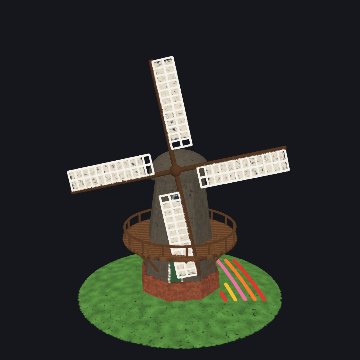
The windmill makes one part for all four sails. A recipe could instead make one part per
sail, so each could turn on its own; it would then have used four of its 15.
The Treasure Chest: its lid is a part on a hinge.
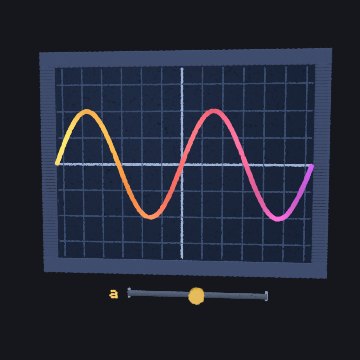
The Graph Plotter: the a slider is a control.
Behaviors
Some motion is too fine for parts: a flame that flickers, snow that falls, grass that sways.
A behavior moves each splat on its own on the graphics card:
kind: "flame", "twinkle", "sway",
"orbit", "fall", "wave", and more.
Morphs give each splat a second place,
to: (c) => [x, y, z], and slide it there as one of four channels goes from 0
to 1. Splat Equation's motion is made of morphs.
A small, complete recipe
Here is a whole Splash: a little windmill whose sails turn with a Wind slider, and a tap
that blows a gust, spinning them once more around.
import { mix } from "../src/kit.js";

// A little windmill: a stone tower, a red cap, and four sails that turn in
// the wind. A tap blows a gust that spins them once more around.
export const RECIPES = {
  "little-windmill": {
    alive: true,
    options: [{ key: "sails", label: "Sail color", type: "color", default: "#f2eee4" }],
    controls: [
      { key: "wind", label: "Wind", type: "slider", default: 0.4 },
      { key: "gust", label: "Gust", type: "pulse", ease: 3 },
    ],
    action: { key: "gust", label: "Blow a gust" },
    drive(t, c, out) {
      // The wind turns the sails; a gust adds one extra turn, eased in and
      // out, so they end where they would have been anyway.
      const g = c.gust > 0 ? 1 - c.gust : 0;
      const extra = 2 * Math.PI * g * g * (3 - 2 * g);
      out.parts.sails = { angle: t * (0.3 + 2 * c.wind) + extra };
    },
    build(k, o) {
      // The tower: whitewashed stone, darker toward the ground.
      k.add(k.cone(0.5, 0.3, 1.6), {
        color: (c) => mix("#8b8f97", "#ece6d8", (c.p[1] + 0.8) / 1.6),
        interior: 0.1,
        core: "#6b5b4b",
      });
      // The cap.
      k.add(k.cone(0.36, 0.02, 0.4), { pos: [0, 1.0, 0], color: "#9c3b2c" });
      // The sails turn together, about an axis that points at you.
      const sails = k.part("sails", { pivot: [0, 0.6, 0.42], axis: [0, 0, 1] });
      k.add(k.sphere(0.07), { pos: [0, 0.6, 0.42], part: sails, color: "#4b3a2a" });
      for (let i = 0; i < 4; i++) {
        const a = (i * Math.PI) / 2;
        k.add(k.box(0.16, 0.9, 0.02), {
          pos: [-0.5 * Math.sin(a), 0.6 + 0.5 * Math.cos(a), 0.44],
          rot: [0, 0, (a * 180) / Math.PI],
          part: sails,
          color: o.sails,
        });
      }
    },
  },
};
This recipe, built by the kit.
The Windmill on the shelf, a bigger Splash built the same way.
Read it from the bottom up. build adds a cone for the tower (its color a
function of height), a smaller cone for the cap, and a part called "sails" with a hub and
four boxes, each turned a quarter turn more than the last. drive turns the
sails part: steadily with the wind, plus one extra turn while the gust pulse runs, eased
with the smoothstep curve
3g² − 2g³ (an S-shaped ramp that rises from 0 to 1 and is flat at both
ends [7]) so it starts and ends gently. A full extra turn lands the
sails where they would have been anyway, so nothing jumps when the gust ends.
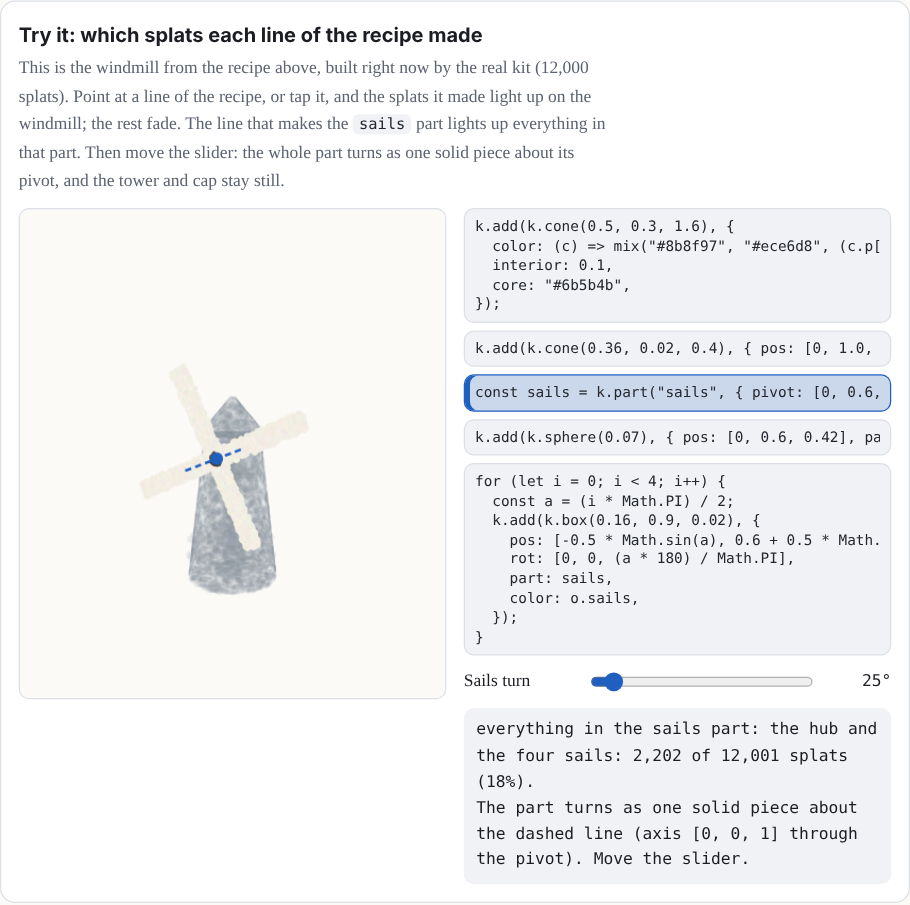
Try it: which splats each line of the recipe made
This is the windmill from the recipe above, built right now by the real kit (12,000
splats). Point at a line of the recipe, or tap it, and the splats it made light up on the
windmill; the rest fade. The line that makes the sails part lights up
everything in that part. Then move the slider: the whole part turns as one solid piece
about its pivot, and the tower and cap stay still.
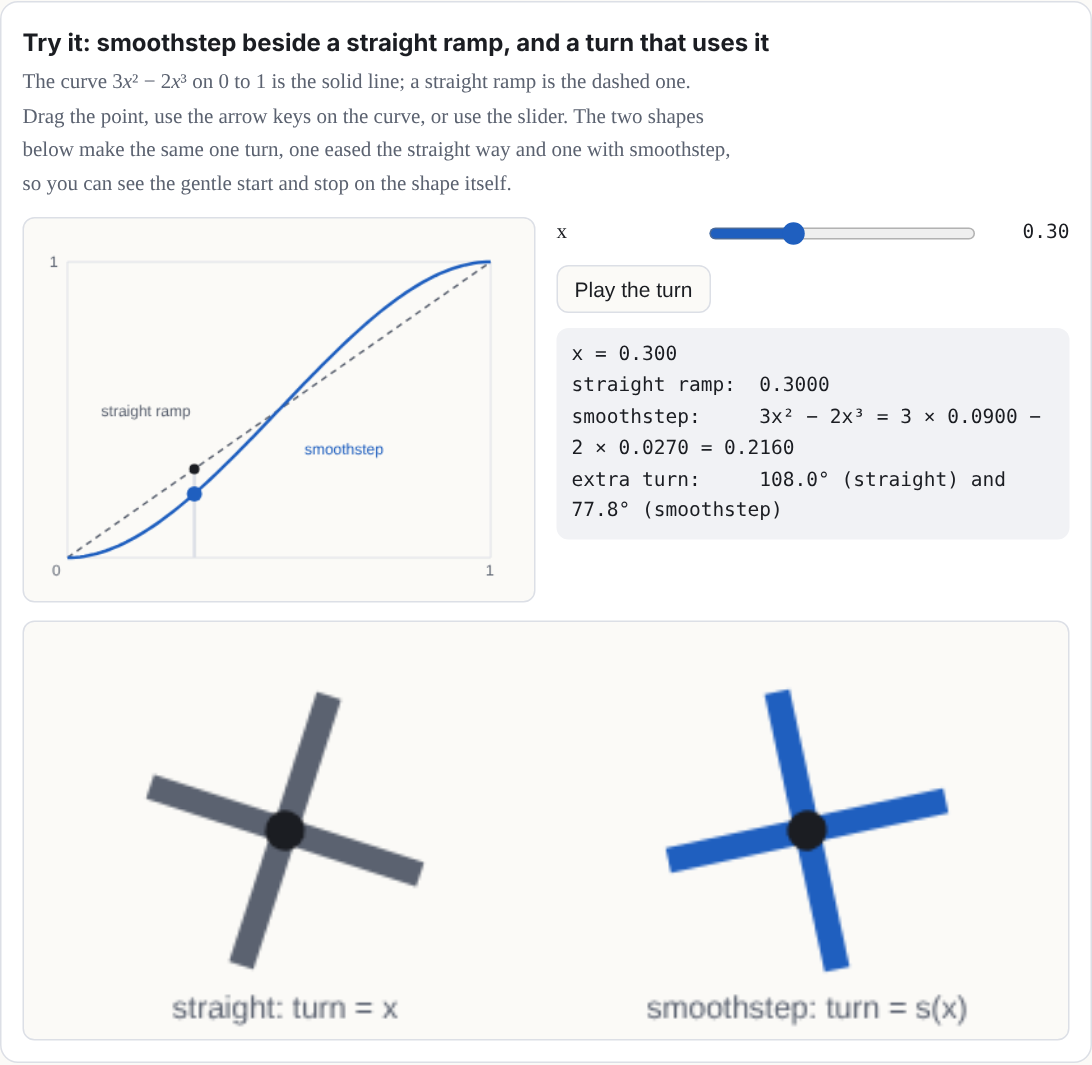
Try it: smoothstep beside a straight ramp, and a turn that uses it
The curve 3x² − 2x³ on 0 to 1 is the solid line; a straight ramp is
the dashed one. Drag the point, use the arrow keys on the curve, or use the slider. The
two shapes below make the same one turn, one eased the straight way and one with
smoothstep, so you can see the gentle start and stop on the shape itself.
You can run the windmill on your own computer in five steps. You need a copy of the
Splashery source (download it from
GitHub) and Node.js.
Save the recipe as a pack. Copy the module above into
src/splashery/packs/little-windmill.js, or save this Manual's copy,
example-recipe.js, there.
Change its first line to import { mix } from "../kit.js";. A pack lives in
src/splashery/packs/, so the kit is one folder up. (The Manual's copy says
../src/kit.js, the path from where it sits on this site.)
Add its catalog entry. In src/splashery/toys.js, find the line
export const TOYS = [ and paste this right after it:
The id must match the key in the pack's RECIPES. Then add
"little-windmill" to SYNCED_PACKS in
src/splashery/synced-packs.js: a Splash opens only when its pack is listed
there.
Serve the folder. In the source folder, run npm ci once, then
node tools/serve.mjs 4401 /splashery-experimental=.. The page needs a server
because browsers will not load ES modules from a file address.
Open the Splash. Go to
http://127.0.0.1:4401/splashery-experimental/?toy=little-windmill. The page
opens a catalog Splash by its id. The windmill turns by itself.
Tap the windmill. The tap runs the recipe's action, the Blow a gust pulse:
the sails spin one extra turn, easing in and out, and end where they would have been.
The same steps, in short. From inside your copy of the source folder:
1. Save the Manual's example-recipe.js as src/splashery/packs/little-windmill.js,
   and change its first line to: import { mix } from "../kit.js";
2. In src/splashery/toys.js, right after the line "export const TOYS = [", add:
   { id: "little-windmill", label: "Little Windmill", category: "objects", kind: "kit",
     pack: "little-windmill" },
   Then add "little-windmill" to SYNCED_PACKS in src/splashery/synced-packs.js.
3. Serve the folder: npm ci, then node tools/serve.mjs 4401 /splashery-experimental=.
4. Open http://127.0.0.1:4401/splashery-experimental/?toy=little-windmill: the sails
   turn by themselves, and a tap spins them one extra turn.
Steps to check: they follow the current source and will change with the public repository.
Splat Equation's text box takes equations (Chapter 3), not JavaScript recipes. A recipe
has to be a module in src/splashery/packs/, as above.
Chapter 3The splat equation language
Recipes are powerful, but they are code, and code from a stranger can do things you did not
ask for. The Splat Equation Splash on the Math shelf gives you a smaller language
that is only math. You write where every splat goes and what color it is, as equations, and
nothing else can happen. That is why a link with your equations in it is safe to share.
Open it with any link in the gallery (Chapter 4). Type in the box under
Your own splat program in the Splash sheet (tap Splash in the bottom bar) and
press Splat it. The Program list has eight famous shapes to start from.
The idea: every splat gets its own u and v
The Splash lays out its splats on a grid of two numbers, u and v, each
running over a range you choose. Think of them as the coordinates of a flat sheet of points,
laid out before the equations bend it into shape. They are the parameters of a
parametric surface [9],
not a substitution: nothing is replaced by u or v; each splat simply
has its own pair. Your equations turn each splat's (u, v) into a place
in space, (x, y, z). If u goes around a circle
and v around a smaller circle, the grid wraps into a torus:
x = (2 + cos v)·cos u
y = sin v
z = (2 + cos v)·sin u
u = 0 .. 2pi
v = 0 .. 2pi
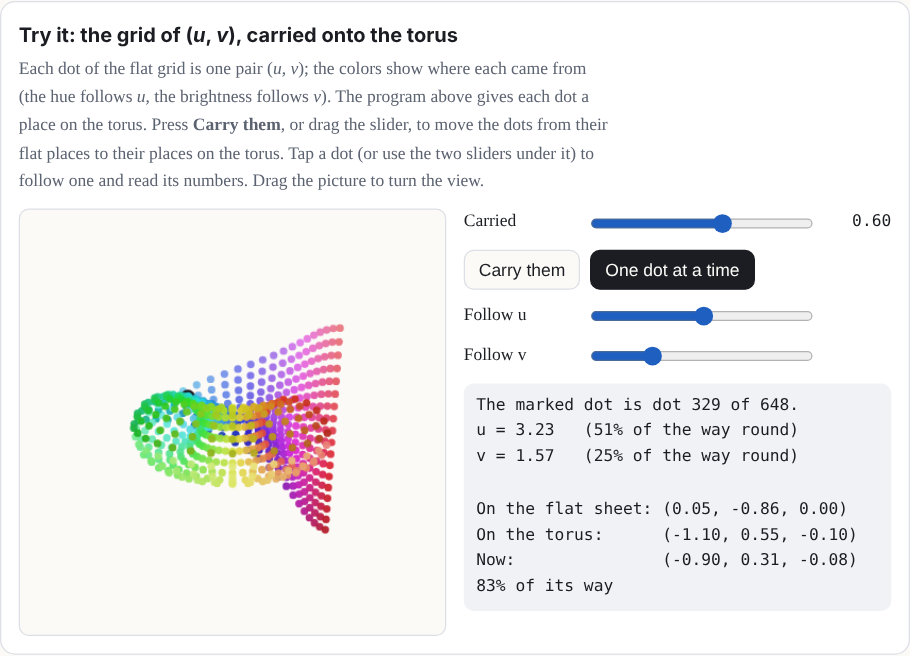
Each dot on the grid is one splat with its own (u, v). The equations
carry every dot to its place on the torus.
Try it: the grid of (u, v), carried onto the torus
Each dot of the flat grid is one pair (u, v); the colors show where
each came from (the hue follows u, the brightness follows v). The
program above gives each dot a place on the torus. Press Carry them, or drag the
slider, to move the dots from their flat places to their places on the torus. Tap a dot
(or use the two sliders under it) to follow one and read its numbers. Drag the picture to
turn the view.
A program is a list of fields, each written name = value. You can type
one field or several, split by ; (a text file can put one on each line). You do
not have to retype everything. A field you leave out keeps what is already showing: if you
type only a new hue, the shape stays and only the color changes.
Show the table: the fields of a program
Field
What it is
If left out
x, y, z
Where each splat goes, as equations in u, v, and
t. y points up.
Needed
u
The range of u, like 0 .. 2pi.
Needed
v
The range of v.
0 .. 1
hue
Color as a place on the color wheel: 0 is red, 1/6 yellow, 1/3 green, 1/2 cyan,
2/3 blue, 5/6 magenta, and 1 is red again. Any number works; it wraps around every
whole turn, so −0.1 gives the same hue as 0.9.
Use r, g, b
r, g, b
Color as red, green, and blue, each from 0 to 1. Setting any of them turns
hue off; setting hue turns them off.
0.5 each (gray)
size
How big each splat is, in the same units as x, y, and
z: about the σ of its bell. It may use u, v, and
t.
0.05
count
How many splats: 100 to 10,000.
4000
spread
grid spaces the splats evenly; random scatters them at
random over the ranges (a galaxy, a firework).
grid
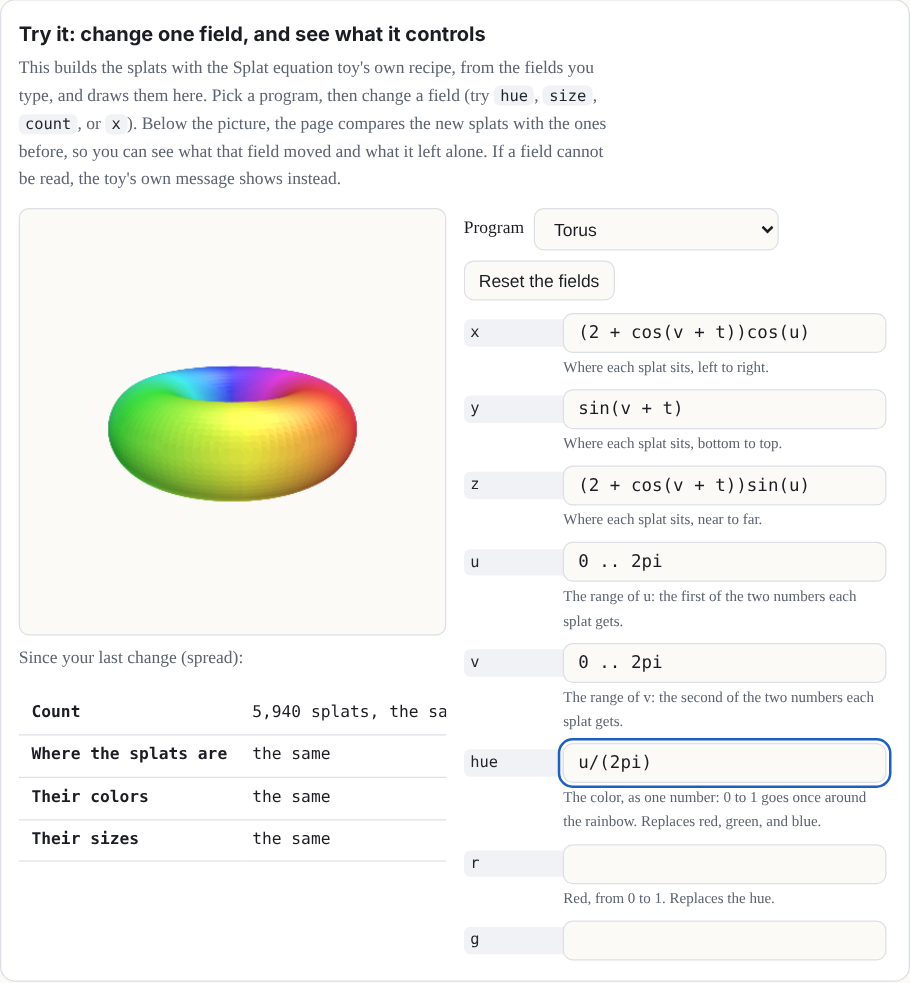
Try it: change one field, and see what it controls
This builds the splats with Splat Equation's own recipe, from the fields you type, and
draws them here. Pick a program, then change a field (try hue,
size, count, or x). Below the picture, the page
compares the new splats with the ones before, so you can see what that field moved and
what it left alone. If a field cannot be read, the Splash's own message shows instead.
Our choice The Splash chose which fields; saved links limit
how many a Splash can keep.
The Splash's program is saved in its link as options, and a link keeps up to 64 option
keys per Splash. The twelve fields, plus the program picker, the splat style (Solid, Fine,
or Dots), the Light and shade switch, and the Moments of t choice, come to 16, so a fully
filled Splash leaves 48 keys to spare. (The labs switch only hides the Splash from the
shelf; it does not take the Moments of t definition away, so a link that opens the Splash
directly still counts all 16.)
If it were chosen differently. More fields means more option keys. Up to 64 fit a
link; past that, either the limit rises again (a change to how every saved link is read,
which must keep old links loading) or fields share a key.
Where it lives: normalizeOptions in src/state.js;
FIELDS in src/packs/splat-equation.js.
Could Splat Equation have different fields?
Not tested yet Nothing below is built.
Yes. Each field you add costs one of the 64 option keys a saved link keeps, and the Splash
uses 16, so 48 new fields would fit before the limit had to rise or fields had to share a
key. Candidates:
Opacity, so a splat could be see-through.
A stretch and a turn for each splat, which would make an oriented, flattened
splat instead of a round one.
Glow, a brightness that does not depend on the lighting.
A part for each point, so each point could move on its own. This is the costly
one: Splashes are limited to 15 parts.
Flexibility
The reader is forgiving about how you write a program:
Alternative names.color for hue; red,
green, and blue for r, g, and
b; splats for count; x(u,v,t) for
x (and likewise y(u,v,t) and z(u,v,t)); also
colour and n, which the code accepts.
Three ways to write a range.0 .. 2pi, 0 to 2pi, or
0, 2pi. (Three dots, 0 ... 2pi, work like two.)
Capitals do not matter. Names are not case-sensitive: Hue is
hue.
Notes. Anything after a # on a line is a note, and the reader skips
it.
Expressions
The equations are read by the same small, safe reader as the Graph Plotter and Surface
Plotter. It understands:
Numbers: 2, 0.5, .25.
Variables: u, v, and t. Range ends and the count
are numbers only.
Constants: pi (or π) and e.
Operators: + − × ÷ ^, written + - * / ^ (and
**, ·, ², ³), with brackets
( ), [ ], and { } (the reader treats all three
kinds alike), and |u| for absolute value.
Functions: sin cos tan asin acos atan sinh cosh tanh exp log (natural;
ln too), log10 sqrt (or √), abs floor, and
min and max of two or more values. The inverse trig functions
also go by arcsin, arccos, and arctan.
Shortcuts: 2u means 2 × u, and 3sin(u) and
(u + 1)(v − 1) multiply. A function can also skip its brackets when its input
is a short product: a run of numbers and names, each with an optional power. The input
stops at the next function, at a bracket, or at a plus or minus. So sin 2u is
sin(2u), sin u cos u is sin(u) × cos(u), and
sin u^2 is sin(u²), not (sin u)². A minus sign cannot
start a bare input (write sin(-u)), and min and
max always need brackets.
Powers go first, then × and ÷, then + and −, and a power binds to the right:
2^3^2 is 29, and -u^2 is −(u²). Each
expression can be up to 240 characters long (each end of a range counts on its own).
Try it: how the reader groups an expression
Type an expression in u, v, and t, or pick one. The tree
shows what goes together first (deepest first), and the value is worked out at
u = 1, v = 0.5, t = 0. It follows the real reader's rules
for powers, implied multiplication, and bare function inputs. The tree is a simplified
picture, though: the Splash's own reader also checks the text and tells you under the tree
if it would refuse it (an expression may be 240 characters, and there are limits on
nesting and on how many pieces it can hold).
Our choice Nothing in the math or the browser needs it.
A program lives in the Splash's link, and a link holds up to 12 fields, so a limit keeps
links short enough to paste into a message. The longest field of the Splash's own programs
is 53 characters. The limit is 240, for people who write longer formulas.
If it were chosen differently. The link could carry much more (a text option may be
up to 24,000 characters), so the limit is not what stops longer fields. Two other guards
would be next: expressions nest at most 32 deep and have at most 400 pieces. The cost of
longer fields is longer links and slower builds, because each expression is worked out for
every point at every moment (at the default, 13 positions: the 12 moments and the closing
target). At 240 characters a field can take up to twice as long to build as at 120, and a
link with every field at the limit grows from about 1,400 to about 1,900 characters once
compressed (docs/lab/EQUATION-FIELDS.md). The Graph Plotter and Surface
Plotter keep 120.
Where it lives: FIELD_MAX in src/packs/splat-equation.js (240);
MAX_LENGTH (120, still the plotters' limit), MAX_DEPTH, and
MAX_NODES in src/equation.js; TEXT_MAX in
src/state.js.
The grammar
Here is the core grammar. Note: words in quotes must be typed exactly as written below.
A grammar is a short list of rules for what counts as a valid program. Its notation follows
EBNF, a standard way to write such rules [8]:
= means "is made of": the name on the left is built from the pattern on the
right.
| means "or". ("|" in quotes is the absolute-value sign you
type.)
{ } means "repeat what is inside any number of times, including none".
[ ] means "optional": what is inside may be there or not.
Quotes mark text you type exactly. Plain parentheses group choices together. Words with no
quotes, such as sum, are names of other rules. A note in parentheses at the
end of a line is only a comment.
An atom is the smallest piece of an
expression that can stand on its own: a number, a name, a function with its input, or
something in brackets.
program    = field "=" value { ( ";" | new line ) field "=" value }
field      = "x" | "y" | "z" | "u" | "v" | "hue" | "r" | "g" | "b"
           | "size" | "count" | "spread"
value      = sum                         (x, y, z, hue, r, g, b, size)
           | sum ".." sum                (u, v: numbers only, and no min or max)
           | sum                         (count: a number only)
           | "grid" | "random"           (spread)
sum        = product { ( "+" | "-" ) product }
product    = signed { ( "*" | "/" ) signed | power }   (nothing between: 2u)
signed     = { "-" | "+" } power
power      = atom [ "^" signed ]
atom       = number | "u" | "v" | "t" | "pi" | "e"
           | function "(" sum ")"
           | function bare               (sin 2u, sin u cos u, sin u^2)
           | ( "min" | "max" ) "(" sum "," sum { "," sum } ")"
           | bracket | "|" sum "|"       (not directly inside another | |)
bracket    = "(" sum ")" | "[" sum "]" | "{" sum "}"
bare       = simple { simple }           (stops at the next function or bracket)
simple     = ( number | "u" | "v" | "t" | "pi" | "e" ) [ "^" signed ]
function   = "sin" | "cos" | "tan" | "asin" | "acos" | "atan"
           | "arcsin" | "arccos" | "arctan" | "sinh" | "cosh" | "tanh"
           | "exp" | "log" | "ln" | "log10" | "sqrt" | "abs" | "floor"
                                         (one input; min and max are above)
Try it: the grammar as tracks, and a walk along them
Each rule is drawn as tracks. Follow a line from the dot on the left to the dot on the
right, taking any branch. A square box means "go and follow that rule here" (tap it to
jump to the rule); a round box is a word you type as written. A line that curves back
underneath means "as many times as you like". Press Walk the tracks and a random
walk lights up the tracks it took and writes down the program it passed. The page then
asks the Splash's own reader whether it accepts what was written.
t is time. A tap on the Splash plays it from 0 to 2π in about 4 seconds, and the
t slider in the Splash sheet holds it anywhere in between. Anything with
t in it moves: u + t turns a shape, sin(t) breathes,
and sin(3u − t) sends a wave around.
Why this number? The two clocks
Our choice Both of them.
There are two clocks. The math clock, t, runs from 0 to 2π, one full circle, so
that sin and cos of it come back exactly to where they started,
and loops are seamless. The wall clock is real time: a play of t lasts about 4
seconds, whatever 0 to 2π means to the math. The speed is eased, so a play starts and ends
still.
If it were chosen differently. A different range for t would change what
a loop looks like (a range of 1 would make sin(t) stop mid-wave). A different
play time would only change how fast it looks.
Where it lives: PLAY_SECS in src/packs/splat-equation.js.
Behind the scenes, the Splash builds your shape at 12 moments, t = 0, π/6, 2π/6,
and so on, and each copy slides every splat in a straight line to its place in the next copy
(a morph, Chapter 2), so every splat is at its computed place at those 12 moments (up to the
packing error described below) and slides in a straight line in between. A shape that turns
dips very slightly inward between moments, about 3 percent. (With labs on, a
Moments of t choice sets 13, 14, or 15 moments instead; 12 is the default, so a link
that names no count builds with 12.)
Why this number? Twelve moments
Our choice, near a limit Our choice; each moment also costs
one of the 15 parts.
Twelve copies of 10,000 points (the most count allows) make 120,000 splats,
Splat Equation's count at the Low tier, so even the weakest device can hold the biggest
program. (The kit keeps 2 percent in reserve, so on that device each copy is cut to 9,800
points.) Each moment is its own part (Chapter 2), and 12 parts plus the body fit in the
limit of 15.
If it were chosen differently. More moments make a turning shape rounder, because a
splat slides in a straight line between moments and so dips inward in between. The worst
dip is 1 − cos(π ÷ moments): 3.4 percent at 12 moments, 2.2 percent at 15, and 0.9 percent
at 24. But the points per copy shrink on the weakest device: 9,800 at 12, 7,840 at 15, and
4,900 at 24. And because each moment is a part, 15 is the most without a bigger change.
Color and size step at the moments rather than sliding, so more moments would smooth color
changes too. The moments demo below lets you try every count. The labs choice
Moments of t offers 12, 13, 14, or 15; measured, the worst dip of the splats is
3.41, 2.91, 2.51, and 2.19 percent (docs/lab/MOMENTS.md).
Where it lives: KNOTS (the default, 12) and MOMENTS (the
choices) in src/packs/splat-equation.js; the points per copy are floor(0.98 ×
budget ÷ moments).
Why is each moment a part, and what else could work?
Not tested yet The alternatives below are ideas, not built.
The Splash builds 12 complete copies of the shape, one for each moment of t. It
shows one copy at a time and slides each into the next with the morph channel, so each
copy needs its own part number, to be shown or hidden on its own. Other ways to do it:
Store the moments in a keyframe texture and blend them in the shader. This needs
no parts and allows more moments, but it is a change to the engine.
Compile the formulas to a shader, so t is continuous and there are no
copies at all. This works because every splat is a pure function of its own
(u, v, t), with nothing shared between splats, so the
graphics chip could work them all out at once. It is the larger experiment.
Recompute on the processor every frame. This is too slow at 10,000 or more
points, with a fresh sort every frame.
Why this number? Twelve bits
Format limit It follows from how much room each splat has.
What is stored for each splat's moment is the move from its place to its target place (the
displacement), as three whole numbers, one per axis, each of 12 bits: 4,096 steps across a
range of ±2 Splash units. These are real binary digits, not a figure of speech. A Splash
is fitted to a sphere 1.9 units across, so any move fits, and one step is about 1/1,900 of
the Splash's width. Rounding to a step is the "tiny error" the manual mentions: at most
half a step, as long as the move is inside the range (a move beyond ±2 units is cut off at
the end of the range).
Each splat's animation data is four 32-bit numbers, and two of them are already taken (the
part number with its flags, and the kind of motion). That leaves two. A 32-bit float holds
any whole number up to 224 exactly, and two 12-bit numbers make 24 bits, so one
float carries two axes. The third axis and a channel number share the other.
z = qx × 4096 + qy          (two 12-bit numbers, exact)
w = qz + 4096 × channel     (one 12-bit number and the channel)
If it were chosen differently. More bits would not fit two axes in one float, so
the Splash would need another float per splat (every float is already spoken for) or a
texture. Fewer bits would make the steps visibly coarse.
Where it lives: encodeMorphs in src/kit.js;
MORPH_RANGE in src/effects.js.
Approximations in time. The shape is sampled at 12 moments (or 13 to 15, if you
chose that in labs), not solved for every t. Only each splat's
position slides toward the next copy, and that target is packed into 12 bits per
axis over a fixed range, so tiny errors are possible. Its color, size, and rotation are
built separately for each copy, so they can step at a copy boundary instead of blending.
The "count" you type is the number of points sampled for each copy, not the total number
of splats in the Splash (Figure 3).
Figure 3. A program with t is stored as 12 copies, so the number of splats in
memory is about 12 times the points in one copy. The device's tier sets the budget at the
top; your count, the Fine setting, and the grid can only lower the points per copy.
Try it: scrub t, play it, and turn on the stored moments
Each dot is one splat, with u running around the ring. Turn on "Moments" to see
what the Splash stores: between moments, each dot slides in a straight line, which is why
a turning shape dips inward a little (3.4 percent at 12 moments).
Make it loop. Because t ends at 2π, a shape made of sin(t),
cos(t), and angles like u + t ends exactly where it began. A
shape with plain t in it (like y = t) jumps back at the end.
sin(t/2) goes out and back once; sin(2t) twice.
A program without t stands still. Then a tap clears it and draws the splats again
one by one, in the order they are made: the first value of u with every
v, then the next u, and so on.
What the Splash does for you
It fits the view. The shape at its sampled moments of t is scaled to
fit, so your units don't matter; only the sizes compared with the shape do.
It spaces the grid. With spread = grid, the side of the shape that is
longer gets more splats, so they sit about evenly apart. A shape that uses only
u is a curve, and all the splats go along it.
It lights surfaces. For a grid surface in Solid or Fine mode, each splat is a flat
disc facing out from it (along the cross product of its slopes in u and
v), lit from above. The Light and shade switch turns the lighting off,
so you see your colors exactly. This is a simple shade, not physical lighting: your base
color is multiplied by 0.62 + 0.48 × (how squarely the disc faces a fixed light) and a
small highlight is added.
It skips impossible points. Where an equation has no value (the square root of a
negative number, a division by zero, the log of 0), that splat is left out. So is a point
more than three times farther out than nearly all the others. A hue that can't be worked
out (not a number, or infinite) becomes gray. A red, green, or blue that is not a number
becomes 0, and one that is too large or too small is clamped to 1 or 0 (+∞ is 1 and −∞ is
0). A size that can't be worked out becomes a small default. If a splat's next moment is
impossible, it holds still instead of flying off.
It explains mistakes. Each field that can't be read gets one plain message, like
“z: That can't be drawn: I don't know “q”.”, and the shape on the stage stays as it
was. Others are “the number “1.2.” has two points.” and
“w” is not a field. Use x, y, z, u, v, hue, r, g, b, size, count, spread.
Why it is safe
The reader never runs what you type. It breaks the text into numbers, the letters
u, v, and t, the names in the lists above and the signs,
and builds a small tree of arithmetic from them. There is no way to name anything else, so
the worst a program can do is draw a strange shape. Your program lives in the Splash's link
("Copy" under the link in the Share tab of the More sheet, or the Share button in the
header), so you can send it to anyone.
Chapter 4A gallery of programs
The first eight are Splat Equation's own programs; the rest are small ideas to copy and
change. Each button opens the Splash with that program; then tap it to play t.
While the Splash is being tried out, it is on the shelf only when Splashery is opened with
?labs=1, but these links always open it.
Sphere
A sphere from two angles, u around and v from pole to pole, spinning with u + t. Six
stripes from floor(6u/(2pi)).
x = sin(v)cos(u + t)
y = cos(v)
z = sin(v)sin(u + t)
u = 0 .. 2pi
v = 0 .. pi
hue = floor(6u/(2pi))/6 + 0.04
size = 0.035
count = 7000
Color from r, g, and b: three cosines about a third of a turn apart make a rainbow
along u.
x = u
y = 0.4sin(2u - t)
z = v
u = -3 .. 3
v = -0.4 .. 0.4
r = 0.5 + 0.5cos(u)
g = 0.5 + 0.5cos(u - 2)
b = 0.5 + 0.5cos(u + 2)
size = 0.05
count = 4000
A second gallery, in six groups of ten. Each program reads, builds, and looks like its
title. A few are honest look-alikes or samples of a named system, and say so; none is a full
solution of the system it names. Each card has the picture, one line about the shape, the
program (folded), and a Run it link that opens the Splat Equation Splash with that
program, in a new tab. That Splash is a labs Splash: it is not on the ordinary shelf,
but a direct link like these opens it even with labs off, and its sharper kernel setting
needs labs turned on. Every program fits the Splash's own limits: 12 fields, 240 characters
to an expression (each end of a range counts on its own; these programs are all under 120),
and at most 10,000 points.
Classic surfaces (10 programs)
Spun sphere
A sphere turns once around its vertical axis, and its hue runs around the axis (by
longitude), so the colors turn with it.
Show the program
x = sin(v)cos(u+t)
y = cos(v)
z = sin(v)sin(u+t)
u = 0 .. 2pi
v = 0 .. pi
hue = u/(2pi)
size = 0.04
count = 6000
The curve cos(6u) traced in a plane makes a rose of 12 petals (an even multiple
makes twice as many), and a gentle vertical wave lifts it into a dotted
three-dimensional curve.
Show the program
x = cos(6u)cos(u)
y = 0.15sin(3u)
z = cos(6u)sin(u)
u = 0 .. 2pi
v = 0 .. 1
hue = u/(2pi)
size = 0.04
count = 3000
A face-on disk shades from dark seeds to a golden rim, with Fibonacci-style spiral
arms drawn in the color.
Show the program
x = 1.8sqrt(u)cos(2pi v)
y = 1.8sqrt(u)sin(2pi v)
z = 0.25(1-u)
u = 0.002 .. 1
v = 0 .. 1
r = 0.3+0.7sqrt(u)(0.75+0.25sin(26pi v-24sqrt(u)))
g = 0.15+0.6sqrt(u)(0.75+0.25sin(26pi v-24sqrt(u)))
b = 0.02+0.1u
size = 0.04
count = 10000
A saddle ripple rotates smoothly over a square patch.
Show the program
x = u
y = 0.22(u^2-v^2)cos(t)+0.2uvsin(t)
z = v
u = -1.6 .. 1.6
v = -1.6 .. 1.6
hue = 0.6+1.2(0.22(u^2-v^2)cos(t)+0.2uvsin(t))
size = 0.06
count = 10000
Four-fold bumps grow and shrink across a round surface as its color follows each
bump.
Show the program
x = sin(v)cos(u)(1+0.2cos(4u)cos(4v)sin(t+1.2))
y = cos(v)(1+0.2cos(4u)cos(4v)sin(t+1.2))
z = sin(v)sin(u)(1+0.2cos(4u)cos(4v)sin(t+1.2))
u = 0 .. 2pi
v = 0 .. pi
hue = 0.6+0.5cos(4u)cos(4v)sin(t+1.2)
size = 0.05
count = 10000
An RGB gradient moves from deep blue at the bottom to green at the top.
Show the program
x = sin(v)cos(u)
y = cos(v)
z = sin(v)sin(u)
u = 0 .. 2pi
v = 0 .. pi
r = 0.05
g = 0.1+0.85(1+cos(v))/2
b = 0.15+0.8(1-cos(v))/2
size = 0.05
count = 10000
Three offset waves make a smooth red, green, and blue color field.
Show the program
x = u
y = 0.15sin(1.5u+1.5v)
z = v
u = -3 .. 3
v = -3 .. 3
r = 0.5+0.45sin(1.5u)
g = 0.5+0.45sin(1.5v+2)
b = 0.5+0.45sin(1.5u+1.5v+4)
size = 0.09
count = 10000
A spherical-harmonic-like radial formula gives the sphere four raised and lowered
lobes.
Show the program
x = (1+0.3sin(v)^2cos(4u))sin(v)cos(u)
y = (1+0.3sin(v)^2cos(4u))cos(v)
z = (1+0.3sin(v)^2cos(4u))sin(v)sin(u)
u = 0 .. 2pi
v = 0 .. pi
hue = 0.55+0.15cos(4u)
size = 0.035
count = 7000
A height graph of one slice of the gyroid function rises and falls in a repeating
pattern of hills and valleys.
Show the program
x = u
y = 0.5(sin(u)cos(v)+0.36sin(v)+0.93cos(u))
z = v
u = -1.5pi .. 1.5pi
v = -1.5pi .. 1.5pi
hue = 0.55+0.3(sin(u)cos(v)+0.36sin(v)+0.93cos(u))
size = 0.11
count = 10000
Things to try. Change a number and see what moves. Swap cos and
sin. Put t somewhere new. Make count small and
size big to see the single splats. Try spread = random on a
surface. Give a sphere a hue of floor(8v/pi)/8.
Chapter 5Pictures, screens, and your own input
The Splashes in Chapter 2 are built from shapes. Some Splashes show something that is not a
shape: a page of a PDF, a photo, a GIF, a video, or something you type or draw. Three
additions to a recipe make them: picture sheets, an input panel, and a few
view settings. They are still Gaussian splats, all the way down, but for the sharp
page faces of Splash Book, Photo Album, and Picture Lab, which are textured meshes over
splat paper. The Splashes on the Pictures and Pages shelf are being tried out, so they are
on the shelf only when Splashery is opened with ?labs=1.
Picture sheets: a page, a photo, a GIF, a video
A sheet is a flat place in a Splash where a picture shows:
k.sheet({ id, center, width, height }). The kit draws nothing there. The site
opens the picture before the build, then turns it into splats on the sheet after the build,
in a background worker so the page stays smooth. A PDF page becomes a smooth sheet of large
soft splats in the paper's color, with a small splat of its own color wherever the page
differs from the paper, which is the ink (method: "ink"); in a photo, each
sampled pixel becomes a flat splat ("pixels"); a GIF or a video becomes a
screen that is redrawn on every frame ("screen"). The site picks the method
from the kind of file. It rebuilds a sheet finer as you zoom in, and frees the pages you
have left, so a book of 200 pages does not need 200 pages of splats. Splash Book, Photo
Album, and Picture Lab draw a page's face as a textured mesh in place of its splats.
A PDF page (the Picture Lab)
The recipe below: a photo in a frame
Both pictures are made of splats. Photo: "Tulip field" by DennisM2, CC0. The article is
our own sample text.
Three parts of a recipe work together:
pictures: { sample, accept } names what shows until you open your own (the
sample's address) and which kinds a visitor may open: "pdf",
"image", "gif", "video".
drive may choose the page of each sheet with
out.sheets[id] = { page, visible }. Pages count from 0, and a page that does
not exist shows nothing. A sheet that is not visible is not built unless it requests
ahead: 1. Without it, every sheet shows the current page.
info.data.pictures is the Splash's view of the media: page,
count, kind, name, playing, and the
functions next(), prev(), go(n), and
togglePlay().
A whole picture Splash, in a few lines. Its input gives the Splash sheet a
button that opens a photo, a GIF, or a video; the rest of the Splash is a card and four
wooden bars:
import { smoothstep } from "../src/kit.js";

// Two small picture toys for Chapter 5 of the Splash Manual: a framed photo
// that opens your own picture, and a little book whose page turns like paper.
export const RECIPES = {
  "little-frame": {
    turntable: false,
    tiltLock: true, // a drag only spins it left and right
    pictures: {
      sample: () => "assets/toys/picture-lab/photo.jpg", // shown until you open your own
      accept: ["image", "gif", "video"],
    },
    input: {
      title: "Your own picture",
      media: { accept: ["image", "gif", "video"] },
      note: "Open a photo, a GIF or a video. Files stay on this device.",
    },
    build(k) {
      // The picture: a sheet, filled with splats after the build.
      k.sheet({ id: "photo", center: [0, 0, 0.03], width: 1.5, height: 1 });
      // A gray card behind it, and four wooden bars around it.
      k.add(k.box(1.6, 1.1, 0.02), { pos: [0, 0, -0.02], color: "#9a9a9a" });
      for (const [w, h, x, y] of [
        [1.8, 0.1, 0, 0.6],
        [1.8, 0.1, 0, -0.6],
        [0.1, 1.1, -0.85, 0],
        [0.1, 1.1, 0.85, 0],
      ])
        k.add(k.box(w, h, 0.1), { pos: [x, y, 0], color: "#8a5a34" });
    },
  },
Turning a page
A page that turns like paper is a sheet with leaf: slot (a slot from 0 to 9)
and a spine to turn about: k.spine({ at, axis, dir }) gives the spine's place,
its direction, and the direction from it along the pages when they lie flat. Each frame,
drive sets out.leaves[slot] = { angle, curl }: the
angle in radians (0 lying flat, π
turned all the way over) and the curl, how much the page bends along a circular
arc (a negative number lets the free edge lag behind, like paper in air). Every splat of the
page turns with the curve at its place, so it stays a solid sheet at every angle, which a
page bent with soft regions would not.
The little book below, halfway through a turn. The next page is already there under the
turning one.
The little book below uses a pulse control for the turn, the way Chapter 2's gust does. The
page under the turning one is built ahead of time (a sheet is normally built only while it
is visible, unless it requests ahead: 1, so a page that shows up halfway could
make the turn wait), and the page number moves on when the turn ends. Keep a turning sheet
on the body (part 0), because a part's own turn would replace the leaf's. The far side of
the turning page shows the page in mirror image, like tracing paper, until it lands.
  "little-book": {
    turntable: false,
    tiltLock: true,
    pictures: { sample: () => "assets/toys/picture-lab/article.pdf", accept: ["pdf"] },
    input: { title: "Your own book", media: { accept: ["pdf"] }, note: "Open a PDF." },
    controls: [{ key: "turn", label: "Turn the page", type: "pulse", ease: 1.2 }],
    action: { key: "turn", label: "Turn the page" },
    drive(t, c, out, info) {
      const pics = info.data?.pictures; // { page, count, go(n), next(), prev(), ... }
      // The page changes when the turn ends, and the turning page lands on the left.
      const turning = c.turn > 0;
      if (BOOK.turning && !turning && pics) pics.go(pics.page + 1);
      BOOK.turning = turning;
      const page = pics?.page ?? 0;
      // The pulse falls from 1 to 0: the page swings from 0 to a half turn (pi)
      // about the spine, and its free edge lags behind, like paper.
      const s = turning ? smoothstep(0, 1, 1 - c.turn) : 0;
      out.leaves = [{ angle: Math.PI * s, curl: -1.2 * Math.sin(Math.PI * s) }];
      out.sheets = {
        // Once the turn starts, the left page is the one that is about to land on it.
        left: { page: turning ? page : page - 1 }, // a page out of range shows nothing
        under: { page: page + 1 }, // built ahead, and uncovered as the page lifts
        front: { page }, // the turning page (its far side shows in mirror image)
      };
      // It is built, but hidden, until the turning page lands on it.
      out.parts.leftPage = { visible: turning ? 0 : 1 };
    },
    build(k) {
      BOOK.turning = false;
      k.spine({ at: [0, 0, 0], axis: [0, 1, 0], dir: [1, 0, 0] });
      const W = 1.4;
      const H = 1.9;
      const leftPage = k.part("leftPage");
      const page = { width: W, height: H };
      k.sheet({ id: "left", ...page, part: leftPage, center: [-W / 2, 0, 0], align: [1, 0] });
      k.sheet({ id: "under", ...page, center: [W / 2, 0, 0], align: [-1, 0] });
      // The turning page: a sheet on leaf slot 0, a hair in front of the others.
      k.sheet({ id: "front", ...page, center: [W / 2, 0, 0.008], align: [-1, 0], leaf: 0 });
      // The cover, behind the pages.
      k.add(k.box(2 * W + 0.1, H + 0.1, 0.03), { pos: [0, 0, -0.03], color: "#7a2f2f" });
    },
  },
};

// Whether the page was turning in the last frame.
const BOOK = { turning: false };
Pop out, the page view, and Draw a box
Three buttons in the stage's column belong to the picture Splashes.
Pop out (on Picture Lab, Splash Book, the Storybook, and Photo Album) raises a tapped
figure or photo off its page into a card that stands in front of it, and a tap puts it back.
On a closed book, a figure raised off the cover shows in front of the cover, not behind it.
The page view button (on Splash Book, the Storybook, and Photo Album) switches
between one page and both pages framing the open spread. The choice is kept in the Splash's
link. Draw a box (on Picture Lab, Splash Book, and Photo Album) raises whatever you
draw it round off the page, the way Pop out raises a figure: hold B, or use the
button, and drag. While a figure is raised or a box is drawn, the tilt lock shows off,
because both need the tilt free, and it eases back to the tilt it left when they are put
away. Using Splashery shows where the buttons sit.
Figure to come: a photo rising out of the album with Pop out, in three frames.
Your own input: typing, drawing, opening a file
A recipe can ask for something from the visitor. Its input adds a panel to the
Splash sheet (tap Splash in the bottom bar), in one of three forms:
Typing: a text box and a button, and maybe a button that opens a text file
(fileButton, accept). The Splat Equation Splash of Chapter 3 is
one; so is the Word Vectors Splash, where you type king − man + woman.
Drawing: pad: { cols, rows, max, button } adds a small grid you paint
with a soft brush, and a button that hands the drawing to read as the text
"pad:…" (one number for each cell, row by row). The ConvNet Splash's "3D,
draw a digit" view reads the digit you draw.
Opening a picture: media: { accept } adds an Open a file…
button, a field for a web address, the page buttons (or play and pause for a video) and a
way back to the sample. Chapter 5's picture Splashes use it.
The input panel of a picture Splash, in the Splash sheet. Files are read on your device;
nothing is uploaded.
For typing and drawing, read(text, fileName) turns what came in into option
values, or throws an Error whose message the panel shows in place; and
shown() says what is showing now. Keep what goes into options small: options
are saved in the Splash's link. Here is a whole Splash with a typed input, a row of bars for
the numbers you give it:
// A small toy with its own typed input, for Chapter 5 of the Splash Manual:
// type some numbers and the toy stands them up as bars.
const LIMIT = 12;
const COLORS = ["#e8384f", "#ffc233", "#1fb59a", "#4dabf7"];

export const RECIPES = {
  "little-bars": {
    options: [
      {
        key: "numbers",
        label: "Your numbers",
        type: "text",
        default: "3 1 4 1 5 9 2 6",
        hidden: true,
      },
    ],
    input: {
      title: "Your own numbers",
      placeholder: "3 1 4 1 5 9 2 6",
      button: "Show them",
      fileButton: "Open a text file…",
      accept: ".txt,.csv",
      note: `Type up to ${LIMIT} numbers from 0 to 20, separated by spaces or commas, or open a text file with them.`,
      // Turns the typed text into option values, or throws a message that the panel shows.
      async read(text) {
        const list = String(text).match(/-?\d+(\.\d+)?/g) || [];
        if (list.length === 0) throw new Error("Type some numbers, like 3 1 4 1 5.");
        if (list.length > LIMIT) throw new Error(`That is more than ${LIMIT} numbers.`);
        if (list.some((n) => n < 0 || n > 20)) throw new Error("Use numbers from 0 to 20.");
        return { numbers: list.join(" ") };
      },
      shown: () => "Your numbers",
    },
    build(k, o) {
      const values = String(o.numbers).split(" ").map(Number);
      values.forEach((v, i) => {
        const h = 0.05 + v / 10;
        k.add(k.box(0.14, h, 0.14), {
          pos: [(i - (values.length - 1) / 2) * 0.2, h / 2, 0],
          color: COLORS[i % COLORS.length],
        });
      });
    },
  },
};
The Screen and the Gaussian Splatting Splash
Two more Splashes put these to work: the Screen on the Pictures and Pages shelf, and
Gaussian splatting on the AI and Computing shelf.
The Screen shows a video or a GIF on a screen in one of four styles: an old TV, a
flat TV, a cinema with curtains, and a hologram. Its picture is one sheet with
method: "screen"; the knobs, the curtains, and the glass are ordinary kit
parts. A tap switches it on, and then plays and pauses; the Sound button in the stage's
column turns the sound on. You can open your own video or GIF.
Each style opens whole, at a view of its own: the old TV 4.55 of its radii away, the flat TV
3, the cinema 3.45, and the hologram 6 (4.6, 4.3, 5.1, and 7.7 on a screen taller than
wide). In the cinema, a tap on the picture plays and pauses the video, and a tap on the
curtains, on the valance above them, or on the cinema's button in the Splash sheet opens and
closes the curtains. The Screen's own sounds (the switching, the curtains, the click of play
and pause) sit 6 LU (loudness units, about a decibel each) under its video, and the video
plays with sound whenever Sound is on, from the first tap.
Figure to come: the Screen's four styles, each at its opening view.
The Gaussian Splatting Splash lets you watch how a photo becomes splats. Its
Training view fits 2,400 flat (two-dimensional) Gaussians to a photo (a strawberry,
or your own), by gradient descent in a background worker: the splats start as random specks
and, step by step, they slide, stretch, and change color until together they are the
picture. The fit uses front-to-back blending, equivalent to the renderer's back-to-front
blending, with the renderer's finite bell, so what you see is the real fit.
One splat lets you set the sizes, the opacity, and the color of a Gaussian
illustrated by a cloud of small splats and turn it (Chapter 1's numbers);
Many splats builds a small rubber duck from kit shapes and then shrinks every splat
to a dot, so you see the splats that make it; and Sorting shows the splats of a ball
appearing one by one, in the back-to-front order a camera draws them. You choose among the
four in the View list of the Splash sheet.
The One splat view: a Gaussian illustrated by small splats, with its three sizes drawn as
axes (Chapter 1's
s1, s2, and s3).
Steering the view: the stage's buttons and the tilt lock
Three of the round buttons in the column at the stage's right edge control how you look at
the Splash on show, and none of them changes the Splash. After 5 seconds untouched they fade
with the other controls; touch the strip at the top or bottom of the screen to bring them
back. Using Splashery shows the whole column and the bars around the
stage.
The stage's buttons on a phone, each named by its own label. Reset, Turntable, and Tilt
lock change how you look at the Splash. On a phone a fold button beside Record puts the
column away.
Reset view (the circular arrow) puts the camera back where the Splash starts. A
double tap, or a double-click with a mouse, resets the view too, unless the Splash uses it
to focus on a page.
Tilt lock (the padlock) makes a drag turn a Splash only left and right, so a flat
Splash such as a page, a photo, or a screen stays facing you. Zooming, panning, and
pinching still work. Your choice is remembered for that Splash for the rest of your visit.
In a recipe, it is the flag tiltLock: true, and every Splash on the Pictures
and Pages shelf sets it. A link keeps the camera it was saved with, and the lock then
holds that tilt.
Turntable (the record player) switches the slow turn that a Splash does when nobody
is touching it. It is the same setting as Turntable in More's Settings, and this
device remembers it (on a Splash that holds still, such as an object or an instrument,
your choice lasts only for that Splash during your visit). A recipe can opt out with
turntable: false, as a page does. If your device asks for less motion, the
turn stays off and the button is disabled.
Two fingers on a touch screen zoom. They roll the Splash only after a clear twist (about 17
degrees) and turn it only when they move together, so a normal pinch never spins what you
are looking at. A two-finger drag moves the Splash across the screen instead of turning it,
as do Shift or Option/Alt and a drag on a computer; Reset puts it back in the middle. A
double-tap does too unless the Splash uses it for page focus.
Chapter 6Moving things
Chapters 1 to 5 moved splats with programs: a recipe's drive sets a part's
angle every frame, and the Splash plays out. This chapter is about motion that comes from
your finger and from physics: pick a Splash up, throw it, let it land and settle, open its
lid, pull a sword out of a stone. The same rule from the effect-quality notes holds
throughout: parts move as solid pieces. Nothing is bent. A lid swings on a hinge, a
wedge slides out of its orange, and the splats that belong to a part travel with it. This is
not behind the labs switch: the ✋ switch is in the Playground for everyone.
Hands-on play: pick up, toss, settle
What it is. With the ✋ switch on, a drag picks up whatever is under your finger. A
quick let-go tosses it; it falls, bounces, and comes to rest on the floor under the Splash,
inside an invisible play area. The ↺ button sends everything home. The Hands-on button is in
the stage's column (Using Splashery shows where), and the H key
switches it on a computer. A press has to move 7 screen pixels before it counts as a drag.
On a whole Splash, a drag shorter than 24 pixels only nudges it (a Splash made of
pieces, joints, or soft parts is picked up at 7 pixels), and a throw needs at least 24
pixels of travel, so a tap or a light touch never throws anything.
How Splashery does it. Splashery has a small physics engine of its own, with no
library (src/physics/world.js). It is
extended position-based dynamics [11,
12]: each step first predicts where the bodies go from their
velocities and gravity, then moves them to where they would be if nothing overlapped and
every joint held, then works out velocities from how far they moved. The world is built on
the first pick-up, so opening a Splash costs nothing. It steps 1/60 of a second at a time
whatever the frame rate, in 8 smaller
substeps for a whole Splash and 10 for a Splash
with pieces, and it falls asleep once everything has been slower than a small speed for half
a second.
Most Splashes play as one rigid body: the stage applies their pose to the whole Splash, so
the splats are sorted and taps land where the Splash lies now. A rigid body needs a shape to
collide with, and a Splash has only splats, so Splashery finds the outside from them. It
samples up to 6,000 of the Splash's splat centers and, in each of 64 directions, keeps the
splat that lies furthest out (ignoring the outermost half of a percent, which are usually
stray specks). Those 64 points are the body's collision points. A ball gets a sphere
instead, so it rolls. The floor is under the Splash; four invisible walls sit just past its
widest reach; a ceiling sits above the highest point. Gravity is 26 Splash radii per second
squared, so a Splash falls the same way whatever its size on screen. A throw takes its speed
from the last tenth of a second of finger motion, and its base speed is capped at 4 Splash
radii per second (the Splash's material then scales it, so a baseball or a paper plane can
reach 5).
Soft Splashes squish when they land. How much is a number per Splash (61 Splashes have one,
such as the Jelly at 1, the Bouncy Ball at 0.55, and the Strawberry at 0.15), and it reaches
the screen as two uniform values that squash and bulge the Splash as a whole. This is a
squash of the
pose, not a bend of the scan: the splats stay where they are inside the Splash's own
frame.
A rigid body: the yo-yo
Arms that ride the body: the octopus
Both Splashes can be picked up and thrown in the Playground.Show the table: the numbers of hands-on play
Number
Where
What it does
7 px
PRESS_MOVE
How far a press moves before it is a pick-up.
24 px
NUDGE
A drag shorter than this only pushes a whole Splash (pieces, joints, and soft
parts are picked up at 7 px). A throw needs at least this much travel.
26 radii/s²
GRAVITY
Gravity, in Splash radii, so every Splash falls alike.
0.1 s
THROW_WINDOW
The span of finger motion a let-go takes its speed from.
4 radii/s
THROW_MAX
The base cap on a throw, before the material scales it (up to 5 radii/s). Slower
than 0.4 (THROW_MIN) is a still hold.
0.6 per s
AIR_DRAG
Air drag on a thrown Splash that has no material of its own.
1/60 s
STEP
The world's step, whatever the frame rate.
0.45 s
HOME_SECS
How long ↺ takes to glide everything home.
64 directions
hull()
A Splash's collision points: the farthest of up to 6,000 sampled splats per
direction.
Why Splash radii, and why a speed limit?
Our choice Nothing in the format forces these.
Splashery's Splashes are an inch tall or a planet wide, and the page has no real size. So
the world measures everything in the Splash's own radius: gravity, the throw's speed, the
play area. A matchbox and a mountain then fall and land the same way, and a throw cannot
send a Splash off the screen. The cost is that the motion is not physically scaled: a real
baseball is thrown a hundred times faster than 4 of its radii a second. Where that matters
(the curve of a spin, the glide of a disc), the numbers are set to show the real effect in
the real order, as the section on materials below says.
Where it lives: the constants at the top of src/physics/hands-on.js.
Pieces and joints: parts that move the way the real thing's do
What it is. A rigid body is one lump. A treasure chest has a lid, and a lid is not a
lump: it swings on its hinge and stops when it is open. A recipe's hands block
lets a Splash say that. hands.pieces names pieces of the Splash that are bodies
of their own, which stay put until you pick one up or knock it.
hands.joints says how a part may move.
How Splashery does it. There are five kinds of joint and one more setting
(src/physics/joints.js). Hinges, sliders, and dials are driven parts:
one number describes each, an angle or a distance. The finger, gravity, a spring, and the
stops move that number, and the part is then posed exactly from it, so a part never wobbles
off its axis or jitters. Sockets and broken-off pieces are ordinary bodies of the physics
world, solid like the rest.
Hinge: a part swings about an axis between two angles, with an optional spring
toward a rest angle, and falls by its own weight. It bounces off its stop a little (0.2 of
the speed, by default). The
Treasure Chest's
lid is one.
Slider: a part moves along a line between two stops. It can be stuck fast until the
finger has pulled a set distance, and then it wiggles loose, as the
Sword in the Stone
does.
Dial: you turn a part about its axis, round and round or between two angles, with
optional clicks (detents) and coasting after a flick. A dial can hand each turn to the
recipe, which is how the
Music Box's crank plays its notes.
Socket: a loose piece clicks back into its place when you bring it near (within 0.3
Splash radii, by default), gliding the last bit in 0.22 seconds. The wedges of the
Orange
are sockets.
Break: a piece holds fast until it is pulled hard, then snaps off. ↺ mends it. The
Candy Cane
breaks this way.
Upright: not a joint but a setting, hands.upright: a whole Splash
rights itself after it has been tipped.
A hinge: the chest's lid
A slider: the sword
Sockets: the wedges
A break: the cane's top
Each part is a solid group of splats that moves whole. The Music Box's dial is on the
shelf too.
Why this way. Splashery's rule for effects is that motion must be real motion and not
a warped picture: if a scan cannot move a part cleanly, the part is cut out with hard edges,
swapped for a kit-built one, or the effect is dropped. A joint that moves one number, and a
part that is moved whole by that number, is exactly that rule in code. The same machinery
serves a scan: a scan's rig (src/rigs.js) names the parts of a captured Splash,
and src/physics/joints.js turns them into pieces.
Exact taps and draw order. The Chess Set is built in tiles, so a tap lands on its own
square 99.9% of the time, and two quick taps on the board are a piece and its square, not a
double-tap that resets the view. The Puzzle Cube draws its cubies in the current frame's
order while a layer turns, so pieces do not pass through each other (Chapter 1
says why the order matters). The Real Orange's lower peel follows the capture's own lower
outline, and a capture's rig and its add-on (the kit-built piece that stands in for part of
it) appear in the same frame.
Try it: grab a hinge, a slider, and a dial
Drag the lid, the blade, or the knob (or use the sliders under the picture). Each part is
posed from one number, shown beside it. Let go of the lid and it falls by its weight and
bounces a little off its stop; the blade stays where you leave it, held by friction like
the Sword in the Stone; flick the dial and it coasts. Nothing leaves this page.
What it is. Some things bend: a string, an octopus's arms, a hood, a kite's tail.
Splashery's rule against bending scans does not forbid them, because these Splashes are
built from kit shapes and their bending is built in.
How Splashery does it. Ropes and cloth are lists of points (nodes) held by
distance links, solved with the same position-based method as the rigid bodies, in a solver
of its own (src/physics/soft.js). A rope can be slack (it folds and never
pushes), has a little stiffness against bending, and can be pinned, can ride a piece (an
octopus's arm rides its body), or can follow a finger. A cloth is a grid of nodes, pinned at
its edge, that hangs, drapes, and flutters in a wind. A link can snap when it is stretched
too far, as a cheese string does. Soft stretch, the third piece, is how the Gummy Bear's
splats follow your finger and then wobble back.
Soft stretch is shared by every Food Splash: its Hands-on goes through the same stretch (a
recipe's own drag first, its grab second), and a real stretch sounds once when you let go
and starts the wobble. The Gummy Bear is the lead example.
Jelly Blob
(Shapes) is the plainest: a press picks it, it stretches, and it wobbles back and settles in
about 1.5 seconds.
Figure to come: Jelly Blob stretched and wobbling back, in three frames.
What moves on screen follows the rule too. A thin, bendy thing (a string, a tentacle) is
built from splats that each follow the two nodes they lie between, so a rope bends smoothly
and every splat still keeps its shape. A sheet has each splat follow the four corners of its
cell. A solid thing on a rope (a bead, a chime, the yo-yo itself) is a rigid piece that
rides a node and turns with the link, so it stays solid at every angle.
Try it. Pull the string of the
Yo-yo
and let go, or hold the
Octopus
by one arm.
Materials: a thrown thing moves like the real thing
What it is. A basketball, a hockey puck, a paper plane, and a marble do not move
alike. A recipe's hands.material names a preset or gives its own numbers, so a
thrown Splash bounces, rolls, spins, and flies the way its real counterpart does.
How Splashery does it. There are 27 presets (src/physics/materials.js),
from the basketball and the soccer ball to the shuttlecock, the flying disc, and the paper
plane. A preset holds the real regulation size and mass of the sport, the bounce its rule
book asks for (a basketball dropped from 1.8 m should come back to 1.2 to 1.4 m, which is a
bounce of 0.82 to 0.88), and the textbook drag of a sphere (0.47). The drag is the real
thing, expressed without units: how many Splash radii a Splash falls before it reaches its
top speed, Fr = 2m / (ρcd π r3) with air at 1.2 kg per cubic meter. Because that
number has no units, it holds whatever the Splash's size on screen. A throw spins the Splash
by where you held it (a low grab gives backspin, a side grab sidespin), and the spin curves
the flight (the Magnus effect). Lift, for a disc, a cap, or a paper plane, and the curve of
a spin are set to show in a short flight rather than scaled from real life, in the real
direction and the real order: a disc glides more than a cap, and a baseball curves more than
a soccer ball.
What it is. Everything above, and everything a recipe's drive does, ends
in the same place: a few numbers per part for the graphics chip.
How Splashery does it. The MotionDriver in
src/motion.js runs once per frame, on the CPU. It eases the controls, runs the
Splash's own behaviors clock, calls the recipe's drive, and gathers what comes
out into uniforms. For parts, packParts writes three four-number values for
each of up to 16 parts (a rotation, a pivot with a scale, and an offset with a visibility),
48 in all. Every splat carries the number of its part; the shader looks up the part and
moves the splat: p = pivot + R (p − pivot) × (1 + scale) + offset. This
is the same hinge as Chapter 2's, and a part that a joint moves goes through the very same
lines. Hands-on does not have a second way to move a splat: for a Splash with pieces, the
poses its world computes are merged into the recipe's drive.parts, so a piece
moved by a finger and a part turned by a program arrive at the shader identically.
Why this way. The GPU moves every splat, and the CPU only decides a few dozen
numbers: a physics world with a few dozen bodies costs almost nothing, and a Splash with
100,000 splats moves as cheaply as one with a hundred. It also keeps the splats solid: a
part's splats are all turned by the same rotation, so a part cannot bend. The limit is that
a splat can belong to only one part, which is why a Splash has at most 15 parts beside the
body (Chapter 2's
fold on the number of parts
says why).
None of these is behind the labs switch. Chapter 10 says how a recipe asks for hands-on
play.
Chapter 7Real data as splats
A splat is a number-carrying blob: a place, three sizes, a turn, a color, an opacity. Data
is also numbers with places: the atoms of a protein, the quakes of last week, the stars over
your head, the density of a scanned walnut. This chapter is about turning such data into
splats, and doing it honestly: every Splash here says where its data came from and how old
it is. Nearly all of these Splashes are behind the labs switch (add ?labs=1 to
the site's address); the paragraphs say which.
Molecules
What it is. A molecule is a list of atoms with places, in ångströms. The
Molecule Viewer opens a structure file and draws it as splats. It reads PDB, mmCIF,
SDF/MOL, and XYZ files (src/molview/parse.js), takes the first model, and stops
with a message above 250,000 atoms. You can open a file from your device, or type a
four-character Protein Data Bank code and have the viewer fetch that entry. It draws balls
and sticks, space-filling atoms, a cartoon of the chains as ribbons, or the molecular
surface, and colors by element, chain, residue, B-factor (how much an atom blurs in the
crystal), position along a chain, or secondary structure. Tap two atoms for the distance
between them, a third for the angle. It is behind the labs switch.
How Splashery does it. Everything is an explicit splat
(src/molview/draw.js): an atom is a sphere of splats (in space-filling style,
one of its van der Waals radius), a bond is a stick of splats (a double bond is two thinner
sticks, a triple bond three), the cartoon is a ribbon of splats along a path through the
backbone, and the surface is a blobby surface made from a sum of bumps, one per atom. The
device's splat budget decides how many splats there are. A small molecule gets plenty per
atom. A big structure gets fewer, and below about six splats an atom becomes one round
Gaussian, so even a big structure opens on a phone: that is the level of detail (Chapter 2).
The files are read in a worker, off the page's main thread, and the structure is turned so
its widest spread lies across the screen. A turn keeps every distance and angle.
The PDB fetch. Typing a code asks files.rcsb.org for that one file
(public, no key, no account), only when you press the button. Nothing is sent but the code
in the address, nothing is stored, and the file is read on your device. The viewer refuses a
file over 60 MB. Five samples ship with the site, so the Splash opens offline: crambin, the
green fluorescent protein, lysozyme, a stretch of B-DNA, and caffeine; each is a snapshot of
the entry, dated October 5, 2026, and the data are CC0 from the Protein Data Bank [14].
The Molecule Viewer's cartoon
The Protein Splash, on the Atoms shelf
Both are drawn with splats. The Protein Splash is one of the always-on Atoms Splashes, and
the viewer is the labs version that opens your own file.
The rest of the Atoms shelf. Beyond the molecules, the shelf has the Atom, Electron
Orbital, and the Periodic Table, which are open to everyone, and, behind the labs switch,
Unit Cells
(crystal structures from the Crystallography Open Database, CC0),
Orbital Atlas, and
Real Elements
(a photo of each element, credited beside it). The Periodic Table's lettering (the atomic
numbers, the symbols, and the row markers) is the same at every splat count from Mid up, and
changing the Element keeps the board and builds only the atom and its frames again. Unit
Cells and Electron Orbital open farther out, at 5.2 of their radii, so a phone shows the
whole block of cells and the whole orbital.
What it is. A globe with a dot for every earthquake in a feed from the U.S.
Geological Survey, drawn on a relief of the Earth. A bigger quake is a bigger dot. The color
says how deep the quake was: shallow ones orange-red, middle ones yellow and green, and the
deepest blue, as the USGS's own maps do. The globe is the Earth in true color with its
relief. A tap plays the quakes in time order, each flashing as the timeline passes it.
How Splashery does it. The Splash offers three views: the past week at magnitude 2.5
and up, the past month at 4.5 and up, and a year at 5 and up. The first two read the USGS's
GeoJSON summary feeds [15] when the Splash opens or when you tap its
plaque to refresh. Each quake is a row of five numbers (time, longitude, latitude, depth in
kilometers, magnitude). A quake with a missing magnitude or depth is left out rather than
shown as zero. A dot's radius is 0.009 + 0.006 × (M − 2)1.4
times the globe's radius (for a magnitude of 2 or more), drawn as a flat disc of splats with
a crisp edge, and a bigger dot gets more splats, in proportion to its area. The plaque
beside the globe says what is showing: the feed, the number of quakes, and when it was made.
If the feed cannot be reached within 9 seconds, or if the browser is being driven by a test
tool, the Splash shows the snapshot that ships with the site (197 quakes in the week view as
of October 5, 2026, 14:39 UTC), and the plaque says "snapshot". The year view is always a
snapshot, October 2025 to September 2026.
Why this way. Splashery has no server, so a live feed has to be read by your browser
from a public, keyless address, and it has to degrade: an offline reader still gets a globe.
The week and month feeds come from the USGS, so your browser asks the USGS directly, with no
Splashery server between them. The USGS receives that request as it would from any visitor
to its own site: your IP address, your browser's usual headers, and Splashery's address as
the page that asked. The year view and the snapshot send no request. The rules for every
such Splash are in the box at the end of this chapter.
The earthquakes globe on its snapshot, with the plaque that names the source and the time.
What it is. The stars and planets above a place, for any date and time and any place.
You stand at the center of the dome and look out; the Sun, the Moon, and the seven planets
are placed from the date (the planets' tables are made for 1800 to 2050, and the Splash says
so when you go outside them), the Moon is lit on the side that faces the Sun (so its phase
is the real geometry), and daylight washes the stars out faintest first.
How Splashery does it. The sky, the ground, the stars, the Moon, the Sun, and the
planets are drawn with the stage's textured meshes, not splats. Only the constellation
lines, the ring a tap draws, and the compass letters are splats. The sky dome works out the
light scattered once at each of its vertices, for the Sun and for the Moon (by air, by haze,
and by ozone, with the Earth's shadow), and adds twilight's light scattered more than once,
an airglow that brightens toward the horizon, and the Milky Way from the European Space
Agency's Gaia map. The stars are the HYG database [16] to magnitude 6,
plus 20,720 fainter HYG stars from magnitude 6.0 to 7.5. Each is a sharp point, a Gaussian
core 0.45 pixels wide with a faint halo, whose light follows its magnitude and whose color
follows its B−V index (how blue or red it is), dimmed and reddened by the air it shines
through. The planets are points by magnitude. The Moon is NASA's LROC map, lit from the
Sun's side, and the Sun is a disc; both are drawn at their real size but never smaller than
12 and 8 pixels across, so in a wide view they are larger than life (the Splash's About says
so). One exposure follows the brightness of the zenith part of the way, so stars come out in
twilight brightest first and fade under a bright Moon.
The stars sit at their J2000 positions, and the whole sky turns as one rigid piece: first
precession to the date, then the sky's turn for the place's sidereal time (Meeus [17]). The planets use the approximate orbital elements that NASA's Jet Propulsion Laboratory
publishes for 1800 to 2050 [18], solved with Kepler's equation, and
the Moon uses the Astronomical Almanac's low-precision series, good to about 0.3 degrees in
longitude. The constellation lines, which are splats, are a part that the same turn moves:
the same hinge as every part in Chapter 2, a star field turning about its pivot.
Tapping and zooming. A tap names the star, planet, Moon, or Sun that shows within 24
pixels of your finger, the brightest first, and a tap with none near clears the name. On a
phone the legend lets a tap through to the sky, so a star under it can be named. A pinch
narrows the view to 3 degrees, where a finger's width is about 6 arcminutes and close pairs
such as Mizar and Alcor (12 arcminutes apart) come apart.
Your place. You pick a city, or tap Use my location, which asks your browser
for it. That is the only time the Splash asks. The place lives in the page's memory: it is
not saved, not put in a link, and not sent anywhere. Both the stars and the constellation
lines come from sources under CC BY-SA 4.0, and the Splash's credit says so beside it. The
Milky Way is ESA/Gaia/DPAC's map (CC BY-SA 3.0 IGO) and the Moon's is NASA's (public
domain); both are credited beside the Splash too.
The Night Sky Splash at dusk, with constellation lines.Figure to come: the Night Sky zoomed to 3 degrees on the Pleiades.
What it is. The Space shelf has two kinds of world. The real ones are globes built
from real elevation and imagery: Real Earth, Real Moon, Real Mars, Real Mercury, Real Venus,
Real Moons (Io, Europa, Ganymede, Callisto, and Titan), and Small Worlds (Pluto, Ceres, and
Vesta). The planets named Model (Solar Model, Mercury Model, Venus Model, Earth Model, Moon
Model, and Mars Model) are built in the page and are open to everyone; the real worlds are
behind the labs switch. A tap on Moon Model lands a lunar module, and an astronaut plants a
flag; its Flag option, in the Splash sheet, picks which flag.
How Splashery does it. Each real world is made from public-domain data, credited
beside it: Real Earth from NASA's Blue Marble and NOAA's ETOPO 2022 relief (with NASA's
Black Marble night lights and Natural Earth's place names), Real Moon from NASA's lunar
color mosaic and elevation, Real Mars from the Viking color mosaic and the MOLA elevation,
Real Mercury from the MESSENGER mission, Real Venus from Magellan, and Real Moons and Small
Worlds from the Galileo, Voyager, Cassini, New Horizons, and Dawn missions. Their place
names come from the International Astronomical Union's gazetteer. A tap turns the spot under
your finger to the middle, builds a dense patch of splats there, and glides in (Everest,
Machu Picchu, Fuji, and Kilimanjaro are examples on Real Earth); a tap while you are zoomed
in goes back out. A Relief option lifts the ground from 5 to 40 times, or leaves it
at its true height.
The zoom. A tap's zoom starts as its turn ends. If the dense patch is not built yet,
the zoom glides in on the globe on show, slowing to a stop 40% of its way in, and the patch
takes over at the frame it lands. A zoom moves at most a 30 Hz frame's worth from one frame
to the next, so a frame that runs long holds the picture a moment instead of leaping ahead.
A zoom tapped back out stops building its patch.
Labels and place names. A place is labeled only while it faces the camera, by more
than 0.12 (the cosine of its angle from the view), so labels hide near the limb. A label
that would cross another moves to its dot's other side or shows its dot alone, and the
labels that face the camera most are placed first. Labels sit on their places from a link or
an embed as well. The place names load once the world is shown, in the page's idle time
after its first frame (a second at most), or at the first tap if that comes sooner; a tap
before they are in names its place once they come, and its zoom waits for them.
Three more Space Splashes use real data. In Star Explorer, a tap zooms in to the
named star nearest the spot (65 stars have names) and stays, with the star ringed and named
with its distance; the next tap goes back out, and Play visits the brightest in turn. Its
data are the Gaia Catalogue of Nearby Stars (ESA/Gaia/DPAC, CC BY-SA 3.0 IGO) and the HYG
database (CC BY-SA 4.0). In Powers of Ten, the Zoom slider scrubs the journey while
it plays or is paused: a drag, a pinch, or the wheel takes over, and the journey stops where
it is. Its pictures come from several sources under several licenses, each credited beside
it. Solar System puts the planets on their real orbits from JPL's tables and names
its bodies in a sharp 12-pixel layer over the stage.
Figure to come: Real Earth zoomed from the globe to Machu Picchu, in three stills.
What it is. A CT scan or an
MRI is not a surface but a block of numbers, one
per little cube (a voxel), measuring how dense the material is there. A lidar scan is
a cloud of points with places and sometimes colors. Both can be splats. The
Volume Viewer opens a medical or microscope scan and shows it as a block of splats
you can cut through. The Point Clouds Splash opens a lidar scan or any list of
points. Both are on the Studio shelf, behind the labs switch, and nothing is uploaded.
How Splashery does it: volumes. The viewer reads DICOM (a series of slices, a folder,
a zip, or one multi-frame file; uncompressed or RLE lossless), NIfTI (.nii and
.nii.gz), TIFF stacks, and raw files described by a small form
(src/volume/read.js). Slices are sorted by where the scanner put them, and the
spacing between slices comes from those places, so a scan that is thick in one direction
keeps its true shape. A volume is at most 8 million voxels in memory; a bigger one is
averaged down as it is read, so the density grid it keeps is never more than about 32 MB (16
MB on a phone-sized device). Reading the file and drawing the splats use more memory
besides. The splats sit on a lattice spaced to fit the device's budget. A density
window (a lower and an upper level) decides which values show; the presets are bone,
soft tissue, and full range, and for a CT in Hounsfield units bone is 300 to 1500 and soft
tissue is −160 to 240. A color map turns the value into a color and an opacity. A cutting
plane on each axis, which a drag moves, hides the splats on one side. A
maximum-intensity view flattens the volume to the brightest voxel along one axis.
Splashery's engine has a splat kind for this (volume): each splat carries its
density, the shader tests it against the window, and the cut is tested at the splat's place
at rest, so the cut stays with the specimen as it turns.
How Splashery does it: point clouds. The Splash opens LAS, LAZ, PLY, XYZ, and PTS
files (LAZ through the vendored laz-perf decoder, loaded only for a LAZ file). The points
are drawn as splats within the device's budget, colored by height, by intensity, by
classification (ground, vegetation, buildings, and the other codes a lidar file uses), or by
the file's own colors. You can measure between two taps, crop, thin the cloud, and save it
as PLY, LAS, or XYZ. The three samples are lidar from the U.S. Geological Survey's 3D
Elevation Program, public domain: the Palace of Fine Arts and Fort Point in San Francisco,
and Meteor Crater in Arizona, each thinned to 450,000 points.
The Imaging shelf.Walnut CT
sits on its own shelf, Imaging, ready to cut through. The shelf also has five Splashes built
in the page about how a scanner or a camera sees, all behind the labs switch:
CT Explained,
Airport X-ray,
Fruit MRI,
Electron Microscope, and
Thermal Camera. In Fruit MRI, a drag on the fruit moves the slice the way the Slice slider does: right or
up moves it on, and left or down moves it back.
Figure to come: Fruit MRI in the middle of a slice.
A CT scan of a walnut
Lidar, colored by height
Walnut CT: CWI, CC BY 4.0. Lidar: USGS 3DEP, public domain.
Why this way. A splat can stand for a voxel or a point without any new idea: it is a
place, a size, and a color. What the Splash has to add is a way to look inside, and
that is the window and the cutting plane. Rendering a volume with splats gives up the smooth
shading of a proper volume renderer, in return for the same engine, the same controls, and a
saved link that opens it in the same viewer as everything else.
Most of the data Splashes ship a dated snapshot that a tool on a build machine
fetched once, so the page itself never calls a data service. The Splashes are:
Hurricane
(labs): Hurricane Polo, September 21 and 22, 2026. GOES infrared cloud tops over a
satellite map of the Earth, with the eyewall and bands turning. A tap plays the day it
grew from 70 to 155 knots, following the storm's best track.
Bar Harbor Tides
(labs): a coastal height map and imagery of the harbor in Maine, with NOAA's tide
predictions for a spring tide; a tap plays the day and the sandbar to Bar Island floods
and dries.
Stork Migration
(labs): 30 white storks tagged in Germany, flying their real GPS tracks to Africa in fall
2013 (Movebank, CC0). The track file ships with the site; the tool that downloaded it is
in tools/.
Climate Records
(labs): NOAA's Mauna Loa carbon dioxide record as a rising spiral, one turn a year, and
NASA's temperature anomalies as a field of monthly bars or a wall of yearly stripes. Dated
snapshots, never fetched live.
3D Data
(labs): open a CSV or TSV from your device, pick the columns for X, Y, Z, color, and size,
and see a scatter, bars, or a surface with labeled axes that turn to face you. Three small
sample tables ship with it. It saves a picture (PNG) or a turning video (WebM) to a file
you choose.
Hurricane Polo
3D Data: the quakes as a scatter
Try it: a splat is a row of numbers
Each row of the table is one splat: x, y, and z place it,
size sets its radius, and hue (0 to 360 degrees) colors it. Change a number
and the splat moves, grows, or changes color; add or remove a row and a splat appears or
goes. Drag the picture to turn the box. Nothing leaves this page.
A Splash that reads from outside the page follows a short list of rules:
Only a public endpoint that needs no key or account, and only data, never code: the
earthquake feed, an entry from the Protein Data Bank. (Other open feeds, such as animal
tracking, may be read the same way when their terms allow; today the stork tracks ship as
a file.)
It happens when you open the Splash or tap to refresh, never before.
The source and the time of the data show beside it.
Nothing is stored and nothing is sent, except the request for the data itself.
A dated snapshot ships with the site, for when the feed cannot be reached.
The Night Sky may ask for your location, only when you tap for it, and never stores or
sends it.
A Wikipedia book, which would fetch an article when the reader asks for it (CC BY-SA
text, never stored or shipped), is planned. The rules allow it, but it is not built yet, so
it is not in this manual's list of Splashes.
Chapters 6 and 7 start from things that are already numbers: a Splash's recipe, a table, a
catalog of stars. A photograph is not. It is a flat grid of colors with no depth, and a
video is that grid thirty times a second. This chapter is about the ways Splashery gets 3D
out of them, from the cheapest guess to a full reconstruction, and about what it can and
cannot promise. The tools here are on the Studio shelf and behind the labs switch; the
photoreal captures are on their own shelf, partly open.
3D Photo
What it is. Open a photo and get a Splash you can turn: near things move across far
things as you turn it. It is a depth effect, a guess, not a scan: from one picture there is
no way to know what is behind a tree.
How Splashery does it. A depth model works out, for every part of the picture, how
far away it is. The model is Depth Anything V2 Small [13]. Where the
browser has WebGPU with 16-bit shaders (shader-f16), it runs on the graphics chip in half
precision: a file of 49.6 MB plus a 26.8 MB WebGPU runtime, about 77 MB the first time,
which 3D Video shares. Without them it runs in its 8-bit quantized form, a file of 27.3 MB
(plus a 14.2 MB runtime) through ONNX Runtime Web on one thread. (Sharing memory between
threads needs the page to be cross-origin isolated, which takes headers from the host;
without them the runtime has just one thread.) Both files are Splashery's own, served from
the site; nothing is fetched from anywhere else and your photo is not uploaded. They load
only when you open a photo of your own. The sample pictures on the Splash come with their
depth maps already worked out, so they need no model at all. Some samples are AI pictures by
Ryan Kamp; each says so beside it, with the model that made it (see
the site's credits in "How Splashery is built").
With WebGPU, the picture goes to the model at two sizes. At 518 pixels on the long side,
each side a multiple of 14 (the model reads the picture in 14-pixel tiles), the model gets
the layout right; at 1,022 it gets finer edges, such as thin stems and leaves. The finer map
is fitted to the 518 one, and the result takes the 518 map's difference from it smoothed
over 1/48 of the picture. If the graphics chip's buffers cannot hold the finer run, its size
steps down (868, then 700, then none), and a failed fine run keeps the 518 map. Without
WebGPU only the 518 run is made. On a MacBook Pro M3 Pro the model takes 294 to 314
milliseconds. The answer is a smooth map of
relative depth: it says which parts are nearer than which, not how many meters. The
photo is then rebuilt as splats. Each splat sits at its place in the picture and at its
depth, colored from the photo, and sized to its neighbors on its own surface so the surface
closes. A grid that adapts to the picture spends the splats where there is detail: a plain
block of a wall is one big splat, and a block of letters splits into four, and again, down
to single pixels, until the budget is spent. The budget is the tier's default count times
1.5, capped at the tier's maximum: 90,000 splats on a low device, 210,000 on a mid one,
300,000 on a high one, and 400,000 on the highest, at the default Splats count (the Splats
slider changes them). In the splat view, where the depth jumps between two neighbors by more
than 0.015 of its range, the surface is cut, so a near object stands as its own layer and
does not smear into the wall behind it. The picture is split into four depth layers, and a
tap lifts them apart one at a time.
Why this way. The depth model needs only one photo and runs on the device, which fits
a site with no server. The price is the model's guess. Splashery has no model that paints
what the camera did not see: behind a near thing it copies in the far side's own pixels (What a turn shows, below, says how far).
The Sharp view (the default)
The splat view
The same photo, two views. Sample photo: "Forest path" by Seaq68 (from Pixabay, marked CC0
on Wikimedia Commons).
The Sharp view
What it is. Splats are soft by nature, and a photo of a page of small print loses its
letters when it is drawn as 200,000 soft blobs. The Sharp view is a second view of
the same Splash that keeps the photo at its full resolution.
How Splashery does it. The photo is laid as a texture on a relief: a surface
lifted by the same depth the splats use. It is a textured surface, not splats. The depth
slider, the tap, the layers, the sway, and, for a clip, play, pause, and scrubbing all move
the relief as they would move the splats. A switch in the Splash's panel chooses Sharp or
Splats, and the choice is saved with the scene, so a shared link opens in the view it was
saved in. A scene saved before the switch existed opens in Sharp. Where splats are needed,
they show instead and the panel says so: while an effect from the Effects sheet is on,
because effects work on splats. The Sharp picture comes back after. Saving the Splash as a
splat file is unaffected, since it reads the splats.
Why this way. Splashery is primarily splat-based but not entirely splat-based, and
this is the clearest place it is not. The Sharp view is there because splats are the wrong
tool for reading small text, and because the Splash is still the same Splash: the same
depth, the same controls, the same saved link.
Try it: a picture cut into depth layers
A small picture with a depth for every dot. On the left the depth is cut into eight
layers, each a flat card; on the right is the Sharp view's way, one continuous relief.
Raise Depth and turn the view (drag the picture, or use the slider): the layers
part and leave gaps, while the relief stretches. At zero depth both are the flat picture.
Nothing leaves this page.
What it is. Open a photo of your own and it shows at once, flat, while the status
ring beside the pill says "Working out the depth…" (and the model's loading steps while it
downloads), with nothing over the photo. When the model is done, the photo is built again
with its depth. The Splash starts flat, and a tap raises it; the Depth control sets how far,
from a flat picture to the deepest relief. Turn the photo, and the part that was hidden
behind a near thing comes into view.
How Splashery does it. In the Sharp view, 3D Photo fills in behind each near thing
from the far side of the step just behind it: the far side's own pixels, carried in as far
as a 60° turn can uncover at the current Depth, copied and never blended, at the far side's
own depth. A pixel behind a near thing takes the pixel on the far side as far beyond the
step as it is behind it, mirrored across the step and out to the picture's border; where
none is found, a push-pull fill of the mirrored pixels around it covers the spot. Past 60°,
a near thing's own pixels would show again on the backing, a ghost of it beside itself, so
they take the far side's colors, mirrored the same way, and the backing is kept inside the
picture's outline. There is still no model that paints what the camera did not see: every
pixel on the back layer is a pixel of the photo. Nothing limits how far the photo turns,
tilts, zooms, or moves at the top Depth.
The Sharp view shows no smeared backing and no black gaps. Head-on, 0.1 to 0.9% of the
picture is backing (measured on a MacBook Pro M3 Pro), and the cuts flicker little as the
view moves. The cut at 0.015 of the depth's range, earlier in this chapter, belongs to the
splat view.
Sound. A tap plays the sound you choose in the Splash sheet: Paper, Soft chime, or
Use my own sound…. Your own sound stays in the page's memory, never in a link.
Figure to come: the same photo at 0°, 30°, and 60°, before and after the back layer.
How Splashery does it. For a GIF (its first 8 seconds) or a video of 8 seconds or
less, it takes the frames at the rate and size Detail sets: 12, 15, 24, and 24 a second at
Low, Mid, High, and Max, each frame sized to about 60,000, 140,000, 200,000, and 230,400
pixels. The Splash opens as soon as a first depth is made on a few frames, and then the
depth is worked out for every frame, in a depth worker, so the page keeps drawing at 44 to
60 frames a second while it works (measured on a MacBook Pro M3 Pro). Where the browser has
WebGPU, each frame is read at 392 pixels on the long side (294 at Low) and its depth is kept
in 16 bits; without WebGPU the work takes longer but still ends with the depth on every
frame. The depths are lined up between the shot's keyframes, around a convergence plane (the
depth that stays put as the view turns), so the depth holds steadier from frame to frame.
The colors carry the motion. A video plays with its own sound and its frames follow that
sound's clock. The depth is smooth, since the model guesses shapes and not edges, so it is
sampled smoothly up to the frame's size and its edges are cut clean.
A video longer than 8 seconds plays whole instead. Its depth is streamed just ahead of the
picture, at 392×224 for a 16:9 video (294×168 at Low), as fast as the device keeps up (24
answers a second on the M3 Pro), into a ring of 105 answers in 16 bits: a second, muted copy
of the video plays 1 to 2.5 seconds ahead and hands each frame to the depth worker. Memory
stays the same however long the video is: its depth takes 18.4 MB at any length (10.4 MB at
Low). Each draw takes the frame on show once and finds its depth by that frame's timestamp,
so a moving thing's outline stays on its picture (every picture is drawn with its own
frame's depth). Each answer is settled by a mean over the 6 answers on each side that blends
only where the picture's color agrees, so an outline holds still. The colors come from the
playing video. It has the Sharp view too.
Watch your screen in 3D. On a desktop, 3D Video can show a screen you share, live.
The browser asks which screen or window to share, the frames go to the depth worker as they
arrive, and the newest depth is held with the newest picture: 32 answers a second at
392×224, with the page at 60 frames a second and the depth about 60 milliseconds behind the
screen (on the M3 Pro, at Mid; at Low the depth is 294×168). The picture is drawn sharp, at
the display's pixel ratio, and the relief is not cut, so text stays readable. Phones cannot
share a screen, and the Splash says so.
Figure to come: how a long video's depth is streamed ahead of the picture.
Figure to come: a shared screen shown as a relief.
3D World
What it is. 3D Photo guesses depth from one picture. This Splash does something
different and harder: it takes many views of a still scene (the frames of a video
that walks or flies around something), works out where the camera was for each, and trains a
real 3D Gaussian splat scene that looks right from each of those places. It is the method of
Chapter 1's first reference [1], running in your browser. A scene that
stands still works. A moving car or person blurs or vanishes.
How Splashery does it. It uses Splat.js [21], an MIT-licensed
library vendored in vendor/splatjs/ and loaded only when you open a video in
this Splash. The Splash first picks the sharpest frame in each window of the stretch you
choose. Splat.js then works out the camera's path (it finds features, matches them between
frames, registers each camera, and adjusts them all together), seeds a splat cloud, and
trains it on the graphics chip through WebGPU: the splats' places, sizes, colors, and
opacities are nudged by gradient descent until the scene renders like each frame. The result
is shown as the Splash's splats, and you can turn it, zoom, save it as a PLY, or tap
Replay flight to fly the video's own camera path with its sound. While it works, the
status ring's card shows each stage and how far it has come, with Stop. During training the
card also shows the preview, once there is one, and Stop becomes Finish now, which
ends the run and keeps what has been trained so far.
How much it does depends on the device. A mid-tier device uses up to 32 frames at 640
pixels, trains 3,000 steps, and keeps up to 120,000 splats; a high-tier one uses 60 frames,
7,000 steps, and 250,000 splats; the lowest tier, a phone, uses 16 frames, 1,200 steps, and
30,000 splats, with at most 8 minutes of training (it keeps what it has by then; preparing
the frames and cameras takes extra time). It needs WebGPU: a browser without it says so
rather than starting. The Splash has six scenes, results made the same way from videos under
Creative Commons licenses: Statue of Liberty (the Dronalist, CC BY 3.0), Edinburgh walk
(POPtravel, CC BY 3.0), Adjara summer forest walk (Vitaly Zdanevich, CC BY 4.0), Lihula
stronghold (Sillerkiil, CC0), Toolse castle (Sillerkiil, CC BY-SA 4.0), and Põltsamaa river
and castle (Sillerkiil, CC BY-SA 4.0). The full videos are not shipped, only the trained
splats, the camera path, and a short cropped clip of each (for Show the original).
Each scene has a recorded flight that plays through this site's camera. The
Scene choice picks one of the six, and the Move around choice sets how you
move through it. While a flight plays, a one-finger drag turns the view, a pinch or the
wheel eases in, and Reset eases your turn and zoom back to the flight's own view.
Why this way. This is the one place Splashery trains a splat scene in your browser.
It is honest about the cost: minutes of work on your graphics chip, a result only as good as
the video, and no server.
What it is. A 360° photo shows everything around one spot, flattened into a
rectangle. 360° Photo (Studio, labs) turns one into a room you stand inside and look out of.
Its samples are two rooms, the Sunlit room and the Lamplit room.
How Splashery does it. The Splash works out a depth for the photo and builds the room
as a shell of splats around you, up to about 1,000,000 of them (the samples are 2048×1024
pixels). Because you stand in the middle, the view turns around you, and a pinch changes how
wide a view you take, in degrees, instead of moving you closer. The Sunlit room opens 120°
tall (84° across on a phone held upright) and the Lamplit room 140° tall (110° across), and
a pinch opens either to 150°. If the depth fails, Retry depth starts it again and
keeps the room.
Figure to come: the Sunlit room before and after its wider opening view.
Splat Mirror
What it is. Splat Mirror (Studio, labs) shows the camera as a mirror would, in 3D, as
splats or in a Sharp picture. It has 3D Video's Splat colors and
Depth over time controls and the same Sharp renderer.
How Splashery does it. The Sharp picture is cut by height: a step in the depth is cut
only where it is as tall as a cut at the Splash's default Depth, and fewer steps are cut as
Depth goes down. At Depth 0 none is cut, so the picture lies whole and flat, a flat
reflection with no holes, on purpose. The Splash sheet keeps the view you chose, Sharp or
Splats, through later rebuilds.
Figure to come: Splat Mirror at Depth 0 and at its default Depth.
The photoreal captures
What it is. The Photoreal shelf holds real objects (Strawberry, Honeybee, Real
Sunflower, and Real Bonsai Tree, for example), most of them captured by other people with
many photographs and trained into 3D Gaussian splat files, which Splashery converts and
shows. Two, the Wind-up Robot and the Felted Fox, are Ryan Kamp's own. Of its 88 Splashes,
80 are captured splat files and 8 are built in the page; 32 are open to everyone and 56 are
behind the labs switch until they are ready. A capture is named Real X when the shelf also
has a kit-built X (Real Orange, Real Alarm Clock).
Sixteen of the newest captures are behind the labs switch: the Wind-up Robot and the Felted
Fox (Ryan Kamp, CC0), and, all CC BY 4.0, the Ship Model (Deutsches Schifffahrtsmuseum), the
Typewriter (Kevin Lai), the Vanadinite (Yann de Couëssin), the Rangefinder Camera (Mykhailo
Moroz), the Cherry Tree (Garrett Nelli), the Space Capsule (Paolo Tosolini), the Antique Car
(SteveB), the Mail Biplane (Paolo Tosolini), the Model Touring Car (Alfred Duemlein), the
Classic Sports Car (VODKIN), the Track Car (Jakub Makar), Cochem Castle (Dok11), Smederevo
Fortress (Zeljko Devic), and the Perseverance Rover (tmate, a synthetic scene).
Figure to come: the sixteen new Photoreal Splashes on one sheet.
How Splashery does it. Splashery does not train these. Each capture arrives as a file
under a license it can use, and a build tool converts it: it decimates the splats, centers
and scales the Splash, and writes a .sog file (a compressed splat format),
usually as a pair, a full file and a lite one for weaker devices. Some captures are cropped
or cleaned up here; each one's credit lists what changed. The viewer opens
.ply, .sog, .splat, and .spz, so it can
also open your own captures. Files can carry spherical harmonics, the view-dependent color
the kit's own splats do not use, and some of the newer captures keep one band of them on the
full file; the page skips the higher bands, which it does not draw, when it downloads. Big
files warn and then thin: a low device warns at 60 MB or 400,000 splats and thins to
300,000, and the highest tier warns at 200 MB or 2,000,000 splats and thins to 1,500,000.
No longer applies: own files open whole. (This is about the last sentence of the paragraph
above, "Big files warn and then thin…".)
How a capture opens. While a capture opens on a new file above Low's count, its stage
is blurred and dimmed behind a veil, under a small card in the middle of the Splash's band
("Opening the BMX Bicycle") with a bar and the megabytes of the full file so far, and the
Splash's shelf picture stands in, blurred, until the stage draws. A light file made from its
full file is not downloaded while the capture opens, so the full file starts at once; an
older light file, merged by splat-transform, is still drawn first, behind the veil. The veil
lifts in a 220-millisecond fade once the full file is drawn and the Splash's rig is on, or
at most 600 milliseconds after the file. The Splash tab and the hint line are in place from
the first frame; the tab is dimmed until the rig is on. At Low's count a capture opens on
its light file, about 100,000 splats, with no veil, and that file stays on show when it
holds the whole count; one that holds fewer gives way to the full file in a 400-millisecond
cross-fade, so there is no jump in sharpness.
The 300,000-splat files. Each of the 35 captures whose full file holds more than
300,000 splats (the BMX Bicycle 495,006, the Peonies 1,000,000, and the Typewriter 1,110,714
among them) has a 300,000-splat file beside it, 3.4 to 3.9 MB: the page's own pick at that
count, in the full file's place. The page reads it in place of the full file when a copy is
to hold exactly 300,000 splats, as it does at Mid, High, and Max by default. For any other
count the Splats slider or a link asks for, it reads the full file, so the slider still runs
to the capture's own count. When the Splats count is below a capture's whole count, the page
keeps splats by weight, their opacity times their longest axis, so the large opaque splats
that close the surface stay and thin ones count by their length, and each kept splat grows
and gets more opaque to cover for the ones left out. Twenty-three captures have light files
made to look close to their full files at Low.
Figure to come: a capture at Low with its old light file and its new one.
Licenses. The 80 captured Splashes carry their credits beside them: 18 are CC0 (two
of them Ryan Kamp's own), 58 CC BY 4.0, one CC BY 2.0, and three are NonCommercial (CC BY-NC
or CC BY-NC-SA). A capture under a NoDerivatives license, or with no license, is never used.
The shelf shows only Splashes whose assets allow commercial use, so those three, and the
Stannern Meteorite, whose assets are also NonCommercial, are kept off the shelf, search,
Surprise me, and the New list; a link still opens each with its credit. A capture shows what
was captured, marks included: a maker's name, a logo, a license plate. Credits show beside
each Splash, in the header's credit line and the About sheet, and everything Ryan Kamp made
carries his name with the license it already had.
Labels. Some captures carry numbered, labeled points. While Labels is on (a
button in the stage's column that appears only where a capture has points, and starts off),
each point is a numbered marker, 24 pixels across at any zoom. Tap a marker and a panel
opens under the header with the point's title and a short text, with Previous, Next, and
close buttons, while the view glides to the point's own view in 0.8 seconds; the turntable
waits while the panel is open. A marker the capture hides turns faint and takes no tap. The
markers stay when the other controls fade, and ?labels=on opens a Splash with
Labels on. The Typewriter has 5 points, the Ship Model 4, and the Perseverance Rover 22. The
idea comes from SuperSplat's annotations.
Figure to come: the Typewriter with its numbered markers and an open panel.
Figure to come: a turntable of markers going faint behind a capture.
A strawberry
A honeybee
Photoreal captures. Strawberry: Dany Bittel, CC BY 4.0. Honeybee: YUMA Co., Ltd., CC BY
4.0. Credits and licenses show beside each Splash in the Playground.
A code is a picture that stands for bytes. A page is a picture that stands for words. This
chapter is about Splashes that are, in the end, flat: QR codes and other barcodes, the pages
of a PDF, a photo, a GIF, and a link. They are made of splats too, and they show a point
that Chapters 1 to 5 made in passing:
a flat thing made of splats is only useful if every splat stays where the picture needs
it. A QR code that scans only some of the time is not a QR code. So the Splashes here check
their own work.
QR codes
What it is. A QR code is a square grid of dark and light cells (modules) that
holds a few hundred bytes of text, plus extra data that lets a reader rebuild the text if
some cells are damaged. The three big squares in the corners (finder patterns) let a
camera find and orient it, and a blank border (the quiet zone) four modules wide
keeps the picture from running into whatever is around it.
How Splashery does it. The QR Code Splash makes a code from a link, plain
text, a Wi-Fi network, a contact card, an email, a phone number, a text message, or a map
location, and draws it as splats in one of seven styles (Classic, Dots, Rounded, Bricks,
Gems, Bubbles, Neon) on a plate of paper, wood, or metal, or on none. The encoding itself is
done by Project Nayuki's QR Code generator [20], a small MIT-licensed
library that is vendored and loaded only when the Splash opens. Splashery asks it for a code
and then marks which modules belong to the finder patterns, to the alignment patterns, and
to the rest, so each can be built and moved as a piece of its own. A tap knocks the modules
around your finger loose (Knock loose), and they tumble and land exactly on their
grid again; the Splash sheet has eight more motions (Assemble, Flip, Burst and return,
Ripple, Split-flap, Fold, Rain, and Point cloud) and an "alive" color wave. A knocked module
never goes behind its place, so the light sheet behind the code never covers it as it lands.
Each module moves as a solid tile, and the alive hue waves keep the gray values a reader
sees unchanged (the electric patterns brighten dark modules by a bounded amount), so every
frame of it still scans.
It checks itself. Scan view draws the code flat and square to the camera, off screen,
from a camera at the code's face, and after every change the Splash reads that picture back.
The visible camera does not turn and the stage is never covered for a scan, so nothing
flashes and no bars go missing. The scan's view fits the whole stage, not only the band
above an open sheet, so an open sheet does not make the code small in the picture. The
reader is the browser's own BarcodeDetector when it reads QR codes, and
otherwise the vendored jsQR library (Apache-2.0), loaded the first time a check runs. The
result, "It scans," means that one reader read that one drawing, not that every phone camera
will; the text beside it says so. Nothing leaves the device: no shortener, no network.
Error correction. A QR code carries extra codewords (a codeword is 8 modules) made
with a Reed–Solomon code [19]. There are four levels, L, M, Q, and H,
which can lose about 7, 15, 25, and 30 percent of the codewords and still scan. That
percentage counts codewords, not squares, and the code is cut into blocks that are corrected
separately, so damage to the three finder squares, or damage spread over many blocks, can
defeat a code that has lost far less than its limit. The Splash uses level M by default.
Why these numbers? Contrast, module size, and level M
Our choice, measured The QR standard sets the codes; the
limits for splat styles are Splashery's own.
A splat is not a printed square: it is a soft blob, and the blobs of two cells blend a
little at their edges. So Splashery measured how much a code can take. A measurement made
3,768 pictures of the Splash's codes the way a phone sees them, and read each with two
different readers (jsQR and ZXing). Every style read 100 percent of the time at levels L
and M. Contrast was reliable from 4 to 1 (a gray code at 4.0 to 1 read 96 to 98 percent of
the time) and poor below 3 to 1. A module needs at least 4 pixels on screen, and 6 for the
"depth" styles (Bricks, Gems, and Neon). A depth style at version 8 or more (a long text)
dropped sharply, to 77 percent for a long text. Light-on-dark codes read on most phone
cameras but not on some scanner apps. The Splash turns these into a warning and a default;
a measured limit is only as good as the readers it was measured with.
Where it lives: the comment and constants at the top of
src/packs/qr.js (eccFor, minContrast,
MIN_MODULE_PX).
Secrets. A Wi-Fi password is never in the Splash's options, so never in a shared link
or a saved scene: it lives in the page's memory while the page is open.
Round codes.Shape turns a code into a circle. With a circle, Frame has
two choices. None: filled to the edge, the default, fills the circle with code-like
modules out to the code's edge, the way round codes are printed, and leaves a light ring
around each eye so a reader still finds it. White square keeps the code on a white
square. A link or a saved scene that puts a code on a circle without naming a frame opens
filled too. The code is made to scan either way, and the Splash checks it as it does a
square one.
Turned codes. A code stays as dark when you turn it. The layers behind the modules
(QR Code's sheet, its underlay, and the back and sides of its paper) are sorted as if they
lay 20 times as far behind the modules as they are drawn, so no light layer is sorted in
front of a dark module as the view turns. Picture QR's dark splats are sorted a little in
front of its light ones in the same way.
The Splash sheet. QR Code's sheet is laid out for a phone. What the code holds, Make
the code, and the verdict come first; then Style, Color themes,
Alive colors, and Scan and save, each under a heading with its note below it.
Every label sits to the left of its control, each color theme shows a swatch of its two
colors, and the controls are 44 CSS pixels tall.
Figure to come: Frame: White square beside Frame: None, and the Fit your picture preview.
The QR Code Splash
A picture woven into a code
Both codes scan. The Splashes check their own pictures.
More QR Splashes, and other barcodes
QR Explained lights up each part of a real code, or steps through encoding your own
text, from the mode bits to the chosen mask.
The QR Damage Lab lets you scratch a code, stick a label on it, tear or burn a
corner, smudge it, or damage its splats (blur, shrink, grow, jitter, fade, drift the
colors, curve, tilt, move). A meter reads the very picture on the stage after each change,
and counts, block by block, the codewords lost against the ones error correction can fix.
Heal it shows the code as a reader read it and lets Reed–Solomon decoding set it
right, block by block, until it scans again.
Triple QR puts three QR codes in the red, green, and blue of one square, which
Splashery's reader splits apart.
Picture QR weaves a photo into a code. The center of each module keeps its bit, and
Picture detail sets how the rest of the code carries the picture, in three looks.
Dots makes it a halftone: the rest of each module carries the picture as dark and
light dots by error diffusion, nudged only where a module would misread.
Clear picture keeps the picture as it is, drawn at 7 cells a module each way, and
darkens or lightens a soft square on each module whose picture fights its bit, keeping the
cell's hue. Clear picture, small dots does the same with a small dot at the
module's center instead of a square. Finder eyes, timing lines, and format information
stay clear in every look. The Splash measures the contrast and reads the code back with
jsQR at phone size and smaller; a size jsQR misses is read again a quarter pixel a module
smaller and larger, and passes when both read. It offers the closest version that scans
when one does not. Fit your picture is on the main path, under the picture, and
opens when you open your own picture: its preview shows the code's shape over the picture,
with the circle or the square outlined and the picture around it dimmed, and two fingers
or the wheel zoom it. It works for every picture, the samples too: a sample opens at the
fit that draws its own crop, and Reset crop goes back to it. Picture QR keeps each
picture's fit and crop for the visit, so picking a picture again brings back the ones it
was last made with. A picture fills the circle when Shape turns to Circle, and fits the
square code again on Square. On a Circle, Frame sets what lies around the code, in
every look: Feather, the default, carries the picture out to the circle's edge,
lightened toward white over the 4 modules past the code and around each eye;
Continuous carries the code's own pattern on across the picture to the edge; and
White square keeps a plain white border around the code, which readers find most
easily. Save as writes a PNG at 1,024, 2,048, or 4,096 pixels (or the largest the
device allows) or an SVG, drawn from the code itself so its edges stay sharp, and reads
each file back before it is saved.
Picture QR opens at Clear picture, and Picture detail lists Clear picture, Clear
picture, small dots, and Dots, in that order. A link or scene that names no Picture
detail opens at Clear picture too. Nothing sits on the code: it opens in the room left
of the stage's buttons, smaller where it is wider than that room; the words shown while
a new code is made and checked are in the status ring beside the pill; and a message
that would lie on it goes below it, else above. QR Code's code keeps clear the same way.
QR Mosaic builds a code from dominoes that topple into place, marbles that roll
into their modules, or tiles that flip over, and ends on a code that scans.
Other Barcodes draws Code 128, EAN-13, and UPC-A with Splashery's own code (check
digits and quiet zones included), and Data Matrix and Aztec with ZXing for JavaScript, a
vendored library loaded only when the Splash opens. A tap sweeps a scanner's red line
across, and each bar lifts as it passes.
All of these are on the Studio shelf and behind the labs switch.
Figure to come: four frames of Video QR, the same modules in different colors, each with
its scan result.
Try it: scratch a QR code
Drag over the code to scratch the ink off (touch, mouse, or pen). The meter counts, block
by block, the codewords lost against the ones error correction can repair. It uses the QR
Damage Lab's own Reed–Solomon code on the code's modules; it does not use a camera, so
"scans" here means the codewords can be put right. Try level L against level H.
The clips. The Clip menu has seven samples, each about six seconds cut from a longer
film and cropped square: Big Buck Bunny and Sintel, the close-up (Blender Foundation, CC BY
3.0), Saturn V launch (NASA, public domain in the United States), A Trip to the Moon
(Georges Méliès, 1902, public domain), Artemis II lifts off (NASA/Sam Lott, public domain in
the United States), Kīlauea lava fountain (H. Winslow and M. Patrick, USGS, public domain),
and Rozi the cheetah (CC0 1.0). Big Buck Bunny comes first. Big Buck Bunny, Sintel, and
Saturn V play their own sound; the other four have none, and the Sound button says "No sound
(this clip)", as it says "No sound (a GIF)" for a GIF. Your own video or GIF can be any
size. A video is read where it is, a frame at a time, each frame drawn at 256 pixels a side,
and a GIF is read as a stream, so only the frames the clip plays are kept.
Rate and length.Frames a second offers 10, 12, 15, 20, 24, and 30, and opens
at 12. Length offers 2, 4, 6, 15, 30, and 60 seconds, and Full. The samples open at 4
seconds (Full plays a sample's six), and your own clip opens at Full. A frame costs the same
at any rate, so a higher rate takes longer to make and more memory: 30 a second costs 2.5
times what 12 does. The samples are 24 frames a second, so at 30 every fourth frame repeats.
A clip keeps at most 24 MB of frames for each gigabyte of the device's memory, from 64 to
192 MB. A longer clip plays its first part, and the Splash sheet says so with its numbers:
"This device keeps up to 192 MB of frames (a phone's browser closes a tab that takes too
much memory). That is room for 1 min 7 s at 30 frames a second, so it plays the first 1 min
7 s of 1 min 48 s. At 15 a second it fits all 1 min 48 s." A change of rate or length keeps
the frames already made wherever they fall on the new frames' times, so those are not made
again.
Picture detail. Video QR has Picture QR's Picture detail and
Error correction, which opens at H (30%). Picture detail opens at Dots, listed
first, then Clear picture and Clear picture, small dots. On a moving picture,
Clear picture keeps only a few patches clear, where Picture QR keeps most of a still picture
clear, so Dots is the default. In every look, the cells that carry no bit take the clip's
own colors. Dots weaves every frame at a margin of 0.06, the lowest that read every frame of
the sample on the readers tested, and Contrast raises it from there. In Clear picture
and its small dots, each frame is woven in a code fitted to that frame: the mask that suits
it and padding bits that follow it, as Picture QR fits a still picture, so the code agrees
with the frame wherever it is free to, at a margin from 0.1. A clip whose first frame does
not read in Clear picture is woven in Dots, and the Splash sheet says so. Clear picture and
its small dots are drawn smooth, so the clip is not a grid of hard squares and a module the
weave darkened or lightened is a soft patch; Dots keeps its hard cells, so its dots stay
crisp.
Speed. Clear picture spends 0.4 of the error correction on the picture by default, on
the modules where the frame and the code still disagree, as Picture QR's Clear picture does;
a frame that does not read is woven again at 0.3, 0.2, and then none, before its margin goes
up. Speed, shown for Clear picture, offers Clearer picture, the default, and
Quicker frames, a little less clear, which spends none. Clear picture, small dots
spends none.
Round codes.Shape: Circle draws QR Code's and Picture QR's circle, with the
code in the middle and the clip filling the rest of the circle, playing with it. Every frame
of a circle is woven from the code's own crop. In Dots it takes the first frame's mask,
version, and margin, as a square's frames do, so the modules never move here either; in
Clear picture and its small dots it is fitted to its frame, as a square's are. The clip in
the code meets the clip around it. On a Circle, Frame has three choices.
Feather: the clip fades in, the default, lightens the clip toward white near the
code's edge, over 4 modules. Continuous: dots to the edge carries the code's dots on
to the circle's edge in the circle's own pattern. White square keeps the code and its
quiet zone on a white square. Without the white square the circle hugs the code, the clip
runs on around it to the circle's edge, and a light ring 2 modules wide keeps each eye
clear.
Video QR's player. The clip's first frame is read and woven before the rest, which
are made while it plays; until it shows, the status ring beside the pill says "Reading the
clip" and then "Making the frames". The clip then plays as a video player buffers. It
measures how fast frames are being made, holds on the first frame until the frames left will
be ready before playing reaches them, and then plays through. If it reaches a frame not yet
made, it holds there again, more warily each time. The ring fills as frames are made, and
its card says how far it has come ("300 of 2,003 frames made"). While the clip holds, the
card says, for example, "300 of 2,003 frames made. It plays when enough are made, in about
25 s.", and while it plays, "It plays now; the rest are made as it plays." A change to
Frames a second, Length, the text, the crop, the contrast, or the size fades the code while
the ring says "Making the frames", until the new clip's first frame shows.
The stage has a time slider with the clip's place and length, and the Splash sheet has
Pause (or Play), Restart, and the same slider with the time. While
frames are still being made, the sliders reach only as far as the frames made in order, and
a seek past them holds there until enough are made. A tap on the stage pauses and plays, and
the stage's pill says Playing or Paused. These words and controls stay off the code: the
code opens in the room left of the stage's buttons, smaller where it is wider than that
room; the words are in the status ring's card; and the pill, the ring, and the time slider
step off the stage where they would lie on the code.
Sound. The clip's sound is read once into a buffer as the clip opens and played on
the site's sound in step with the clip, so a tap pauses the clip and its sound together, and
the next tap plays both on from the same time. A browser starts a page's sound only after
its first touch, tap, or key, so a clip opened from a link plays with its sound waiting:
until that touch, the stage's pill says "Tap for sound" with a speaker. The touch, anywhere
on the page, starts the sound in step, and a tap on the stage or the pill then does nothing
else; it does not pause the clip. Opened from the shelf, after a touch, the sound starts
with the clip and no pill shows. A file over 40 MB plays its sound from an audio element
instead.
Figure to come: Video QR's player, on the stage and in the Splash sheet.
Figure to come: Video QR on a Circle, with Feather, Continuous, and White square.
Pages, PDFs, and GIFs
What it is. Chapter 5 showed how a recipe places a sheet, a flat place where a
picture shows, and how it turns a page. This section is about what the site does behind a
sheet.
How Splashery does it. A PDF is drawn page by page by PDF.js [22], vendored and loaded only when someone opens a PDF. A worker turns each page's pixels
into splats. Pages stream through a few sheets, so a 200-page book costs the same as its
open pages, and a small cache keeps the pages next to the open ones ready. Each sheet is
built at about one picture pixel per screen pixel for how big it shows now, on a ladder of
widths a square root of two apart, within the device's budget, and is rebuilt when the view
comes much closer or goes much further away: so a page you zoom into gets sharper, and a
page you leave is freed. A GIF (decoded by omggif, vendored and loaded only for a GIF) or a
video is a screen sheet: the splats are built once and take their colors from the sheet's
own texture, which each new frame uploads. A PDF's words are available from its text layer,
for reading, selecting, copying, and finding, and a link in a PDF is tinted on the page; a
link opens only after the site asks you.
The Splashes on top are Picture Lab, Splash Book (a PDF as a book whose pages
turn like paper, and wait until the next page is ready), Photo Album,
Picture Frame, and Screen. They are behind the labs switch.
Splash Book opens with its cover picture while its PDF downloads (its sample is this Manual,
and the cover is a drawing of the Manual's first page), and a tap on the cover waits for the
PDF. The Storybook, open to everyone, is Splash Book exactly, with the Storybook's
own PDF, and its drawings are figures for Pop out. The Picture Frame dims its photo between
pictures and waits at black until the next photo shows.
A tap on the cover while Splash Book's PDF is on its way turns the status ring beside the
pill, and its card says "Opening the book…", with Stop, which drops the turn. A PDF you open
shows "Opening" and the file's name there while it is read.
Turning fast. In Splash Book and the Storybook, a tap or a drag during a page flip
lands that flip at once and turns the next leaf from there. A turn begun within a second of
the last takes 1.8 times the gap between them, from 0.28 seconds at the quickest, where a
turn on its own takes 0.95 seconds. A tap turns at once, without waiting to see whether a
second tap follows, so a double-tap turns two leaves; the page view button and a pinch frame
a page. A drag during a turn turns the page, not the whole book. Seen a page at a time, a
tap turns by the side of the screen it lands on, and a swipe turns on or back from either
page. The Photo Album keeps its own turns.
Splats. Splash Book and the Storybook open at 130,000 splats at Mid, High, and Max.
The pages are faces drawn apart from the splats, so the count reaches only the covers, the
page blocks, and the spine. For the same reason a page turn moves none of the book's splats:
the stage takes no depth pass while a page turns, and only a view that turns sorts the book
again. The Photo Album, whose cards are splats on its leaves, keeps its depth passes while
they turn.
Figure to come: the Splash Book cover.
A PDF page, drawn with splats
Splash Book
The article is the Splash's own sample text.
Save PDF goes the other way: from a Splash to a page. In the Share tab of the More
sheet, it writes a PDF of the Splash (a still, a link, and a QR code of the link), and, if
you choose, a second page with a recording of one tap as a flip book, in which each frame is
a hidden button whose look is the picture and the PDF's own JavaScript shows one at a time.
A viewer without PDF JavaScript shows the first frame. The file is written by pdf-lib (MIT),
loaded only when you export, and is saved to a file you choose.
A Wikipedia book. The rules in Chapter 7 allow a Splash that fetches a Wikipedia
article when the reader asks for it (its text is CC BY-SA, never stored in the repository,
shipped with the site, or saved in a scene, and its credit shows beside it). Such a Splash
is planned. It is not built yet.
Share links
What it is. A Splashery link is not an address that points at your scene; it is your
scene. It carries the Splash's options, the look, the camera, and any paint, written into
the web address after the #, which a browser never sends to a server. The scene
is JSON, compressed with raw deflate (a d. link; a browser that cannot compress
writes an uncompressed j. link instead) and written with the 64 letters,
digits, -, and _ that are safe in an address. A Splash at its
defaults is a link of about 220 characters, and paint and clay make it longer. A link
carries settings, not files: a photo or a splat file from your device has to be
opened again by whoever opens the link.
Where it goes next. A link is text, so it can be a QR code. The
share links chapter takes one apart, lets you break one, and counts how
many characters a code can hold. Here, notice what codes and pages have in common with
links: they all put a lot of meaning in a small, exact picture.
The last chapter of the ladder is a short one, because most of it is the earlier ones: you
make your own Splash by writing a recipe (Chapters 2 to 6), by typing an equation (Chapter
3), by turning something you already have into splats (Chapters 7 to 9), or by opening a
file someone else made. This chapter gathers those ways in one place and says, for each,
what it takes and what it cannot do. It ends with how to share what you made.
Four ways to make your own
Way
What you give it
What you get
Where
Type one
An equation for x, y, z, and a color
A surface of splats, and a link to share it
Splat Equation (Chapter 3), labs
Open one
A splat file (.ply, .sog, .splat,
.spz)
The splat as a Splash that Poke, Paint, Magnet, and the effects work on
More → Share → Save → Open your own splat file…, or drop a file on the page; open to
everyone
Turn something into one
A photo, a video, a 3D model, a table, a sound, a PDF, a molecule, a scan
Splats made on your device
The Studio, labs (below)
Write one
A recipe in JavaScript
A Splash with parts, controls, and a tap of its own
The source code (Chapters 2 to 6)
Open one
Open your own splat file…, in More → Share → Save, opens a PLY, SOG, SPLAT, or SPZ
file (SPZ versions 1 to 3). KSPLAT and version 4 SPZ files are refused with a message that
says to convert them first. You can also drop a file anywhere on the page. A file you open
yourself has no Splash sheet. The file stays on your device, and nothing is uploaded. Poke,
Paint, Magnet, every effect, the motions, the patterns, and the Detail setting all work on
it. What cannot work is a Splash's own action (a lid that opens: a captured file has no lid)
and Clay. And a file cannot go in a share link, because it never leaves your device: a link
carries settings, not files (Chapter 9). To share the result, export a picture (PNG), a GIF,
or a video.
The Studio
What it is. The Studio is a shelf of tools that turn other things into splats, on
your device. Each takes a file you open, does its work on your device (some tools in a
worker), and shows the result as the Splash's splats. They are behind the labs switch.
Nothing is uploaded, and the libraries a tool needs (a PDF reader, a depth model, a laz
decoder) are loaded only when its Splash opens.
Model to Splats (src/packs/studio-models-core.js, which a Node tool
shares) reads a glTF 2.0 file (.gltf or .glb), an OBJ with its
MTL, or an STL file, and lays flat discs on the surface, more of them where there is detail,
each sized to its neighbors so the surface closes. It colors them from the model's
base-color texture, vertex colors, or material. It opens at about 87,000 splats at Low,
200,000 at Mid, 470,000 at High, and 670,000 at Max (3D Photo opens at 90,000, 210,000,
300,000, and 400,000), and the Splats slider changes them. What it does not read: glTF
compressed with Draco or meshopt, morph targets, skinning (a skinned mesh shows in its bind
pose), animations, lights, cameras, emissive colors, and any texture except the base color.
Glass, a material less than half opaque, is left out, because splats cannot be see-through
solids.
The Splat Toolkit opens a 3D Gaussian splat file and shows its numbers: how many
splats, how big, how opaque, and the degree of their view-dependent color. Then it works on
it: crop it with a box, remove floaters with a statistical filter you tune (the removed
splats show in red, or before and after side by side), shrink it to a share of its splats,
and compare it with a second file, turning in step. It saves in four formats: PLY
(everything is kept; every tool reads it), SPZ (about a tenth of the size; view-dependent
colors are kept), SOG (the smallest; base colors only), and .splat (simple;
base colors only). A file is saved to a place you choose.
Try it: crop a splat file and filter its floaters
A tiny splat file (420 splats) lives in this page: a ring and sixty strays. Drag inside
the picture to move the crop box (or use the arrow keys), change its size, and set how far
a splat may sit from its neighbors before the floater filter calls it a stray (a lower
number removes more). Splats outside the box fade; the floaters the filter removes turn
red. This runs the Splat Toolkit's own crop and filter. Nothing leaves this page.
A recipe is a plain JavaScript object in a pack file under src/packs/, and the
keys it can have are the whole of this manual so far. Here they are in one place:
Show the table: what a recipe can ask for
Key
What it is
Chapter
build(k, o)
Makes the splats from the kit's shapes, from the options o.
2
drive(t, c, out, info)
Every frame: moves parts, tokens, and levers; sets glow and sheets.
2, 5
options, controls, action
The choices saved in a link, the live sliders and pulses, and the tap.
2
pictures, input, tiltLock
What a visitor can open or type, and how a drag turns a flat Splash.
5
hands, handsOn, handsLevel1
Pieces, joints, ropes, materials, and the ✋ switch.
handsOn: false keeps a Splash out of hands-on play;
handsOn: true starts the switch on; handsLevel1 lets a
picture or a still Splash play as one rigid body.
6
alive, density, kernel,
turntable
The Splash's own behaviors, how many splats it wants per base budget, the splat
shape, and the idle spin.
2, 5
credits
The license and source notices that show beside the Splash.
10
There is no editor in the browser yet; the Splash Factory is planned ("What comes later").
Today a recipe is a file in the project, and you can run your own copy of the site on your
computer and look at a recipe as you write it. Chapter 2's run it yourself section
shows how. A Splash joins the shelf only after it has been checked and read by a person. Its
credits name the source, author, and license of every asset it uses, and the
site shows them beside the Splash; an asset must carry a license the site can use (never one
that forbids changes, and never one that is unlicensed or paid).
Sharing what you made
A link: the Share tab of the More sheet shows and copies a link that holds the
whole scene, and the header's Share button copies it too. It works for everything except a
file you opened (Chapter 9).
A scene file: the same scene as a JSON file, which keeps paint and clay that a link
is too short for. Old scenes (versions 2 and 3) keep opening.
A picture, a GIF, or a video: PNG, GIF, and WebM exports of the view, and a live
recording that starts when you tap Record and is saved only to a file you choose.
Save image: a still of the stage at 1×, 2×, or 4× its pixels, the whole scene or
the Splash alone on a transparent background, cropped to its edges. It is in the Share
tab, under Record. On a phone whose page is 384 × 742 pixels, 4× is 1,536 × 2,968 pixels;
a picture of 30 megapixels takes under a second and about 0.7 GB more memory across the
browser while it is made.
Record keeps the framing it began with, so a sheet opening or a window resizing
does not move the Splash in the video, and keeps a take's sound with its picture. A take
records as MP4 where the browser can and WebM otherwise, and an MP4 carries its real
length.
A page of a document: Save PDF (Chapter 9).
On a web page: the Share tab of the More sheet gives an iframe snippet and a
<splashery-toy> element, which takes a scene or a
toy, a theme, a background, an
autoplay, a turntable setting, a zoom, and a
label. It starts when it scrolls into view and pauses when it leaves.
Figure to come: one Splash saved at 1×, 2×, and 4×, and alone on a transparent background.
Every file you open stays on your device, and so does everything you make unless you choose
to save it or share it. Downloads (pictures, scene files, GIFs, recordings, and PDFs) are
named splashery- followed by the Splash's id.
This chapter lists what is on the site today, beyond the Splat Equation Splash and picture
Splashes you have read about. It describes only what is built. The labs switch hides
newer parts until they are ready: add ?labs=1 to the site's address to turn it
on (the browser remembers it; ?labs=0 turns it off). Each paragraph says what
is behind it. The same list is a page on the site:
What Splashery can do.
The screen itself, with its buttons, keys, and views, is on its own page:
Using Splashery.
Hands-on physics
With the ✋ switch on, a drag picks up whatever is under your finger and a quick let-go
tosses it. It lands, bounces, and settles on the floor under the Splash, inside an invisible
play area, and soft Splashes squish when they land. The ↺ button sends everything home. Most
Splashes play this way, scans included, as one rigid body
(src/splashery/physics/hands-on.js). A recipe can turn it off (handsOn: false), and picture Splashes and still Splashes play only if the recipe opts in
(handsLevel1) or has joints. A recipe's hands block can instead
make its pieces separate bodies, so a Splash can have its own interactions. This is not
behind the labs switch.
A ball at rest, just tossed, and in the air: three moments of one toss, drawn by the app.
The QR Code Splash
The QR Code Splash makes a code from a link, plain text, a Wi-Fi network, a contact card, or
an email, and builds it from splats. Its motions (assemble, flip, burst, and return, and an
"alive" color wave) move each piece as a solid tile, and the alive wave keeps the gray
values a reader sees unchanged, so each frame still scans. After every change the Splash
draws the code flat and square to a camera at the code's face, off screen, and reads that
picture back, to check that it scans. The camera you see does not turn for it, so the stage
is never covered and nothing flashes. The reader is the browser's own detector where there
is one, and otherwise the vendored jsQR library; nothing leaves the device. A Wi-Fi password
is not kept in a link. This Splash is behind the labs switch.
The QR Code Splash, drawn from splats.
The QR Damage Lab as it opens (left) and Picture QR, a painting woven into a code (right).
Captures and file formats
The viewer opens .ply, .sog, .splat, and
.spz files (version 4 SPZ files, which need a decoder Splashery does not ship,
are refused with a message). To open a file of your own, choose Open your own splat file…
under Save on More's Share tab, or drop the file on the page. A file opened this way has no
Splash sheet, and it stays on your device. Files can carry spherical harmonics, the
view-dependent color the kit's splats do not use. The Photoreal shelf holds captures with
their licenses and credits. The newer captures each ship as a full file and a lite file, and
some keep a band of spherical harmonics on the full file. Many of the newer captures are
behind the labs switch.
Two captures from the Photoreal shelf: the Marble Bust and the Wooden Elephant.
Two more captures: the Real Bonsai Tree and the Real Sunflower.
Camera, microphone, and screen
A Splash can read the microphone, the camera, or a shared screen, but only after you tap a
button for it. Nothing is requested before that tap. A button on the stage's column, just
above Record, starts and stops the source, with a red dot while it runs, and the sound or
pictures stay on your device: nothing is sent anywhere, and nothing is recorded unless you
ask. (One exception: a recorder, such as Splat Mirror's, records only after you tap Record,
keeps the recording on your device, and saves it only to a file you choose.) Two examples
are the Room Echo Meter (clap, and it measures how long the room rings) and Splat Mirror
(your camera as splats, with a depth model that loads only after you start the camera: 27.3
MB, or about 77 MB the first time where the browser has WebGPU). Both are behind the labs
switch.
The Room Echo Meter waiting for a clap (left) and Splat Mirror as it opens (right).
Books, albums, and frames
Splash Book turns the pages of a PDF as paper: a page is a leaf with a front and a back, the
engine can re-sort the splats of a turning page where it stands, and a turn waits until the
next page is ready so it never shows a blank one. The words of a PDF page are available from
its text layer, and links in the PDF are tinted on the page. Photo Album opens several
photos at once, and Picture Frame lets you list them and move each up or down. These
Splashes are behind the labs switch.
Splash Book, Photo Album, and Picture Frame.
Studio: sound and photos
The Studio shelf turns other things into splats on your device. Song Landscape makes a
spectrogram of a song you open into a 3D
field, and the Chladni Plate shows sand finding a plate's still lines. 3D Photo runs a depth
model on your device, works out how far each part of a photo is, and lifts the photo to
those depths: as a sharp relief by default, or rebuilt as splats (Chapter 8). The Studio
Splashes are behind the labs switch.
The Chladni Plate with its sand on the still lines (left) and a photo rebuilt as splats
(right).
Model to Splats
The Model to Splats Splash opens a glTF or GLB file, an OBJ with its MTL, or an STL file and
turns it into splats on your device: flat discs on the surface, more of them where there is
detail, each sized to its neighbors so the surface closes, and colored from the model's
texture, vertex colors, or material. A Splash's input can take several files at once, for a
glTF with its .bin and textures. This Splash is behind the labs switch.
The Model to Splats Splash as it opens, with its sample model drawn as splats.
Fluids, songs, and smooth bodies
A recipe can declare a liquid, a gas or a flame with k.fluid. It is simulated
while the Splash is open, and the engine loads only when such a Splash opens. It is drawn as
splats (src/splashery/fluids/render.js): each liquid particle is four small
splats, and foam, smoke, flames, and sparks each have a shape of their own. A keyboard
Splash can play songs from its own list, a MIDI file, or a tune pasted as ABC notation, with
every key, hammer, and string moving as a solid piece. Recipes can also join shapes into one
smooth body and place one Splash's recipe inside another's (the Anatomy Atlas does both).
The Fluid Lab, the Anatomy Atlas, the Water Bottle, and the Soda Can are behind the labs
switch; the Potion Bottle is not.
The Fluid Lab (left) and a Grand Piano that plays songs (right).Flames and smoke: a Campfire (left) and a Candle (right).
The Anatomy Atlas (left) and a bottle Splash, the Potion Bottle (right).
Pianos, recordings, and falling keys
A piano's song panel opens a recording as well as a MIDI file: an MP3, WAV, M4A, OGG, or
FLAC file, or the sound of a video. The page works out the notes on your device and plays
them on the keys, and nothing is uploaded. It listens with one of two models, loaded only
when a recording is opened. For a piano, it uses a piano model (CC BY 4.0, 41 MB, run on
WebGPU where the browser offers it). For any other instrument it uses Basic Pitch (0.23 MB,
Apache 2.0). On 60 seconds of a real piano, the piano model found the notes at an F1 score
of 0.968; Basic Pitch scored 0.667. On four clips of a real guitar the piano model scored
0.48 to 0.73 and Basic Pitch 0.67 to 0.73. (F1 is 1 when every note is found at the right
time and pitch and nothing extra is added.) While a recording is heard, the stage holds its
frames, and the status ring beside the pill says how far it has come, with a Stop button.
The song panel's Watch the keys and the stage's falling keys button open the Falling
Keys view, which draws the song as notes falling onto a keyboard that you can play (see
Using Splashery). On the grand and upright pianos, the harpsichord,
and the electronic keyboard, a tap on the Splash plays the whole song. The Grand Piano's
first song is Gymnopédie No. 1, ahead of Für Elise.
Figure to come: the Grand Piano with notes falling onto its keys.
Figure to come: a recording becomes notes, and the notes play on the keys.
Sound
Loudness. A single sound is at most −20 LUFS in its loudest 400 milliseconds, and
what plays at once is held to about −16 LUFS. LUFS is a meter's reading of loudness,
weighted the way ears hear; a more negative number is quieter. Measured with the limit off,
one tap reached −12.8 LUFS against a median of −27.8, a tap that runs up a keyboard reached
−9.8, four quick taps −10.8, and a drag across keys −9.6. Thirty-nine voices and 49 Splash
sounds are set to stay under the limit, and of 415 single sounds, none is louder than −19
LUFS. An AudioWorklet leveler holds a burst, such as a drag along a piano's keys or a run of
quick taps, under the ceiling from its first notes.
Recorded hits. Nine Splash sounds that sounded most synthetic play CC0 recordings
from Kenney's Impact Sounds instead: the lid of the Treasure Chest and of the Music Box
shutting, the Knight's Helmet, the Soccer Ball's kick, the Rugby Ball's kick and bounces,
the Medicine Ball landing, the Tomatoes' landings, and the Building Bricks' clicks.
Songs. Sound in a Box and Song Landscape offer the same songs, from one list, in
three rows with the same words in both: "Or play a recording:" (Clair de lune (Grand Piano)
and the Sample tune), "Or play a tune (made in the page, no recordings):" (Rising scale,
Broken chord, Two voices, Ode to Joy, and Twinkle, Twinkle, Little Star), and "Or a longer
song, as the piano Splashes play it:" (the piano Splashes' songs, each with its Splash's
name). Song Landscape opens on Clair de lune as the Grand Piano plays it: Debussy's score
(1905, public domain) played through the Grand Piano's recorded notes, by TEDAgame (CC0),
and rendered ahead of time by the site's own piano code into a sound file of 251 KB and 44.9
seconds. It plays from its file as the file arrives, so nothing waits for it to open the
Splash, and it is listed once, as the first recording. One song plays at a time: choosing a
song stops the one playing, in either Splash, and a song that was paused does not start
again when another opens. In Song Landscape a chosen song opens as an opened file does (a
short one waits for a tap, a long one plays at once), and choosing the opening song again
starts it over.
In Sound in a Box, a new song or clip starts the beads over from the arrangement they opened
in, and so does a tone tapped after a song. A song moves them in fixed steps of its own
time, 50 a second, so where they lie depends only on the song and the second it has reached:
a rewind brings the same beads back, and a seek far from where they are sets the second's
pattern at once.
While a song loads, the Splash sheet says so where it was chosen ("Loading Clair de lune…",
with its share as a recording arrives), and the status ring beside the pill carries the same
words, with Stop, which gives the choice up.
Song Landscape's view. In its default View, Live (scrolls with the music),
Song Landscape is framed on the front of its land: a box as wide as the plain, as tall as
the land rises, and 2.4 deep, the same for every song, so a long song's land does not open
as a thin strip far away. It opens still, tilted 20° and turned 0.15 radians, and a little
farther out on a phone held upright. Whole song and the line looks are framed on the
whole plain. While only its clock and the turntable move it, it draws at most 30 frames a
second (its land moves 25 times a second); a turn, a pinch, or a tap draws every frame. A
link to Song Landscape asks for all of its code at once, so it opens sooner on a slow
network.
Sound off sets the master gain to 0 instead of stopping, so a song's clock runs on.
Space holds all audio. The Sound Lab, a page in the site's
lab/sound/ folder, plays any voice or Splash sound, changes it with sliders
(gain, pitch, length, brightness, start, and what the voice takes), measures its loudness,
peak, and length, and saves or loads it as JSON.
The microphone. Sound in a Box and the Chladni Plate hear the microphone the way they
hear an opened song. A sound's loudness is its height over the room's own floor: 7 dB over
the floor is nothing, and 17 dB is full. The floor drops to the quietest level at once and
rises 0.1 dB a second, or 2 dB a second while the sound is steady and has had no pitch for a
second (a fan, say), so a quiet room's hiss moves nothing. The pitch is the voiced pitch, so
a song from a phone's speaker, or a singing voice, moves the beads and the plate.
Figure to come: the loudest 400 milliseconds of 415 single sounds, before and after.
Figure to come: the Sound Lab on a phone.
Labels
A capture can list hotspots: points on the object, each with a title and a short
text. While Labels is on, each shows as a numbered marker, 24 CSS pixels across at
any zoom. Labels is a button on the stage's column. It is off by default, and it is there
only for a Splash that has hotspots. A tap within 22 pixels of a marker opens a panel under
the header (the title, the text, Previous, Next, and a close button) and glides the view to
the point's own in 0.8 seconds. The turntable waits while the panel is open, and a tap
elsewhere on the stage closes it. A marker that the capture hides turns faint and takes no
tap. The markers come with the capture's first frame and stay in focus mode. The Typewriter
has 5, the Ship Model 4, and the Perseverance Rover 22. Each text was checked against a
source, and a claim that could not be checked was left out. The model is SuperSplat's
annotations (see What Splashery can do that other splat tools can't).
?labels=on opens a Splash with Labels on, and ?hotspots=edit
places new points.
Figure to come: the Typewriter with its numbered markers and an open panel.
Figure to come: a demo of markers going faint behind a capture as it turns.
The Arcade
The Arcade shelf has twelve games: Shardball, Longtail, Grain Garden, Page Breaker, Strata,
Volley Table, Stone Belt, Soft Landing, Night Owl Pinball, Cast a Shadow, Photo Dash, and
Note Rider. All are behind the labs switch. A game runs live on the stage, with its title
card and stats below the header and its choices in a row of their own (a list on a phone).
It keeps playing through full screen, and its camera and input are released when you leave.
A game's touch pad keeps clear of the stage's buttons. Focus mode stays off for a game,
because a game needs its controls on the screen.
Figure to come: the twelve Arcade games' shelf pictures.
Shape Morph
Shape Morph, on the Lab shelf, is one cloud of splats that takes a new form in place. A tap,
a form button, an option, or Add sends each splat to its place in the new form. The splats
keep their order, so nothing is built or sorted again. On a MacBook Pro M3 Pro, at a phone's
screen size with 70,000 splats, a tap took 43 ms to the first frame of the new form, with no
long task. Its QR form has no white square behind it: only the dark modules get splats, in
the theme's dark inks, and the stage's ground turns to the theme's paper while the code
shows. It scans without inverting. Colors are Overprint (teal to pink) and the QR Code
Splash's 12 palettes. The loop's splats are sized so that each is large enough to draw. This
Splash is behind the labs switch.
Figure to come: Shape Morph's forms.
Solid, Fine, and Dots, and the detail you see
The Splat Equation Splash has three looks. Solid lays a surface's splats flat along
it so they close into a clean shape, Fine uses up to four times as many smaller
splats within the device's budget, and Dots shows each splat you programmed as its
own round dot. The Splash also asks for the sharper labs kernel. Beyond that Splash, the
viewer's Detail setting (Auto, Low, Mid, High, or Max) lives in your browser only, never in
a link, and on every Splash, frames that stay slow bring a one-time offer to switch to Low.
Those two are not behind the labs switch; the Splash and the sharper kernel are.
The Splats slider, in Detail and splats (the stage's button, or More, then Settings),
sets an exact count, up to the Splash's own top. A kit Splash can reach about 1,000,000; on
the Torus it runs from 100,000 to 1,000,000 and opens at 200,000, and on a capture such as
the Grape, from 75,000 to its own 300,000. The slider is for everyone. Its count is in the
link, as n=, though the Detail tier is not. Copies come only from Add a copy
and Remove a copy. A Splash picked from the shelf opens at its own count, not at the last
Splash's. While the slider moves, the Splash previews the share of its splats the new count
would keep, the same splats always staying, so a bigger share holds a smaller one. The build
at the new count follows when the slider rests.
Auto picks Low, Mid, or High from the device and never picks Max. Low, Mid, and High are
pixel budgets of 0.45, 1.1, and 2.0 million pixels for the stage; Max draws at the screen's
own pixels, up to a ratio of 3. Slow frames offer a "Running slowly: switch to Low?"
message, once for each Splash in a tab's session; its ✕, a sideways swipe, or Escape closes
it.
One program, three looks: Solid, Fine, and Dots.
Figure to come: a demo of the Splats slider's preview, showing which splats stay at each
share.
The viewer's controls
The screen itself has its own page, Using Splashery: the focused and
everyday layouts, the stage's buttons, focus mode, gestures, keys, the sheets, names and
search, and the views. A Splash's input can take a typed text, a drawing, a file, a binary
file such as a sound, or several files at once. These controls are for everyone.
The viewer in the focused layout, on a laptop (left) and on a phone (right).
What Splashery can do that other splat tools can't
SuperSplat, the editor from PlayCanvas, works on captured splat files: you crop, clean, and
arrange a capture. Splashery draws with its own renderer and starts from the other end,
because most of its Splashes are never captured at all. It also has one SuperSplat-like
feature of its own: numbered, labeled points on a capture, called Labels (see
What else Splashery does now). These are things we have not seen in
other public splat tools. (We have not tried every tool, so read this as "to our
knowledge".) The site has this list as a page too:
What Splashery can do.
Splashes made from rules, in the browser. A recipe of a few kilobytes is built into
splats on your device. Its count is set for it at each Detail tier (about 200,000 at Mid
for most kit Splashes), and the Splats slider goes up to the Splash's own top, about
1,000,000 for a kit Splash. Those are the counts a Splash is asked for, not a count every
Splash draws. The shape itself is never a multi-megabyte file to download. (The page, the
engine, and any optional models or captures a Splash uses still download, and only when
that Splash opens.)
The Desk Lamp, the Octopus, and the Neon Knot, each built from its recipe on your
device, not downloaded as a shape.
Equations as a language. Type x, y, and z in
u, v, and t, and get an animated splat shape, with plain
messages instead of crashes (Chapter 3).
Three programs of the Splat Equation Splash: a Klein bottle, a trefoil knot, and a
galaxy.
Moving parts inside one splat cloud. Hinges, pivots, sliders, morphs, and per-splat
effects run on the graphics chip, so a chest opens and a windmill turns without rebuilding
anything (Chapter 2).
A chest opening on a hinge: one splat cloud, three moments.
Hands-on physics on splats. Toss, stack, pull apart, and pour.
The Rubber Duck at rest, tossed, and tumbling.
Almost anything, mostly as splats. Photos and videos with depth, PDFs, QR codes,
real science data, the night sky, and medical volumes. A photo opens in a sharp relief as
well as in splats, and Night Sky draws its sky, ground, stars, Moon, and Sun with meshes;
only its constellation lines, its tap ring, and its compass letters are splats.
A photo, the night sky, and a scanned volume.
A whole scene in a link. The #s= links carry the Splashes, their
options, and the camera. How they work:
The scene is written as JSON, compressed with raw deflate, and written in base64url,
with a
d. in front (src/splashery/codec.js). Where a browser cannot
compress, the link carries j. and the same JSON, uncompressed but still
in base64url, so it is not readable as plain text.
Share links and QR codes
explains the whole path.
A link carries settings, not your files. A photo or a splat file from your device has
to be opened again by whoever opens the link.
No server is involved. The link is the whole scene.
A tiny scene (a cactus and a camera), taken through the real link code, stage by
stage.
How Splashery is built
Everything else in this manual is about what a Splash is. This chapter is about the program
that holds the Splashes: where its files are, why it is made of plain files with no build
step, how its own renderer draws a frame, and every outside library that ships with the
site. The file names are real. Open the
source
beside this page and you can follow along.
The parts of Splashery, top to bottom: what the browser loads, and what draws the Splash.
Plain files, and nothing else
Splashery is static files and ES modules. There is no bundler (nothing turns many
files into one), no server program, no database, no content delivery network, and no key to
a paid service. A web page asks for index.html; that page asks for
src/app.js; and the browser follows each import line to the next
file, one request each. The site is served as it sits in the repository, and to run it on
your own computer you start a file server in the folder, such as the source's own
node tools/serve.mjs 4401 /splashery-experimental=. (Chapter 2's
Run it yourself). package.json has no build step:
npm ci installs only the tools that check and format the code (Playwright and
Prettier).
Why this way? No bundler, no server
Our choice It is one of the project's rules, kept on
purpose.
Four things follow from it. A Splash can be read: the file you open in the
browser's tools is the file in the repository, not a squeezed copy. The site
costs nothing to run beyond free file hosting, and has no application server of its
own that could fail. (The files still have to be served by some host, or by a file server
on your own computer, and the page loads them over the network, so it can still be
unreachable when the host or the network is down.) Your scenes and files
stay on your device, because there is no server to send them to (the Terms of use
in the About tab say so). And a page that embeds a Splash (embed/index.html,
the <splashery-toy> element in src/element.js) needs only
a few static files.
If it were chosen differently. A bundler would make the first load smaller and
faster (one file instead of hundreds, with unused code removed). A server would allow
short links, saved accounts, and heavy work done off the phone. Each costs something the
four points above give for free. The cost of the choice today is that a rarely used part
must be loaded by hand, only when its Splash opens (see the libraries below).
Where it lives: index.html, package.json,
tools/serve.mjs (the file server, which the checks use too), and the
project's rules.
Where the files are
Folder or file
What is in it
index.html, styles.css
The app: one page that holds the whole interface as plain HTML, its styles, and a
small import map.
src/
The program. The core is a few files: boot.js (reads the Splash's id
from the link and starts the two workers), app.js (the app shell: it
builds the stage, picks the detail tier, reads the link, builds the shelf and the
panels, and shows the first Splash), stage.js (the one place that owns
the canvas, the renderer, the camera, and the workers), and
toys.js (the shelf, with each Splash's opening view).
src/gl/
The renderer: renderer.js (the draw), shaders.js (the
shader code), and depth.js (the depth pass that moving splats need for
sorting). "Splashery's own renderer", below, follows a frame through them.
src/workers/
Work kept off the page's thread: data.js reads and builds captures, and
sort.js sorts the splats by depth.
src/engine/, src/lib/
What the stage and the app share: the orbit camera (camera.js), the
detail tiers (detail.js), the readers for .sog files and
for files you open yourself (sog.js, own-splats.js), and
the code that builds a kit or rigged Splash for the stage.
src/ui/
The interface: the shelf, Effects, the Splash sheet, Record, Hands-on, focus mode,
the stage's buttons, and each Splash's splat counts (toy-counts.js).
src/lab/, src/studio/, src/arcade-host/
Systems loaded only when a Splash that needs them opens: the lab Splashes' live
screens, picture surfaces, and chunks; the photo and video tools, the 360° photo,
the QR tools, and the sharp relief; and the host that runs the Arcade's games over
the stage.
src/splashery/
Splashery's own code that does not touch the renderer: the kit with
generators.js (Chapter 2), the effects' shader code
(effects.js), the scene codec and state (codec.js,
state.js; see "Share links and QR codes"), the sound engine, and the
catalog (toys.js). Its folders follow.
src/splashery/packs/
The Splashes' recipes, one file for each family of Splashes (about a hundred files):
balls.js, food.js, splat-equation.js
(the language of Chapter 3), and so on. A recipe is the JavaScript of Chapter 2;
src/splashery/toys.js lists each Splash with the pack it comes from and
whether it is behind the labs switch.
src/splashery/arcade/, fluids/, physics/,
qr/, live/, and other folders
Bigger systems that more than one Splash shares, each in its own folder: the games,
the liquids and flames, the hands-on physics, QR codes, and the microphone and
camera. Most are loaded only when a Splash that needs them opens.
lab/
The lab hub: the viewing tools (views/; see
Using Splashery), the measuring panel (measure/),
and the Sound Lab (sound/).
assets/toys/
Each Splash's own files: its thumbnail, for some captures the splat files, and the
sounds and data some Splashes read. Most captures are served from outside the
repository, from a second assets site and from Cloudflare R2. Every asset's license
is in CREDITS.md.
vendor/, src/vendor/
Other people's libraries, copied in as they were published. LICENSES.md
records each one, and any change made to it. The next two sections list them all.
tools/
Node scripts that run on a build machine and are never loaded by the site: they
check the site, measure it, report on one Splash (toy-doctor.mjs is a
report card), sweep the splat counts, prepare assets, build the site's pages
(tools/site-build.mjs), and print this manual's PDF
(tools/manual-pdf.mjs).
tools/check.mjs, tools/parity.mjs
The checks, which open the real site in a real browser. check.mjs
drives Chromium through Playwright in six parts (the captures, kit Splashes, the
whole shelf, the old links, the core, and the Studio and labs).
parity.mjs opens Splashes and records whether each is on the shelf,
loads, draws, takes a tap, and logs no errors.
docs/
The project's notes: how it works (HOW-IT-WORKS.md), every change and
why (EXPERIMENTAL.md), the engine notes (engine/), one
file for each class of problem met (cases/), and the license sheets
(licenses/).
embed/, showcase/, site/,
manual/, pdf-lab/
The other pages of the site: the embed player, the Showcase, the guides and Learn
hub (site/), this manual, and the PDF lab.
Workers, and the problems already met
Heavy work runs off the page's thread, so the page keeps drawing while it goes. The
data worker reads and builds captures, and the sort worker puts the splats in
order. Other workers do one job each: Picture QR's weave, the QR Code Splash's splats, 3D
World's scenes, the depth model, Shape Morph's forms, Walnut CT's lattice, and the piano
listener. docs/cases/ holds one file for each class of problem met so far, with
the symptom, how to detect it, the root cause, the fix, and the Splashes it hit.
Figure to come: the page's thread and its workers, and what each worker keeps off it.
Splashery's own renderer
Splashery draws its splats with a renderer of its own, written for WebGL2 and kept in
src/gl/. No outside graphics engine is in the site: the library list below has
none. Chapter 1 follows one splat from 3D to the screen; this section follows a whole frame.
The stage's loop runs once for every animation frame:
The camera. It eases the zoom, coasts a flick, and turns the turntable after a
pause.
The sorted order. If the view has turned by more than about half a degree, it asks
the sort worker for a new order. A frame draws with the last order it has, and a new one
is applied when it arrives.
The effects. It works out the frame's effects: Poke, Wind, a kit Splash's own
motion, and the rest.
The draw. Only if something changed since the last drawn frame (the view, the
effects' clock, the canvas size, or the order). The renderer draws one instanced quad for
each splat, back to front, with premultiplied blending.
The overlay. It draws what goes on top, such as the labels of the layer pull-apart,
and then tells the listeners.
The part
What it does
The renderer (SplatRenderer in src/gl/renderer.js)
Binds the sorted order, then runs one instanced draw for each run of splats: the
Splash, and any extra groups. Blending is premultiplied, back to front.
The shaders (src/gl/shaders.js)
Carry each splat's 3D covariance through the view and the perspective to a 2D one,
which sets the quad's axes (Chapter 1). A splat that is too faint, too small, behind
the camera, or off screen is culled in the vertex shader. The effects' shader code
(src/splashery/effects.js) is spliced in as modifier functions, so the
same code moves a splat in the draw and in the depth pass.
The sort worker (src/workers/sort.js)
A 16-bit counting sort of each splat's depth along the camera's forward axis,
farthest first. While an effect moves splats, the graphics chip works out the moved
depths with the effects' own shader code (src/gl/depth.js) and the
worker sorts those, so moving splats still blend in the right order. A kit Splash
whose depth passes find its splats where they rest is sorted from those resting
places on the worker when the view turns, with no depth pass and no read back (the
still sort). A probe pass every 250 milliseconds checks that they still rest, and an
action, a control, an effect, or Hands-on ends it at once. A Splash whose splats
move with the camera, such as 3D Photo, fails the check and keeps its passes.
The data worker (src/workers/data.js)
Downloads a capture and decodes it, centers it and scales it to a radius of 1,
builds the count the Splats slider asks for, and packs it for the graphics chip.
Extra splat groups (stage.addSplats)
Splats drawn beside the Splash with shader code of their own: a rig's add-ons (the
Alarm Clock's hands), the Arcade's layer, picture sheets, Powers of Ten's chunks,
the fluids, and Hands-on's water surface. The stage holds at most 31 groups at once.
The orbit camera (src/lib/camera.js)
The camera, and the touch gestures that move it.
The numbers that keep a small splat visible are in docs/engine/BLUR.md. The
renderer adds 0.075 px² to the diagonal of each splat's 2D covariance, keeps the minor
axis's variance at least 0.025 px², and skips a splat whose major variance is under 0.125
px². The quad reaches 2√2 standard deviations, cut where the splat's alpha falls to 1/255. A
splat half a pixel across spreads 2π(0.25 + 0.075) = 2.04 px² of alpha (2.01 measured), so
it does not vanish. When Save image draws a picture 2 or 4 times as wide, these numbers grow
with it, so the picture has the same splats on more pixels.
Figure to come: the frame loop, from the camera to the overlay.
Figure to come: a demo of a splat half a pixel across, spread by the blur so it does not
vanish.
So the renderer is ours, and so are the Splashes. Splashery is primarily splat based,
not entirely: the Sharp relief of 3D Photo, 3D Video, and Splat Mirror is a textured mesh of
triangles (src/studio/relief.js), Night Sky draws its sky, ground, stars, Moon,
Sun, and planets as textured meshes (only its constellation lines, its tap ring, and its
compass letters are splats), and the hands-on physics and the games' rules are ordinary
JavaScript with no drawing in them at all. (See "What else Splashery does now".)
Where it lives: src/gl/renderer.js (the draw),
src/gl/shaders.js (the shader code), src/workers/sort.js and
src/gl/depth.js (the sort), src/stage.js (the frame loop),
src/splashery/effects.js (the effects), and
docs/engine/ (BLUR.md, SORT.md,
SPLATS.md).
Every library that ships, and when it loads
These are all the outside libraries and models in the vendor/ folders
(vendor/, src/vendor/, and src/splashery/vendor/),
the only files in the site that we did not write. LICENSES.md has the full
notice and source for each. The rule is that a library is vendored, loaded only when the
Splash that needs it opens, and listed there before it is used. Nothing is fetched from a
content delivery network or an outside server, and no key is needed.
Library (folder in vendor/)
Its job
License
When it loads
gifenc 1.0.3 (gifenc)
Writes an animated GIF when you export one.
MIT
With the export code, which loads the first time something needs it: a Record take,
a saved GIF, or a Splash's own save (src/splashery/exports.js imports
it through the import map in index.html); it is small.
PDF.js 6.3.289 (pdfjs)
Reads a PDF so its pages can become splats.
Apache-2.0 (its image decoders: BSD and MIT)
Only when you open a PDF (src/splashery/media.js).
omggif 1.0.10 (omggif)
Reads a GIF's frames in browsers that cannot decode them (Safari).
MIT
Only when you open a GIF in such a browser.
ONNX Runtime Web 1.30.0 (onnxruntime-web)
Runs a neural network on your device, in WebAssembly or, where the browser offers
WebGPU, on the graphics chip (a WebGPU build, ort.webgpu.min.mjs at 66
KB with a 26.8 MB runtime, sits beside the WebAssembly one).
MIT
Only when you open a photo or start a camera for depth, when a piano hears a
recording, or when you open a recording in Note Rider.
Depth Anything V2 Small (depth-anything-v2-small): int8, 27.3 MB, and
half precision (fp16), 49.6 MB
The model that guesses how far away each part of a photo is. The half-precision
build runs on the graphics chip where the browser has WebGPU with shader-f16; the
int8 build, on WebAssembly, is the fallback.
Apache-2.0
Only when a Splash needs depth (3D Photo and its relatives).
Basic Pitch model (basic-pitch, about 230 KB)
The model that finds the notes in a recording.
Apache-2.0
Only when you open a recording as your own song in Note Rider, or on a piano's song
panel with "Any instrument" chosen.
Piano note model (piano-transcription, about 41 MB)
The model that finds the notes in a recording of a piano.
CC BY 4.0
Only when a piano's song panel opens a recording with "Piano" chosen, on your
device, in a worker.
zxing-wasm 3.1.4, with zxing-cpp (zxing)
A second, independent reader that checks a QR code.
MIT (the wrapper) and Apache-2.0 (zxing-cpp)
Only when Picture QR's Clear picture checks a code with a second reader.
Splat.js 0.1.0 (splatjs)
Trains a splat scene from the frames of a video.
MIT
Only when you open a video in 3D World (labs).
Project Nayuki's QR Code generator (qrcodegen)
Writes the QR code's modules.
MIT
Only when something needs a code drawn: the QR Code Splash, the Share tab's scene
code, or Save PDF.
jsQR 1.4.0 (jsqr)
Reads a QR code back, to check that it scans.
Apache-2.0
Only when a code is read back and the browser's own barcode reader is not used or
cannot read it. The QR Code Splash tries the browser's reader first and falls back
to jsQR; Picture QR, and the check that Save PDF runs on its code, ask for jsQR
directly. The Share tab's scene code is not read back.
ZXing for JavaScript 0.21.3 (zxing-js)
Writes and reads Data Matrix and Aztec codes.
Apache-2.0
Only when the Other Barcodes Splash opens (labs).
pdf-lib 1.17.1 (pdf-lib)
Writes a PDF when you choose Save PDF.
MIT
Only when you save a PDF from the Share tab.
laz-perf 0.0.7 (laz-perf)
Reads a .laz point cloud.
Apache-2.0
Only when you open a .laz file in Point Clouds (labs).
dicom-parser 1.8.21 (dicom-parser)
Reads a DICOM medical scan.
MIT
Only when you open a DICOM file in the Volume Viewer (labs).
libwebp, from splat-transform 3.6.1 (webp)
Reads and writes the lossless pictures inside a .sog file.
MIT and BSD-3-Clause
When the data worker starts, since it reads every .sog capture; the
Splat Toolkit (labs) uses it too, to open or save a .sog.
Fredoka, bold, Latin subset (fredoka, about 15 KB)
The rounded letters of "Splat Name".
SIL Open Font License 1.1
Only when "Splat Name" opens (labs).
The Earthquakes Splash and the Molecule Viewer's fetch by Protein Data Bank code do read
from outside the site while you use it, but they fetch data (a feed, a structure), not code,
only when you ask, and a dated snapshot of the earthquake feed ships for when it cannot be
reached. The Stork Migration Splash is not one of them: it reads a data file that ships with
the site. The outside download of that data happens earlier, when a tool in
tools/ builds the file on a build machine, not in your browser.
Sounds, maps, and captures are not libraries, so they are not in the table. Each carries its
credit where you can see it: in the header's credit line, in the About tab, and in
CREDITS.md. Everything Ryan Kamp made carries the name Ryan Kamp, with the
license it already had. The site's AI-made pictures are AI pictures by Ryan Kamp, and each
names the model that made it, beside the picture and in the site's credits; the model used
so far is ChatGPT Images 2.5. The credits list them under "AI pictures by Ryan Kamp" in
CREDITS.md. Nine Splash sounds play recordings from Kenney's Impact Sounds
(CC0). Night Sky draws from three files of its own: the Milky Way map from ESA/Gaia (CC
BY-SA 3.0 IGO), 20,720 fainter stars from the HYG database (CC BY-SA 4.0), and the Moon map
from NASA's LROC (public domain). Video QR's seven sample clips each carry their own credit:
Big Buck Bunny and Sintel (Blender Foundation, CC BY 3.0), Saturn V launch and Artemis II
lifts off (NASA, public domain in the United States), A Trip to the Moon (Georges Méliès,
public domain), Kīlauea lava fountain (USGS, public domain), and Rozi the cheetah (CC0 1.0).
Each captured Splash has its own credit.
What is used to build the site, but is not in it
package.json lists two pinned devDependencies: Playwright, which
drives Chromium for the checks, and Prettier, which formats the pages. PlayCanvas's
splat-transform tool, installed apart, packs edited captures into SOG files. None of them
is served; LICENSES.md, under "Build tools (not shipped)", lists them with
their licenses.
How a Splash gets on the shelf
Putting this together: a Splash is a recipe in a file in src/splashery/packs/,
one entry in src/splashery/toys.js (its id, label, category, pack, and whether
it is labs), its sound in src/splashery/toy-sounds.js, its help text in
src/splashery/toy-help.js, its splat counts in
src/ui/toy-counts.js, its opening view in src/toys.js, its files
in assets/toys/<id>/, and a row in
docs/licenses/toys.csv (written by tools/license-audit.mjs), which
lists each Splash's licenses, and in docs/licenses/redactions.csv, which
records the marks hidden on captures. A Splash opens when its pack is in
SYNCED_PACKS (src/splashery/synced-packs.js), and
tools/name-check.mjs checks that its name follows the rules for names (see
Using Splashery). Nothing is compiled or registered anywhere
else. The next time the page loads, the Splash is on the shelf, and the checks find it.
docs/TOY-CHECKLIST.md lists what to check before a change.
Where it lives: README.md, LICENSES.md, CREDITS.md,
docs/engine/KIT.md (how a recipe is built), and
docs/TOY-CHECKLIST.md.
One list of changes: the ?old= switches
docs/EXPERIMENTAL.md records each change made to the Playground it grew from,
with why it was made, the ?old= switch that brings the old behavior back, and
how it was measured. Every change keeps the old behavior one switch away: add
?old=blur to the address, or several at once, as in
?old=blur,zoom. To find why something behaves as it does, look up its switch in
that file.
The measuring panel
For people who make Splashes, ?measure=1 opens a measuring panel. It shows
frame times, the page's work for each frame, the graphics chip's time where the browser
offers it, long tasks, sort orders, one-frame flashes, canvas resizes, a zoom phase for
Splashes that zoom, the first ten seconds of a Splash, and the page's loading. Copy puts all
of it on the clipboard as JSON. Interact taps, drags, and slides a Splash's controls
by itself, and Watch records 10 seconds of a person's own play. A frame that takes
16.7 ms is 60 frames a second, so a frame time under that keeps up with a 60 Hz screen.
docs/cases/ lists the problems already met and the detector for each, and
tools/toy-doctor.mjs prints a report card for one Splash.
Figure to come: the measuring panel after a Test, with its numbers called out.
Share links and QR codes
A Splashery link does not point at your scene. It is your scene. Open the Share tab
of the More sheet, copy the link, and the whole Splash (its options, the look, the camera,
any paint) is written into the web address itself. This chapter takes one apart, lets you
make one, and shows how the same link fits in a QR code.
What is in a link
The link has four parts, from left to right:
https://splashery.app/#s=d.eJxVjkEOgzAM…
The page. The ordinary address of the app. The browser asks the server for this
part and nothing more.
#s=, the start of the fragment. A browser never sends the fragment (everything
after the #) to a server, so the scene is not in any request. The page reads
it with script after it loads (parseHash in
src/splashery/codec.js).
A format letter and a dot:d. means the rest is compressed, and
j. means it is not (the next paragraph says when).
The scene. The scene as JSON text (its shape is set by
normalizeScene in src/splashery/state.js), turned into bytes as
UTF-8, compressed with raw deflate (the same method as a zip file, without the
zip's wrapper), and written with the 64 letters, digits, - and
_ that are safe in an address (base64url).
The j. form exists for a browser that cannot compress (no
CompressionStream): it is the same JSON, written in base64url but not
compressed. It is not readable as text, only safely spelled. Any browser reads either form
if it can decompress, and every current browser can.
A link can also end with &n= and a number, the splat count, as in
#s=…&n=300000. It is not one of the four parts because it is optional: a
link with no n opens the Splash at its own count, and the Splats slider sets
it. The first links the Playground made, such as
#toy=grape&n=300000&v=yaw,pitch,zoom, still open.
It is not a hash of anything, and not a lookup. Some sites make a short link by
saving your data on a server and handing you a key. Splashery cannot do that, because it has
no server (the previous chapter). Nothing is stored anywhere. The link is the only copy of
the scene, which is why you can send it in a message and the other person sees exactly your
Splash, and why a scene you did not copy the link of is not recoverable from the site.
Try it: write a scene, get its link, read it back
This runs the real encodeSceneHash and decodeSceneHash from
src/splashery/codec.js in your browser, on a tiny scene you can edit. The
link below uses this page's own address as the base, so it is the same shape as a real
one. Press Change one character to see how fragile the text is. Nothing leaves this
page.
Compressed text is not like ordinary text. In a sentence, a wrong letter is one wrong
letter. In a deflate stream each bit tells the decoder how to read the bits after it (which
code table, how far back to copy from), so one changed character changes how everything
after it is read. The decoder then either stops with an error (decodeSceneHash
throws, and the app shows "Could not read the shared scene"), or produces text that is no
longer valid JSON, which stops at JSON.parse. Rarely, the changed character
lands on a spare bit at the very end or turns one letter inside a word of the JSON into
another, and the link still works with a slightly different scene. That is the "usually". Do
not edit a link by hand to change a setting. Change the setting in the app and copy the new
link.
When a link does decode, the app does not trust it. The JSON goes through
normalizeScene (src/splashery/state.js), which drops keys it does
not know, clamps every number to its allowed range, and fills in anything missing with its
default. The demo shows the result of that step below the decoded text.
Old links keep loading
A link made last month must open next year. The scene has a version number, and
normalizeScene reads old ones. Version 3 is the current schema. A
version 2 link is a version 3 scene without the pattern, the motion, and the options
on shelf Splashes; it loads, and those take their defaults. A version 1 file (the old planet
painter) is refused with a message that says so, and so is a scene from a newer Splashery
than the one you are running. Saving always writes the current version. The project's rules
require this, and a check opens old links to make sure they still load.
The same applies to the embed player and the <splashery-toy> element,
which read the same links (embed/, src/element.js).
How long a link can be
A Splash at its defaults is a link of about 220 characters. Paint and clay are the things
that grow, because every dab or stroke is written into the scene. The link has no limit of
its own: writeScene (src/scene.js) writes the whole scene, however
long, and leaves nothing out to shorten it. A link carries settings, not your files:
a photo or splat file from your device has to be opened again by whoever opens the link.
A scene as a QR code
A QR code is a picture of bytes, and the link is just text, so any link can be one. The
Share tab of the More sheet always shows a QR code of the same link as the Copy
button, which you can scan with a phone camera (it has no Save button). The code holds
only the link. Nothing is uploaded, and your own files stay on your device exactly
as they do for a link.
There is a ceiling. A QR code at its largest (version 40, the lowest error correction) holds
2,953 bytes, and the whole link counts, address and all. A code carries extra codewords (a
codeword is 8 squares) from which a scanner can rebuild the data when some of it cannot be
read, and the more of them it carries the fewer bytes it holds. Level M can rebuild about 15
percent of the codewords and level L about 7 percent. That is a rate for codewords, not a
promise about any 15 percent of the squares: damage that covers the three big squares that
locate the code, or lands on many blocks of codewords at once, can defeat a code that lost
less, while many damaged squares inside one codeword cost only that codeword.
shareCode (src/splashery/qr/share-code.js) picks level
M while the code stays at version 30 or smaller, and level L beyond that, for
the smallest code a phone can still resolve. In measurements, every Splash at its defaults
came to 211 to 228 characters, which is version 10 or 11 at level M. Paint adds much more:
one dab, with its droplets and drips, takes the link to about 550 characters (version 18 at
level M), five dabs to about 1,500 (version 28 at level L), ten to about 2,700 (version 39
at level L), and twelve past what any code holds. Then the Share tab shows no code, and its
note says the link is too long for a QR code and gives its size in bytes; Save → Scene file
(JSON) keeps such a scene. Nothing is split across several codes.
The note under the code says to scan it to open the Splash and its view on another device,
and names the code's error correction level (M or L). The code is drawn from the link and
not read back on your device, so it is not a promise about every phone camera. The demo
above does the same sizing with the real
shareCode: it shows the version and level of its own link, and draws it.
Where it lives: src/splashery/codec.js (encode, decode,
parseHash), src/splashery/state.js (normalizeScene),
src/scene.js (writeScene),
src/splashery/qr/share-code.js (the QR code), and tools/links.mjs,
which checks that old links still open.
Open questions: other choices, not tried yet
Splashery works as it is, and nothing here would replace what works. Each of these would be
a separate experiment, behind the labs switch or on a comparison page, with today's behavior
as the default. If you wonder "why this number?", the answer is in the notes in Chapters 1
to 3, or it is "not tested yet" and listed here.
Show the table: every choice not tried yet
Choice
What an experiment would show
Status
A Detail slider
Any splat count, up to the Splash's own top (about 1,000,000 for a kit Splash),
beside the tiers. Built as the Splats slider in Detail and splats, for everyone.
Shipped
View-dependent color
A shine that moves with the view on a few kit Splashes, from the kit's own data
and shader. Built as a private comparison, on only when a link or the address asks
for it with labs on (docs/lab/GLOSS.md).
Built, in labs
More moments of t
Turning shapes at more than 12 moments, up to 15. Built as a labs choice
(docs/lab/MOMENTS.md); more than 15 is still open.
Built, in labs
240-character fields
Longer fields, and what longer links cost. Built in the Splat Equation Splash
(docs/lab/EQUATION-FIELDS.md).
Built, in labs
A budget sweep on real phones
Real phone graphics chips, and more phone sizes. The budget sweep in Chapter 2
covered five budgets, one phone size, and one software renderer. A later sweep on
a MacBook Pro M5 Pro proposed a count for each tier, and six kit Splashes were
compared on a Galaxy S25 Ultra (Adreno 830, Chrome, 384 × 742 at 2.8125) at
140,000, 200,000, and 370,000, the sweep's count for most. Late frames ran 17 to
45 at 140,000, 104 to 182 at 200,000, and 167 to 193 at 370,000, and the sort took
5 to 6, 7.5 to 8, and 12 to 14.5 ms. On that comparison, Mid is 200,000 for nearly
every kit Splash. A broader sweep across more phones is still open.
Done once; a broader sweep is open
More than 15 parts
A Splash with 24 or 32 moving parts. The largest change: it repacks the part
number so the shader's two flags move, and needs a check on real phones. The part
table already sits in a uniform block, so it has room.
Open: no plan yet
An opacity field
See-through splats in a program (and the other candidate fields in Chapter 3).
Open: no plan yet
Formulas on the graphics chip
Formulas compiled to a shader, so t is continuous and no copies are
stored.
Open: no plan yet
A better codec for captures
SOG is 5 to 7 times smaller than a PLY with the same data (the Grape is 3.61 MB
against 20.4 MB, and Peonies in a Vase 14.92 MB against 104.0 MB). Whether a codec
built for splats (SPZ v4, or an attribute-aware or learned one) saves more at the
same picture, and what it costs to decode on a phone.
Open: still to measure
Better decimation
Captures lose splats in three ways today: light files, a capture shown below its
whole count, and the baked samples of 3D World. Whether importance pruning (by
each splat's share of the rendered pictures), merges that keep appearance, or a
level-of-detail hierarchy holds the picture better than today's weighted pick at
the same count, and what each costs to build and to draw on a phone. It also
decides how very large captures (30 to 120 MB each) fit on a phone.
Open: still to measure
What comes later: Code a Splash
The splat equation language can place and color splats, but it can't give a Splash parts,
controls, or a tap of its own. For that you need a full recipe (Chapter 2). Splashery's plan
includes the Splash Factory, an editor where you will be able to write one: it builds
and shows your recipe as you type.
Sharing those Splashes will work differently from sharing equations. A recipe is real
JavaScript, and a page that ran a stranger's JavaScript straight from a link could be made
to do things its visitor never agreed to. So a coded Splash will be shared as a
submission: it is checked and read by a person before it joins the shelf, the way
every Splash in Splashery is today. Equations stay the quick way to share; recipes are the
deep one.
The main terms a newcomer meets in Chapters 1 to 10, in the order the chapters bring them
up. On the other pages, a word with a dotted underline opens its entry.
Splash
What you see and play in Splashery: one object or tool that opens from the shelf, such as
the Torus or 3D Photo. A Splash's name is in title case, 16 characters or fewer (20 at
most), with no commas or parentheses, and an old name stays in its search words. Code,
ids, and links still say "toy" (?toy=, toy:chest).
Gaussian (peak-one bell)
A smooth weight that falls off exponentially with the squared distance from a center,
measured in units of the widths. In this manual it peaks at 1.
Weight field, positive widths
A weight field is a number at every point in space: 1 at the center, falling off with
distance. The three widths are a splat's sizes along its own axes; they must be above
zero.
Mean, center μ
The position where the bell has its largest weight.
Standard deviation, axis width s
A length that measures distance along one of a splat's own axes. It is a yardstick, not a
hard radius: the ideal weight is still about 0.14 at two widths.
Covariance Σ
A symmetric 3-by-3 matrix that holds the squared widths and the way the axes are turned,
Σ = RSSTRT. Terms off the diagonal mean the axes are tilted.
Quadratic form
An expression in which every term has two factors of the input. In two dimensions,
ad1² + 2bd1d2 + cd2². With 4 and 1 on the diagonal it is
4d1² + d2², and setting it to 1 draws an
ellipse. The exponent of a Gaussian holds one [5].
Matrix inverse
The matrix that undoes another one: multiplying a matrix by its inverse gives the identity
matrix (1s on the diagonal, 0s everywhere else). A Gaussian bell uses the inverse
Σ−1 of its covariance. Only a matrix whose determinant is not 0 has
one.
Determinant
One number that sums up a square matrix. For a 2-by-2 covariance with entries
a, b, b, c it is ac −
b2, which is also the product of its two eigenvalues. A determinant
of 0 means the matrix is flat in one direction and has no inverse.
Eigenvalue, eigenvector
An eigenvector of a matrix is a direction the matrix only stretches, never turns; its
eigenvalue says by how much. For a covariance, the eigenvectors are the axes of the bell's
ellipse, and the eigenvalues are the squares of its widths along them.
Positive definite
A symmetric matrix whose eigenvalues are all above 0 (for a 2-by-2 matrix:
a above 0 and the determinant above 0). A covariance has to be positive
definite, so that the bell falls off in every direction instead of growing in one.
Tilt, rotation
Tilt is the off-diagonal terms of Σ: zero when a splat's axes line up with
x, y, and z. Rotation is a splat's own turn. "Tilt lock"
is a different thing: the camera control in Chapter 5.
Anisotropic, isotropic
Different widths along the axes, or equal widths in every direction. A plain kit splat is
isotropic; the flat discs that cover a surface are anisotropic.
Radian
A way to measure an angle by the length of arc it cuts off on a circle of radius 1. A full
turn is 2π (about 6.28) radians, a half turn is π, and a quarter
turn is π/2. The equation language's sin and cos, and
the angles in a recipe, use radians, not degrees.
Quaternion q
Four numbers that describe a rotation. They only describe a rotation when their length is
1, so a reader scales them to length 1 first.
Affine
A straight-line map plus a shift, p ↦ Ap + b.
Straight lines stay straight [6].
Footprint
The patch of the screen where one splat can add any color.
Cull
To skip a splat that would add nothing to the picture: one too faint, too small, behind
the camera, or off the screen.
Jacobian J
The matrix of the projection's slopes at one point, used as a straight-line stand-in for
the projection near the splat's center.
Opacity α, transmittance T
Opacity says how much a splat covers. Transmittance is how much of what lies behind still
shows after the splats in front: the product of (1 − a) over them.
Alpha compositing
Laying colors over one another in order, each weighted by its opacity and by how much of
the pixel is still uncovered.
Anti-aliasing
Softening the jagged stair-steps on an edge by blending the pixels it only partly covers.
In some splat renderers, an option of that name lowers each splat's opacity to make up for
the energy that a little extra blur spreads out. Splashery adds no such compensation.
Spherical harmonics
A compact way to store how a color changes with the direction you look from. Many trained
captures store them; a kit splat has one base color.
Recipe, capture
A recipe is a program that makes splats. A capture is a file of splats fitted to
photographs of a real thing.
Kit, kit Splash
The kit is Splashery's Splash-building library. A recipe names shapes, colors, and moving
parts, and the kit fills them with splats in the browser, spreading the budget evenly by
area. A kit Splash is built this way; a scan or capture is loaded from a file.
Smoothstep
The curve 3g² − 2g³, an S-shaped ramp from 0 to 1 that is flat at
both ends, used to start and stop a motion gently [7].
Grammar, atom
A grammar is a list of rules for what counts as a valid program. In it, = is
"is made of", | is "or", { } repeats, [ ] is
optional, and quotes mark text typed exactly. An atom is the smallest piece of an
expression that can stand alone [8].
u, v, t, morph
u and v are the coordinates of the flat sheet of points that each
splat gets a place on, before the equations bend it into shape. They are parameters of a
parametric surface, not a substitution [9]. t is time: 0
to 2π in the equation language, and the Splash's running time in a recipe's
drive. A morph is a splat sliding from its own place to a target place.
Parametric surface
A surface drawn by giving x, y, and z each as a formula
of two numbers, u and v. Each splat gets its own pair (u,
v), and the equations carry it to a place in space. A sphere, a torus, and a
Möbius strip are all parametric surfaces.
Kernel
The rule for how a splat's weight falls off across its patch. The site normally draws a
cut-off Gaussian; a labs setting can use a sharper one. Neither is the ideal bell.
Part, token
A part is a group of a Splash's splats that moves as one solid piece, such as a lid
or a sail. Every splat carries the number of its part; number 0 is the body, so a Splash
has up to 15 more (Chapter 2). A token is one of up to 48 separate pieces, such as
a game piece, that a recipe moves by its own offset.
Lever
A piece that a recipe can move or turn by its own offset, such as a piano key. A kit
Splash can have up to 96 levers in 6 groups, besides its parts and tokens.
Drive
The function in a recipe that runs every frame and says how the Splash looks now: the
angle of each part, the glow, the page of a sheet. It does not move splats itself; it
hands numbers to the graphics chip.
Splat budget, tier
The number of splats the Splash is asked to draw. It depends on the Splash and on the
device: a tier (Low, Mid, High, or Max; Auto picks one) sets a count for each kit Splash
(about 200,000 at Mid for most), and a recipe may ask for more or fewer per base budget
with its density. The Splats slider changes the count, up to about 1,000,000.
Pack
A file under src/splashery/packs/ that holds the recipes of a group of
Splashes.
Labs switch
The setting that shows the Splashes and tools not yet ready for everyone. Add
?labs=1 to the site's address to turn it on (the browser remembers it) and
?labs=0 to turn it off. A link to a labs Splash opens it either way; the
switch only decides what the shelf shows.
Seed
A number that starts a repeatable stream of pseudo-random numbers. The same seed gives the
same Splash every time, which is why a link can rebuild it.
Sorting, back to front
Splats are partly see-through, so they must be drawn from the farthest to the nearest for
the blending to come out right. The engine sorts them for the camera; a Splash that moves
its splats may need them sorted again where they stand.
Overdraw
How many splats are drawn over one pixel. It is where the graphics chip's time goes: the
grape at 300,000 splats piles 227 splats on each covered pixel on average and 793 at most,
about 33 million blended fragments a frame, which the Heat Map view shows.
View
A viewing tool that shows how a Splash is drawn or how it moves, rather than the Splash
itself: Cutaway, Show the Splats, Heat Map, Scrub and Slow Motion, Exploded Parts, Falling
Keys, and the Measuring Panel. Open one with the Views button in the bottom bar, or with
?view=<name> in the address (the Measuring Panel uses
?measure=1).
Uniform, shader
A shader is a small program that runs on the graphics chip for every splat. A
uniform is a value the page hands it once a frame, the same for every splat, such
as a part's rotation. Hands-on play, a recipe's drive, and the controls all reach the
screen as uniforms.
Level of detail
Drawing less where little shows: a big structure gets fewer splats per atom, and a page
far away gets a coarser sheet.
Web worker
A background thread of a page. Heavy jobs (reading a file, turning a page into splats,
training) run in one so the page stays smooth.
Sheet, leaf, spine
A sheet is a flat place in a Splash where a picture shows (Chapter 5). A
leaf is a sheet that turns like a page, about a spine.
Focus mode
After 5 seconds untouched, the header, the bottom bar, and the stage's buttons fade, so
that only the Splash shows. Touch a strip at the top or bottom of the screen, or press a
key, to bring them back.
Hands-on, rigid body
Hands-on is the ✋ switch: a drag picks up the Splash and a let-go tosses it. A
rigid body is a thing that never changes shape, described by its place and its
turn; most Splashes play as one (Chapter 6).
Pop out
On a picture Splash, raises a figure or a photo off its page into a card.
Splash Book
The Splash that shows a PDF as a book you can turn the pages of (Chapter 9). Its sample
book is this Manual.
Position-based dynamics (XPBD)
A way to simulate physics by moving things to where they would be if nothing overlapped
and every joint held, then working out their speeds from how far they moved. Splashery's
own engine uses an extended form of it [11,
12].
Substep
One of the smaller steps a physics engine takes inside a single time step, to be more
accurate. Hands-on steps 1/60 of a second at a time, in 8 substeps for a whole Splash and
10 for a Splash with pieces; smaller steps keep fast pieces from sinking into one another.
Joint: hinge, slider, dial, socket, break
The ways a part may move in hands-on play. A hinge swings about an axis, a
slider moves along a line, a dial turns round and round, a
socket lets a loose piece click back into its place, and a break lets a
piece snap off when pulled hard. Each of the first three is moved by one number, an angle
or a distance.
Node, skin
A node is one point of a rope or a cloth, held to its neighbors by links. A splat
that follows two nodes (or four, for cloth) is called a skin splat: the rope bends
and the splat stays whole.
Restitution (bounce)
The share of its speed a thing keeps after a bounce: a basketball dropped on a hard floor
keeps about 0.82 to 0.88.
Splash radius
The unit of length hands-on play uses: the Splash's own radius. Gravity, throws, and the
play area are given in Splash radii, so every Splash falls the same way whatever its size
on screen.
Ångström, B-factor
An ångström is a tenth of a nanometer; atoms in a bond are about 1 to 2 of them
apart. A B-factor says how much an atom's place is blurred in a crystal, by motion
or disorder.
CT, MRI
Two kinds of medical scan that measure the inside of a body slice by slice: CT (computed
tomography) uses X-rays, and MRI (magnetic resonance imaging) uses magnetic fields and
radio waves. Each slice is a grid of numbers, and a stack of slices is a volume of voxels.
Voxel
A volume pixel: one little cube of a 3D scan, with one number for how dense the material
is there.
Window and level, Hounsfield unit
A window picks the range of values that show, from a lower to an upper level, and
the rest is hidden or faded. In a CT scan the values are in Hounsfield units, on
which water is 0 and air is about −1000.
Spectrogram
A picture of a sound over time: time runs along one side, pitch along the other, and
brightness shows how loud each pitch is at that moment. Song Landscape turns the
spectrogram of a song into a 3D field.
Loudness (LUFS)
A meter's reading of how loud a sound seems, worked out from how a person hears it and not
from its highest peak; a smaller (more negative) number is quieter. Splashery holds a
single sound to at most −20 LUFS in its loudest 400 milliseconds, and what plays at once
to about −16 LUFS.
Point cloud, lidar, LAS and LAZ
A point cloud is a list of points with places and sometimes colors.
Lidar makes one by timing laser pulses. LAS is the standard file for them;
LAZ is the same file compressed.
Magnitude
A scale on which each step is a fixed ratio. An earthquake's magnitude goes up by one for
about 32 times the energy. A star's magnitude goes the other way: the smaller (or more
negative) the number, the brighter the star, and 6 is about the faintest the unaided eye
sees under a dark sky.
Precession, sidereal time, J2000
Precession is the slow wobble of the Earth's axis, one turn in about 26,000 years,
which shifts where the stars are. Sidereal time is time measured by the stars
instead of the Sun, and tells which part of the sky is overhead. J2000 is the
moment (January 1, 2000, noon) a star catalog's positions are given for.
Snapshot, feed
A feed is a web address that serves current data, such as the earthquakes of the
past week. A snapshot is a dated copy of that data that ships with the site, for
when the feed cannot be reached.
Depth map, relative depth
A picture the same size as a photo whose every pixel holds how far away that part is. A
depth model's map is relative: it says which parts are nearer than which, not how
many meters. Often it is stored as disparity, which is large for near things.
Sharp view, relief
A second view of the photo Splashes that lays the photo, at its full resolution, on a
relief: a surface lifted by the same depth the splats use. It is a textured
surface, not splats.
Back layer
In the Sharp view of 3D Photo, the picture behind a near thing: the far side of a step in
depth is copied in, and mirrored, as far as a 60° turn can uncover, so a turn shows
picture where a gap would be. Nothing is invented.
Training, gradient descent
Gradient descent nudges numbers again and again in the direction that lowers an
error. Training a splat scene is gradient descent on the splats' places, sizes,
colors, and opacities until pictures drawn from them match the photos [1].
Structure from motion
Working out where the camera was for each of many overlapping photos, and where the points
they show lie in space.
WebGPU, WebAssembly
WebGPU is the browser's newer way to use the graphics chip for general computation.
Where a browser has it, it runs the depth model of 3D Photo, 3D Video, and Splat Mirror,
and the piano-listening model; 3D World needs it for training. WebAssembly is a
compact code format that runs at near native speed; it is the fallback, and without WebGPU
the depth model runs on it through ONNX Runtime Web.
PLY, SOG, SPZ, .splat
Splat file formats. PLY is the plain one that every tool reads and that keeps
everything. SPZ is about a tenth of its size and keeps view-dependent color.
SOG is the smallest and can keep view-dependent color (Splashery's Splat Toolkit
writes it with base colors only). .splat is simple and keeps base colors only.
Light file, cross-fade
A light file is a smaller copy of a capture, about 100,000 splats. At Low's count a
capture opens on it; above that, the full file opens behind a veil, with an older light
file drawn behind it first. Where a light file on the stage gives way to the full file, it
does so in a 400 millisecond cross-fade: one picture fades out as the other fades
in.
Labels, hotspot
A hotspot is a numbered, labeled point on a capture. Labels, a button on the
stage, shows them as markers; a tap on one opens its title and text and glides the view to
it. A marker the capture hides turns faint. Only a capture that lists hotspots has the
button.
Module, finder pattern, quiet zone
A module is one cell of a QR code. The three big squares in the corners are the
finder patterns, which let a reader find and orient the code. The
quiet zone is the blank border, four modules wide.
Error correction, Reed–Solomon, codeword
A QR code holds extra codewords (8 modules each) made with a
Reed–Solomon code [19], so a reader can rebuild the text if
some are lost. The level (L, M, Q, or H) sets how much damage it can repair: about 7, 15,
25, or 30 percent of the codewords lost.
QR version
The size of a QR code, from 1 (21 modules on a side) to 40 (177). A longer text needs a
higher version.
Frame (QR)
A setting for a round QR code. On QR Code it is None, the default, which fills the circle
with code-like modules up to the code's edge, with a light ring round each eye, or White
square. On Picture QR and Video QR it is Feather, the default, Continuous, or White
square.
Halftone, error diffusion
Showing a picture with only dark and light dots. Error diffusion decides each dot
by passing the error of the last choice on to the pixels beside it.
Check digit
A digit of a barcode worked out from the others, so a reader can tell when it has misread
one.
Fragment, deflate, base64url
The fragment of a link is everything after the #; a browser never
sends it to a server. Deflate is the compression of zip files and PNG pictures; a
Splashery link uses its raw form. Base64url spells bytes with the 64 letters,
digits, -, and _ that are safe in an address.
Scene
Everything needed to rebuild a view: the Splash, its options, the look, the camera, and
any paint, written as JSON. A link is a scene; a scene file is the same scene saved as a
file.
Further reading
Authors and titles are as each source's own page gives them. A venue is named only where the
page names one; the others are preprints on arXiv. These are links only: nothing here is
copied.
Where splats come from
Bernhard Kerbl, Georgios Kopanas, Thomas Leimkühler, and George Drettakis.
3D Gaussian Splatting for Real-Time Radiance Field Rendering. SIGGRAPH 2023 (ACM
Transactions on Graphics).
Project page
· Paper. The
starting point.
Matthias Zwicker, Hanspeter Pfister, Jeroen van Baar, and Markus Gross.
EWA Volume Splatting. Proceedings of IEEE Visualization 2001.
Paper. The footprint step in Chapter 1.
Zehao Yu, Anpei Chen, Binbin Huang, Torsten Sattler, and Andreas Geiger.
Mip-Splatting: Alias-free 3D Gaussian Splatting. CVPR 2024 (Oral, Best Student
Paper).
Project page.
Binbin Huang, Zehao Yu, Anpei Chen, Andreas Geiger, and Shenghua Gao.
2D Gaussian Splatting for Geometrically Accurate Radiance Fields. SIGGRAPH 2024.
Project page. A different method from Splashery's flat one-photo fit.
Antoine Guédon and Vincent Lepetit.
SuGaR: Surface-Aligned Gaussian Splatting for Efficient 3D Mesh Reconstruction and
High-Quality Mesh Rendering.
CVPR 2024.
Project page.
Robotics and other uses
Nikhil Keetha, Jay Karhade, Krishna Murthy Jatavallabhula, Gengshan Yang, Sebastian
Scherer, Deva Ramanan, and Jonathon Luiten.
SplaTAM: Splat, Track & Map 3D Gaussians for Dense RGB-D SLAM. CVPR 2024.
Paper. A
robot camera maps a room with splats as it moves.
Hidenobu Matsuki, Riku Murai, Paul H. J. Kelly, and Andrew J. Davison.
Gaussian Splatting SLAM. CVPR 2024 (Highlight).
Paper. The
same problem with one ordinary camera.
Timothy Chen, Ola Shorinwa, Joseph Bruno, Aiden Swann, Javier Yu, Weijia Zeng, Keiko
Nagami, Philip Dames, and Mac Schwager.
Splat-Nav: Safe Real-Time Robot Navigation in Gaussian Splatting Maps. arXiv
preprint, 2024.
Paper. A
robot plans a safe path through a splat map.
Yuhang Zheng, Xiangyu Chen, Yupeng Zheng, Songen Gu, Runyi Yang, Bu Jin, Pengfei Li,
Chengliang Zhong, Zengmao Wang, Lina Liu, Chao Yang, Dawei Wang, Zhen Chen, Xiaoxiao Long,
and Meiqing Wang.
GaussianGrasper: 3D Language Gaussian Splatting for Open-vocabulary Robotic
Grasping.
arXiv preprint, 2024.
Paper. A
robot is told in words what to pick up.
Mazeyu Ji, Ri-Zhao Qiu, Xueyan Zou, and Xiaolong Wang.
GraspSplats: Efficient Manipulation with 3D Feature Splatting. arXiv preprint,
2024. Paper.
Yunzhi Yan, Haotong Lin, Chenxu Zhou, Weijie Wang, Haiyang Sun, Kun Zhan, Xianpeng Lang,
Xiaowei Zhou, and Sida Peng.
Street Gaussians: Modeling Dynamic Urban Scenes with Gaussian Splatting. arXiv
preprint, 2024.
Paper.
Driving scenes, with moving cars.
Yifan Liu, Chenxin Li, Chen Yang, and Yixuan Yuan.
EndoGaussian: Real-time Gaussian Splatting for Dynamic Endoscopic Scene
Reconstruction.
arXiv preprint, 2024.
Paper.
Surgery video, in medicine.
Moving, talking, and generated splats
Tianyi Xie, Zeshun Zong, Yuxing Qiu, Xuan Li, Yutao Feng, Yin Yang, and Chenfanfu Jiang.
PhysGaussian: Physics-Integrated 3D Gaussians for Generative Dynamics. CVPR 2024.
Paper.
Splats that move by physics, as in Chapter 6's spirit.
Jonathon Luiten, Georgios Kopanas, Bastian Leibe, and Deva Ramanan.
Dynamic 3D Gaussians: Tracking by Persistent Dynamic View Synthesis. arXiv
preprint, 2023.
Paper.
Guanjun Wu, Taoran Yi, Jiemin Fang, Lingxi Xie, Xiaopeng Zhang, Wei Wei, Wenyu Liu, Qi
Tian, and Xinggang Wang.
4D Gaussian Splatting for Real-Time Dynamic Scene Rendering. CVPR 2024.
Paper.
Shenhan Qian, Tobias Kirschstein, Liam Schoneveld, Davide Davoli, Simon Giebenhain, and
Matthias Nießner.
GaussianAvatars: Photorealistic Head Avatars with Rigged 3D Gaussians. arXiv
preprint, 2023.
Paper. Heads
that can be animated.
Minghan Qin, Wanhua Li, Jiawei Zhou, Haoqian Wang, and Hanspeter Pfister.
LangSplat: 3D Language Gaussian Splatting. CVPR 2024.
Paper.
Searching a splat scene with words.
Jiaxiang Tang, Jiawei Ren, Hang Zhou, Ziwei Liu, and Gang Zeng.
DreamGaussian: Generative Gaussian Splatting for Efficient 3D Content Creation.
arXiv preprint, 2023 (camera-ready 2024).
Paper.
Making a splat from a prompt or a picture.
Tong Wu, Yu-Jie Yuan, Ling-Xiao Zhang, Jie Yang, Yan-Pei Cao, Ling-Qi Yan, and Lin Gao.
Recent Advances in 3D Gaussian Splatting. arXiv preprint, 2024.
Paper. A
survey of the field.
Open projects and tools
gsplat, an open-source library for training and rendering splats on the graphics
chip.
github.com/nerfstudio-project/gsplat. Vickie Ye and colleagues also describe it in a paper, "gsplat: An Open-Source Library
for Gaussian Splatting" (arXiv preprint, 2024):
arxiv.org/abs/2409.06765.
Brush, a 3D reconstruction engine that uses Gaussian splatting and runs on desktop,
Android, and in browsers (Apache-2.0).
github.com/ArthurBrussee/brush.
SuperSplat, a free, open-source tool for inspecting, editing, optimizing, and
publishing splats (MIT).
github.com/playcanvas/supersplat.
Numbered sources, cited in the text by their number in square brackets. Each entry gives the
authors, the title, where it appeared, the year, and a link. "Further reading" above lists
more papers on splats.
Kerbl, B., Kopanas, G., Leimkühler, T., and Drettakis, G. "3D Gaussian Splatting for
Real-Time Radiance Field Rendering." ACM Transactions on Graphics (SIGGRAPH), 2023.
arxiv.org/pdf/2308.04079
Müller, M., Macklin, M., Chentanez, N., Jeschke, S., and Kim, T.-Y. "Detailed Rigid Body
Simulation with Extended Position Based Dynamics." Computer Graphics Forum, 2020.
doi.org/10.1111/cgf.14105
Macklin, M., Müller, M., and Chentanez, N. "XPBD: Position-Based Simulation of Compliant
Constrained Dynamics."
Proceedings of the 9th International Conference on Motion in Games (MIG '16), ACM,
2016, pp. 49–54.
matthias-research.github.io/pages/publications/XPBD.pdf
Yang, L., Kang, B., Huang, Z., Zhao, Z., Xu, X., Feng, J., and Zhao, H. "Depth Anything
V2." Advances in Neural Information Processing Systems (NeurIPS), 2024.
arxiv.org/abs/2406.09414
Berman, H. M., Westbrook, J., Feng, Z., Gilliland, G., Bhat, T. N., Weissig, H.,
Shindyalov, I. N., and Bourne, P. E. "The Protein Data Bank."
Nucleic Acids Research 28(1), 2000, pp. 235–242.
doi.org/10.1093/nar/28.1.235
Reed, I. S., and Solomon, G. "Polynomial Codes over Certain Finite Fields."
Journal of the Society for Industrial and Applied Mathematics 8(2), 1960, pp.
300–304.
doi.org/10.1137/0108018
x = …        y = …        z = …        # in u, v and t (y is up)
u = 0 .. 2pi                           # ranges: numbers only
v = 0 .. pi                            # default 0 .. 1
hue = …                                # 0 red, 1/3 green, 2/3 blue
r = …   g = …   b = …                  # or colors from 0 to 1
size = 0.05                            # about the bell's σ
count = 4000                           # 100 to 10,000
spread = grid                          # or random
Functions: sin, cos, tan, asin (arcsin), acos (arccos), atan (arctan), sinh, cosh,
tanh, exp, log (ln), log10, sqrt, abs, floor, min, max. Constants: pi, e.
Time: t runs from 0 to 2π per tap. At most 240 characters an expression
(each end of a range counts on its own).
A picture Splash
pictures: { sample: () => "assets/…", accept: ["pdf", "image", "gif", "video"] },
input: { title, media: { accept } },     // or placeholder, button, read, shown; or pad
tiltLock: true,                          // a drag turns it only left and right
build(k) { k.sheet({ id, center, width, height, leaf }); k.spine({ at, axis, dir }); },
drive(t, c, out, info) {
  out.sheets[id] = { page, visible };    // pages count from 0
  out.leaves[slot] = { angle, curl };    // radians; 0 flat, pi turned over
  info.data.pictures                     // page, count, go(n), next(), prev(), togglePlay()
}
Turn, zoom (two fingers roll only after a twist of about 17°)
Shift or Option/Alt and a drag; two-finger drag
Move the Splash across the screen
The Reset button; double-tap or double-click on most Splashes
Reset the view
R
Record
1 to 5
Only in a Splash with its own tool row: in Splat Name, Spin, Poke, Paint, Drop, and
Blow
F
Full screen
Esc
Close the gallery or a sheet
Focus mode
Automatic: after 5 seconds untouched the controls fade; touch the strip at the top
or bottom, or press a key, to bring them back
G
Open the gallery (on a computer)
T, H, M
Turntable, Hands-on, sound
Space
Pause and play everything that moves (it holds all audio)
Hold L
Pull the frame apart into its layers; let go to put it back
Arrows, + and −, Enter
Turn, zoom, tap the Splash
Hold B
Draw a box on a picture Splash
✋
Hands-on: drag to pick up, let go to toss, ↺ to send home
Padlock, record player (buttons on the stage)
Tilt lock (a drag turns left and right only), turntable when idle
A W S E D F T G Y H U J K O L P ; ', Z, X
On a piano with falling keys, play the notes from a C near the middle; Z and X move
an octave down and up
?labs=1 or ?labs=0
Show or hide the Splashes not yet ready for everyone
Key numbers
What
Number
Chapter
Splats a Splash opens at
Set for each Splash and tier: about 200,000 at Mid for most kit Splashes; the Splats
slider goes up to about 1,000,000
2
Splats of Splat Equation
100 to 10,000
3
Characters in one equation field
240
3
Option keys of Splat Equation
16
3
Moments of t
12
3
Parts, besides the body
15
2
Tokens, levers, lever groups
48, 96, 6
2
Hands-on: gravity, throw cap
26 and 4 Splash radii per second (squared for gravity); 4 is the base cap, and a
material can scale a throw to 5
6
Hands-on: collision points of a Splash
64, from up to 6,000 splats
6
Stars in Night Sky
HYG's catalog to magnitude 6, plus 20,720 fainter stars (6.0 to 7.5)
7
Largest molecule, volume
250,000 atoms; 8 million voxels
7
Depth model
27.3 MB (plus a 14.2 MB runtime), or about 77 MB the first time with WebGPU; loaded
only for your own photo, a clip, or the camera
8
3D Video, clip length
8 seconds for a GIF or a short clip (a longer video plays whole)
8
QR code error correction
L 7%, M 15%, Q 25%, H 30% of codewords
9
A link
No limit of its own; version 21 QR code up to 711 characters at M
9
What goes where
Splat files (.ply, .sog, .splat,
.spz), models (glTF, GLB, OBJ, STL), pictures (PDF, photo, GIF,
video), data (CSV, DICOM, NIfTI, TIFF, LAS, LAZ, PDB) are opened on your device and
never uploaded. A link carries settings, not files.